內容簡介
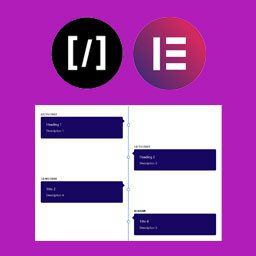
WordPress 貼文時間軸外掛只使用 CSS 創建垂直時間軸,用於文章分類或自訂分類。CSS非常靈活,因此在小型或大型尺寸下都能呈現美觀的效果。
它會默認顯示未分類的文章。
一個簡短的 Markdown 示例
預設用法
[wp-timeline]
顯示文章未分類類別中的 5 篇文章,每篇文章顯示 10 個字,沒有圖片並且僅顯示年份日期格式。
日期來自您的文章發佈日期,您可以修改它以更改時間軸日期。
在設定頁面上更改默認設定。
短碼選項不再適用 - 請使用設定頁面
外掛標籤
開發者團隊
原文外掛簡介
The WordPress Posts Timeline Plugin uses only css to create a vertical timeline for a post category or custom taxonomy. The CSS is very flexible so it should look good in small or large sizes.
It will pull uncategorized posts by default.
A brief Markdown Example
Default Usage
[wp-timeline]
Displays posts in post uncategorized category, showing 5 posts, 10 words per post, no images and year only date format.
The date is from your post’s published date – you can modify it to change your timeline date.
Change default settings on the settings page.
SHORTCODE OPTIONS NO LONGER WORK – USE SETTINGS PAGE