
內容簡介
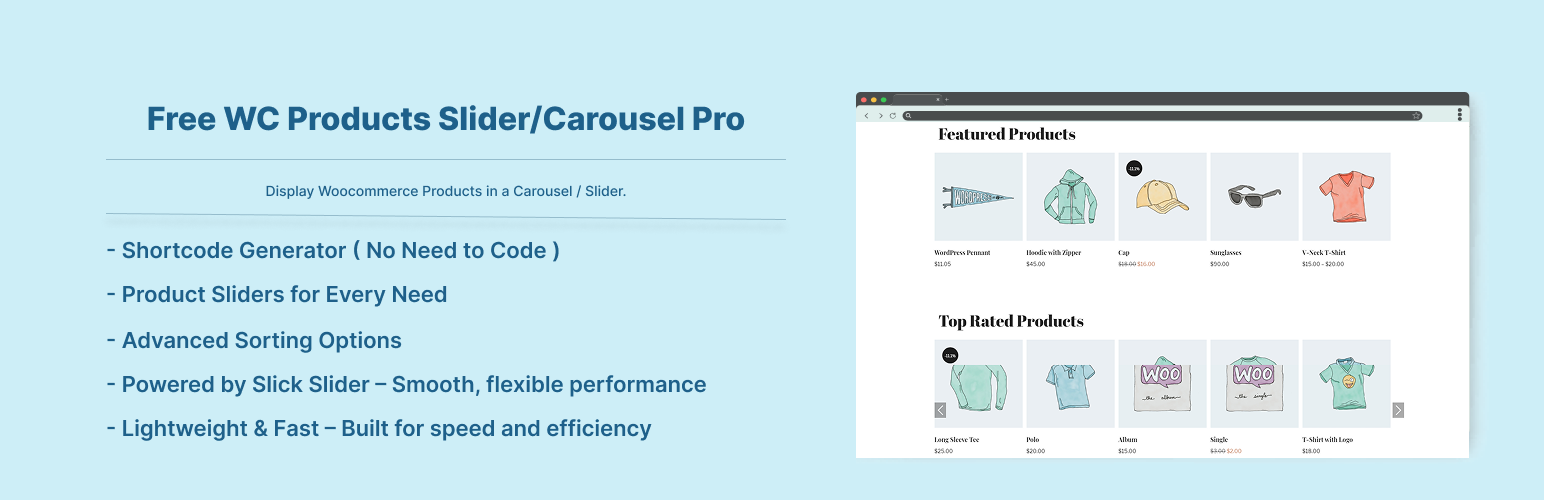
此外掛為 WooCommerce 商品輪播/滑動展示工具,可將商品以輪播形式呈現,支援依分類、標籤、SKU、屬性等條件篩選商品,並提供暢銷、特色、特價、最高評分及最近瀏覽等多種展示模式,透過短代碼即可在任意位置嵌入。
【主要功能】
• 提供 6 組短代碼對應不同商品展示模式
• 支援依分類、標籤、SKU、屬性篩選商品
• 可展示暢銷、特價、特色、最高評分商品輪播
• 可展示最近瀏覽過的商品輪播
• 沿用 WooCommerce 原生迴圈,自動套用佈景主題樣式
• 支援 Gutenberg 短代碼區塊使用
外掛標籤
開發者團隊
② 後台搜尋「Free WooCommerce Products Slider/Carousel Pro」→ 直接安裝(推薦)
原文外掛簡介
WooCommerce Product Carousel / Slider Pro comes with all Pro Features and is one of the best product slider to put your WooCommerce Products listing in a carousal. Choose products from Top Rated Category, Best Selling Category, ON Sale Category, Featured Category Products With Custom Category Filter enabled. You can easily display this product slider anywhere using shortcode.
You can sort product by category, tag, sku or attributes by adding category ID / tag ID / sku / attribute term in the shortcode as a shortcode parameter.
Plugin add a sub tab under “Products –> Product Slider Pro where you can generate your shortcode putting inputs values.
This plugin using the original loop form of WooCommerce that means it will display your product design from your theme’s style.
Also work with Gutenberg shortcode block.
This plugin contain 6 shortcodes
1) Display any WooCommerce products filtered by category / tag / sku / attribute in carousel view
[woopspro_products_slider] OR [woopspro_products_slider cats="CATEGORY-ID" tags="TAG-ID" skus="SKU-VALUE" attribute_color="blue,green,red" attribute_size="medium,big"]
2) Display WooCommerce Best Selling Products in carousel view
[woopspro_bestselling_products_slider] OR [woopspro_bestselling_products_slider cats="CATEGORY-ID"]
3) Display WooCommerce Featured Products in slider / carousel view
[woopspro_featured_products_slider] OR [woopspro_featured_products_slider cats="CATEGORY-ID"]
4) Display WooCommerce ON Sale Products in slider / carousel view
[woopspro_on_sale_products_slider] OR [woopspro_on_sale_products_slider cats="CATEGORY-ID"]
5) Display WooCommerce Top Rated Products in slider / carousel view
[woopspro_top_rated_products_slider] OR [woopspro_top_rated_products_slider cats="CATEGORY-ID"]
6) Display WooCommerce Recently Viewed Products in slider / carousel view
[woopspro_recently_viewed_products]
Ordering Products in your slider:
Plugin shortcodes also has ordering arguments. [woopspro_products_slider order='ASC' orderby='ID'] [woopspro_products_slider order='ASC' orderby='meta_value_num' meta_key='your_custom_key']
Powerful Pro Features
Easy Shortcode Generator – No coding required
Product Sliders for All Types:
Best Selling Products
Featured Products
On Sale Products
Top Rated Products
Latest / Recent Products
Recently Viewed Products
Advanced Sorting Options:
By Category
By Tag
By SKU
By Attributes
Custom Order (define your own order)
100% Mobile, Tablet & Desktop Responsive
Smooth Touch & Swipe Enabled Experience
Translation Ready – Works with multilingual plugins
Compatible with Any WordPress Theme
Powered by Slick Slider – Lightweight and efficient
Fully Customizable Display:
Choose the number of columns to show
Enable or disable autoplay
Show or hide navigation arrows
Show or hide pagination dots
Unlimited sliders anywhere using shortcodes, widgets, or block widgets
Device-specific slide limits (Mobile, Tablet, iPad, Laptop, Desktop)
You can use Following parameters with shortcode
Display Product by category:
cats=”category-ID”
Display Product by tag:
tags=”tag-ID”
Display Product by sku:
skus=”sku-value”
Display Product by attribute:
attribute_color=”red,green,blue”
Display Product by ids (comma seperated ids):
ids=”45,194,465″
limit:
limit=”5″ ( Display total 5 products in the slider. By default value is -1, all)
Display number of products at a time:
slide_to_show=”2″ (Display no of products in a slider)
Display number of products at time for mobile devices:
slide_to_show_for_mobile=”1″ (Display no of products in a slider for mobile devices)
Display number of products at time for iPads/Tablets devices:
slide_to_show_for_tablet=”2″ (Display no of products in a slider for iPads/Tablets devices)
Display number of products at time for Laptop/Small devices:
slide_to_show_for_laptop=”3″ (Display no of products in a slider for Laptop/Small devices)
Number of products slides at a time for mobile devices:
slide_to_scroll=”2″ (Controls number of products rotate at a time)
Number of products slides at a time:
slide_to_scroll_for_mobile=”2″ (Controls number of products rotate at a time for mobile devices)
Number of products slides at a time for iPads/Tablets devices:
slide_to_scroll_for_tablet=”2″ (Controls number of products rotate at a time for iPads/Tablets devices)
Number of products slides at a time for Laptop/Small devices:
slide_to_scroll_for_laptop=”2″ (Controls number of products rotate at a time for Laptop/Small devices)
Pagination and arrows:
dots=”false” arrows=”false” (Hide/Show pagination and arrows. By defoult value is “true”. Values are true OR false)
Autoplay and Autoplay Speed:
autoplay=”true” autoplay_speed=”1000″
Slide Speed:
speed=”3000″ (Control the speed of the slider)
slider_cls:
slider_cls=”products” (This parameter target the wooCommerce default class for product looping. If your slider is not working please check your theme product looping class and add that class in this parameter)
