![WordPress 外掛 Woo Custom Related Products Slider [Lite] by AU 的封面圖片](https://ps.w.org/woo-custom-related-products-slider-lite-by-au/assets/banner-772x250.png?rev=1445562)
內容簡介
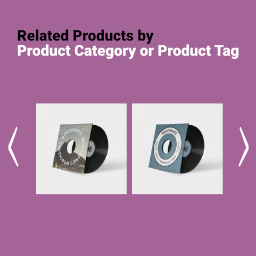
「Woo Custom Related Products Slider [Lite] by AU」是一款 WooCommerce WordPress 外掛,能為顧客提供顯示預設或自訂相關商品的功能,並且加上漂亮的滑動和懸停效果。此外掛具備完全自訂的功能,有超過15種選項,可以幫助你適配到你的主題樣式。
此外掛能夠提升你的服務水平,向客戶展示你關心提供相關且合適的產品選擇,同時也能增加你的銷售量。
此外掛具有現代化的滑塊風格,在不同設備上也能有良好的反應速度,並可以在商品頁面上的不同位置進行顯示。相關產品也可以根據日期、標題或隨機排序進行排序。您也可以選擇自定義相關產品,而不是基於類別和標籤的預設相關產品!
憑藉其靈活的功能和許多不同的設計變化,此工具將成為您市場營銷和網上銷售策略的專業幫手。
功能
現代滑塊設計風格
反應靈敏,手機友好
自訂相關產品
兩種結合相關產品的排序方式
按日期、標題或隨機排序產品
選擇最大產品數量
選擇滑塊中的列數
啟用或禁用滑塊的導航和分頁
顯示或隱藏「加入購物車」按鈕,評分和價格文字
選擇所有元素的顏色
選擇產品標題、價格和「加入購物車」按鈕的文字大小
外掛標籤
開發者團隊
② 後台搜尋「Woo Custom Related Products Slider [Lite] by AU」→ 直接安裝(推薦)
原文外掛簡介
“Woo Custom Related Products Slider [Lite] by AU” is a WooCommerce WordPress plugin that provides you functionality of displaying for your customers default or custom related products with nice sliding and hover effects. This plugin is fully customizable with more than 15 options that will definitely help you fit the view of a slider into your theme styling.
Improve your service level and show your customers that you care about giving them relevant and appropriate products to choose from, which, in turn, will increase your sales.
Plugin has modern slider stylings, is responsive and mobile friendly, can be shown in a different position on a product page, related products can be sorted by date, title or just in a random order.You can choose custom related products, instead of default related products, that are based on the categories and tags!
With this flexible functionality and numerous variations of design, this tool will become a professional helper in your marketing and online sales strategy.
Features
Modern slider stylings
Responsive and mobile friendly
Custom related products
Two orders for combined related products
Sorting products by date, title or in a random order
Select maximum number of products
Select number of columns in the slider
Enable or disable navigation and pagination of the slider
Show or hide ‘add to cart’ button, rating and price text
Choose color of all elements
Choose font size of a product title, price and ‘add to cart’ button