
內容簡介
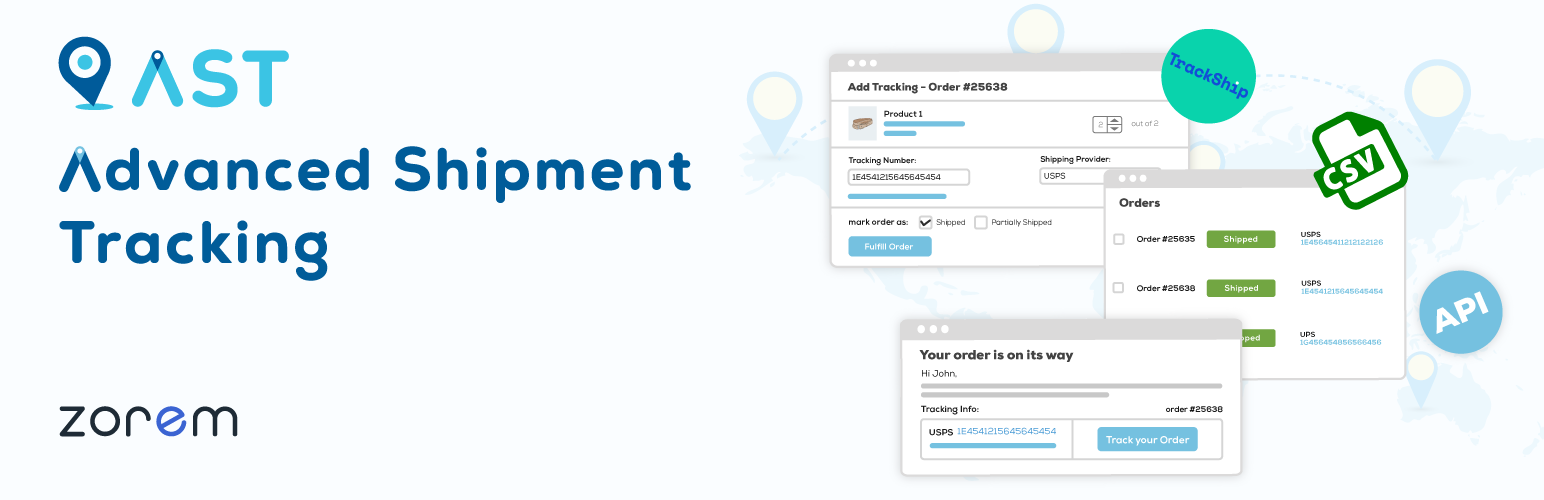
Advanced Shipment Tracking (AST) 提供了所有必要的功能,以管理和自動化 WooCommerce 運輸流程。輕鬆地添加追蹤信息和履行訂單,讓您的客戶了解訂單狀態,減少處理售後查詢的時間,同時提高整體客戶滿意度。
主要功能
優化運輸流程 – AST 允許您將 WooCommerce 的「已完成」訂單狀態標籤更名為「已發貨」,並為您以不同包裝或不同時間發貨的訂單啟用自定義訂單狀態「部分發貨」。
追蹤信息小工具 – 使用可完全自定義、響應式的小工具向客戶發送其運輸信息和跟踪訂單。追蹤信息小工具將顯示在訂單狀態電子郵件中和「我的帳戶」下的「查看訂單」頁面上。
為訂單添加追蹤信息 – 在編輯訂單或在訂單頁面上查看訂單時,輕鬆添加 WooCommerce 訂單的追蹤信息。
將多個跟踪號碼添加至同一訂單 – 可將多個跟踪號碼添加至同一訂單。
添加追蹤號碼時履行訂單 – 在添加追蹤信息時,AST 允許您履行訂單並向客戶發送運輸信息。
擁有 300 多個預定義的運輸供應商跟踪鏈接 – 從 300 多個運輸供應商列表中選擇您喜歡的運輸供應商。跟踪鏈接將指向該供應商網站上的客戶跟踪頁面,以便他們跟踪其訂單的運輸進度。
運輸跟踪 API – 使用運輸跟踪 API 端點更新第三方服務生成的跟踪號碼,並從外部系統履行訂單。
從 CSV 檔案中匯入運輸信息 – 如果您的倉庫或代發公司以 CSV 檔案提供運輸信息,AST 提供了一個快速且簡單的接口,可從 CSV 中批量導入多個跟踪號碼到訂單中,以避免重複復制和粘貼的工作。
AST PRO 履行管理員
整合和兼容性 – 內置與ShipStation、WooCommerce 運輸、Ordoro、Royal Mail Click & Drop、Dear Inventory、Ali2Woo、Printify 等多個軟體的集成,自動化履行流程
履行儀表板 – 從集中處理和履行您的訂單的履行儀表板
每件物品的追蹤 – 拆分訂單追蹤並將跟踪號碼附加到訂單物品上
具有響應式追蹤小工具的自定義電子郵件模板
自定義訂單狀態「已發貨」 – 創建自定義的航運工作流,保持完成訂單的虛擬訂單
API 提供者名稱映射 – 映射 API 更新的運輸公司名稱
API 自動化 – 自動完成部分訂單
自定義運輸供應商 – 創建具有自定義跟踪鏈接的自定義運輸供應商
白標運輸供應商 – 更新預定義運輸供應商的顯示名稱和徽標
自動檢測運輸供應商 – 在手動添加跟踪號碼時自動檢測運輸供應商
將跟踪信息匯出至 PayPal – 自動將發貨追蹤信息匯出到 PayPal 交易中
高級支援
獲取 AST PRO >
TrackShip 集成
TrackShip 使用 400 多個運輸供應商自動跟踪您所有的貨件,並為您的 WooCommerce 商店提供一個完全自訂的跟踪體驗。TrackShip 允許您自定義您的跟蹤頁面的風格,以使其與您的品牌風格保持一致。
外掛標籤
開發者團隊
② 後台搜尋「Advanced Shipment Tracking for WooCommerce」→ 直接安裝(推薦)
📦 歷史版本下載
原文外掛簡介
Advanced Shipment Tracking (AST) helps WooCommerce store owners add tracking numbers to orders and automatically share them with customers. When you ship an order, your customer gets a tracking link in their email and on their My Account page — reducing “Where is my order?” support tickets and keeping shoppers informed from checkout to delivery.
Trusted by 60,000+ WooCommerce stores, AST makes order fulfillment faster and your customers happier.
Why Store Owners Choose AST
Whether you ship 5 orders a day or 5,000, AST fits into your workflow:
Add Tracking Numbers Easily — Add one or multiple tracking numbers per order directly from the Edit Order page or the orders list.
“Shipped” & “Partially Shipped” Statuses — Rename the default WooCommerce “Completed” status to “Shipped” and use “Partially Shipped” for split shipments, so customers always know what’s going on.
Customizable Tracking Widget — A responsive tracking info display appears in order emails and on the My Account > Orders page. Customize colors, layout, and content with a live preview customizer.
850+ Shipping Carriers Worldwide — Predefined tracking links for carriers like USPS, UPS, FedEx, DHL, Royal Mail, Australia Post, Canada Post, Delhivery, ePacket, and hundreds more. View the full carrier list.
Shipment Tracking REST API — Let third-party shipping services, ERPs, and label generators push tracking data to your orders via the WooCommerce REST API. API documentation.
Bulk CSV Import — Upload a CSV file to add tracking numbers to hundreds of orders at once. Perfect for high-volume stores and dropshippers. CSV import guide.
Upgrade to AST PRO for Advanced Fulfillment
Need more power? AST PRO adds features built for high-volume and multi-channel stores:
Shipping Service Integrations — Built-in connections with ShipStation, WooCommerce Shipping, Ordoro, Royal Mail Click & Drop, Sendcloud, Pirate Ship, Stamps.com, Printful, and more.
Fulfillment Dashboard — Manage all shipments from a centralized dashboard.
Item-Level Tracking — Assign tracking numbers to individual order items and quantities.
Custom Email Templates — Enhanced, responsive email notifications with the built-in tracking widget.
Auto-Detect Carriers — Automatically identify the shipping carrier based on the tracking number format.
Custom & White-Labeled Carriers — Define your own shipping carriers with custom names, logos, and tracking URLs.
Automated CSV Import via FTP/SFTP — Schedule recurring bulk imports.
PayPal Tracking Sync — Automatically export tracking data to PayPal to reduce disputes and release payment holds.
Priority Support — Get faster, dedicated assistance.
Get AST PRO
Works With Your Existing Plugins
AST is tested and compatible with popular WooCommerce plugins, including shipping label generators, email customizers (Kadence, YayMail, WP HTML Mail), custom order number plugins, multi-vendor solutions (Dokan), SMS notification plugins, and PDF invoice tools.
Full compatibility list
Translations
AST is fully translatable and already available in English, German, Hebrew, Hindi, Italian, Norwegian, Russian, Swedish, Turkish, Bulgarian, Danish, Spanish, French, Greek, Portuguese (Brazil), and Dutch.
Want to help? Submit a translation.
Documentation & Support
Step-by-step setup guides, tutorials, and developer code snippets are available in the AST documentation.
Need help? Visit the support forum.
Automate Tracking Updates with TrackShip
Want to go beyond adding tracking numbers? TrackShip for WooCommerce monitors your shipments in real time across 850+ carriers and proactively notifies your customers at every stage — in transit, out for delivery, and delivered.
With TrackShip you can:
Reduce “Where is my order?” inquiries with automatic delivery updates via email and SMS.
Offer a branded tracking page on your store instead of sending customers to carrier websites.
Automate order status updates based on actual shipment events.
Analyze shipping performance and delivery times.
Learn more about TrackShip
More Plugins by Zorem
Zorem Local Pickup Pro — Local pickup and store pickup for WooCommerce.
SMS for WooCommerce — Send SMS order notifications to customers.
Country Based Restriction for WooCommerce — Restrict products, shipping, and payment by country.
Customer Email Verification for WooCommerce — Verify customer emails during registration.
Sales By Country for WooCommerce — Visualize sales data by country.
Zorem Returns — Manage product returns and RMA.
Email Reports for WooCommerce — Automated email sales reports.
View as Customer for WooCommerce — Preview your store as a specific customer.
Explore all plugins at zorem.com.
How It Works
Install and activate AST.
Select your default shipping carriers from the settings page.
Add a tracking number to an order — manually, via CSV, or through the REST API.
AST automatically includes the tracking info and a “Track” link in the order email and the customer’s My Account page.
That’s it. No complex setup, no external accounts required.














