內容簡介
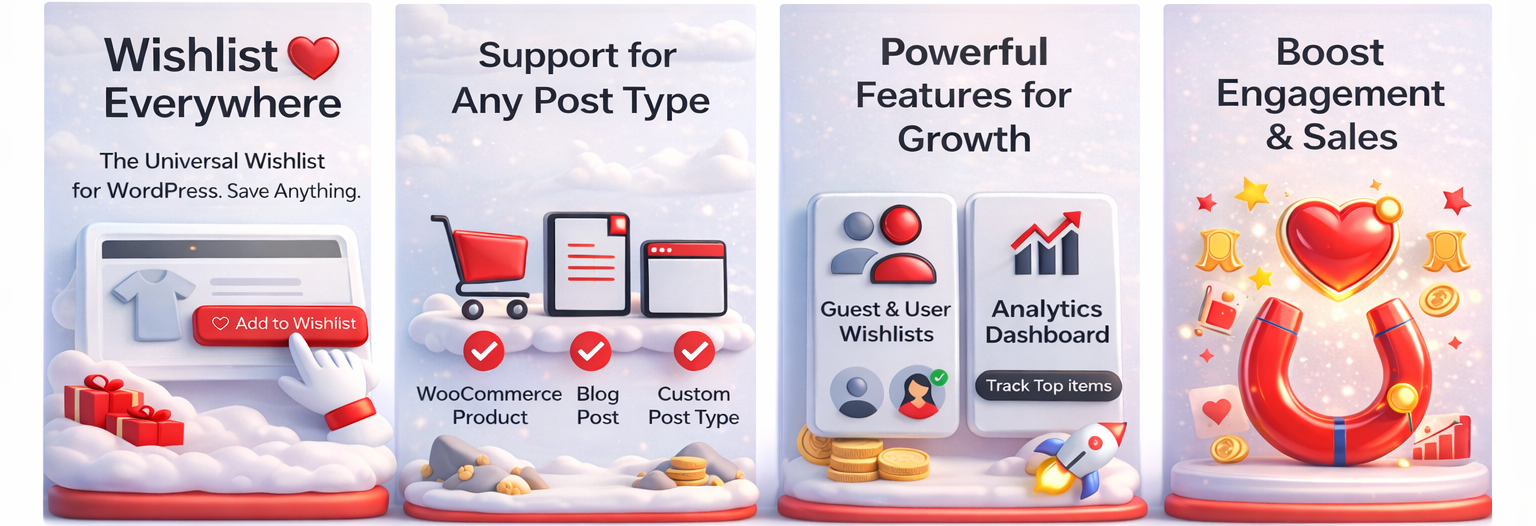
Wishlist Everywhere 為您的 WordPress 網站添加了一個靈活且易於使用的願望清單系統。用戶可以將產品、文章或任何自定義內容類型保存到個人願望清單中,適用於 WooCommerce 商店、部落格、活動網站和房地產平台等。
【主要功能】
• 支援任何文章類型
• WooCommerce 整合
• 支援登入與訪客用戶
• 用戶帳號願望清單標籤
• Gutenberg 區塊支援
• 自訂按鈕位置
外掛標籤
開發者團隊
原文外掛簡介
Wishlist Everywhere adds a flexible and easy-to-use wishlist system to your WordPress website. Let users save products, posts, or any custom content types to a personal wishlist. Works for both logged-in and guest users. Perfect for WooCommerce stores, blogs, event sites, real estate platforms, and more.
Admins can now track Most Wishlisted Products and Top Users by Wishlist Activity with built-in Analytics.
🌟 Key Features
✅ Support for Any Post Type
Enable wishlist functionality for Products, Posts, Pages, or any Custom Post Type.
✅ WooCommerce Integration
Display wishlist buttons on product listing and product detail pages with full support for WooCommerce hooks.
✅ Works for Both Logged-in and Guest Users
Wishlists are saved for guest users using browser storage (cookies/localStorage) and for logged-in users in their account.
✅ User Account Wishlist Tab
For logged-in users, adds a “Wishlist” tab in their WooCommerce My Account section.
✅ Gutenberg Block Support
Easily add wishlist buttons in Gutenberg using a dedicated block.
✅ Customizable Button Placement
Choose where to show wishlist buttons: above image, before/after add to cart, or insert manually using a shortcode.
✅ Custom Button Text
Set custom text for both “Add to Wishlist” and “Remove from Wishlist” buttons.
✅ AJAX Support
Instantly add or remove items from wishlist without page reloads.
✅ Shortcodes
Use [wishlist_everywhere] to display the user’s wishlist anywhere on your site.
✅ Custom Styling Options
Add your own CSS for button styles, layout adjustments, or animations.
✅ Optimized & Lightweight
Built for speed with clean code and minimal database usage.
✅ Wishlist Sharing
Users can now copy wishlist links to clipboard or share directly on Facebook, Twitter, and Pinterest.
✅ Analytics Dashboard
Store admins can view wishlist items in the backend
– View most wishlisted products
– View top users with wishlist activity
– Track wishlist activity even after items are removed
– Visual charts powered by Chart.js
💡 Use Cases
🛍️ WooCommerce Stores – Let shoppers save favorites for future purchases.
📰 Blogs & Content Sites – Allow readers to bookmark articles and guides.
🎫 Event Listings – Let users track and save events they’re interested in.
🏘️ Real Estate – Visitors can save properties to revisit later.
🎓 Educational Portals – Students can wishlist courses, documents, and videos.
📦 What’s Included
Universal wishlist support for all post types
WooCommerce-ready functionality
Wishlist on product archives and detail pages
Button position controls
AJAX-powered actions add/remove
Shortcode support: [wishlist_everywhere]
User account tab for wishlists
Gutenberg block
Custom post type settings
Guest and user account wishlist support
Wishlist sharing (clipboard + social platforms)
Developer-friendly structure
Styling customizer via CSS box
Shortcodes
[wishlist_everywhere]
Displays the wishlist for the current user (guest or logged-in).
Privacy Policy
Wishlist Everywhere uses Appsero SDK to collect some telemetry data upon user’s confirmation. This helps us to troubleshoot problems faster & make product improvements.
Appsero SDK does not gather any data by default. The SDK only starts gathering basic telemetry data when a user allows it via the admin notice. We collect the data to ensure a great user experience for all our users.
Integrating Appsero SDK DOES NOT IMMEDIATELY start gathering data, without confirmation from users in any case.
Learn more about how Appsero collects and uses this data.