內容簡介
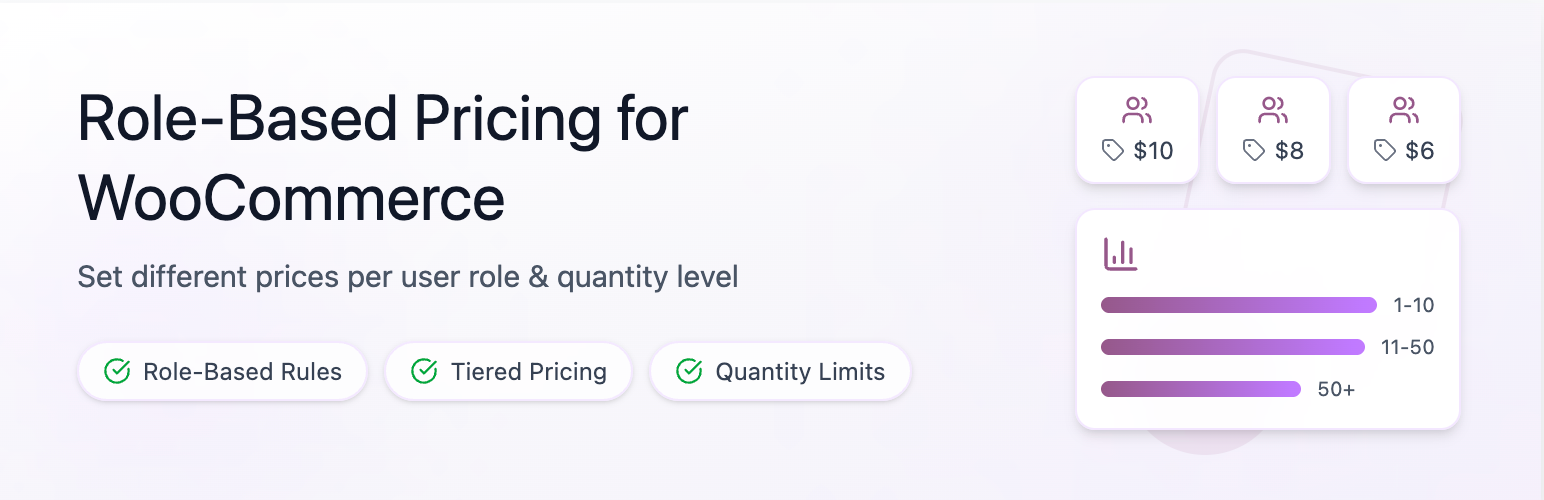
Wholesale & Tiered Pricing for WooCommerce 是一款靈活的 WooCommerce 批發定價外掛,專為 B2B 商店、批發分銷商及大量銷售者設計。它允許為不同用戶角色設定自訂價格、分級量販折扣及購買數量規則,並可自動化批發折扣邏輯。
【主要功能】
• 角色基礎批發定價
• 分級/量販折扣定價
• 專業定價表顯示
• 設定購買數量的最小、最大及步進值
• 排程限時促銷及定價規則
• 實時折扣計算器顯示
外掛標籤
開發者團隊
② 後台搜尋「Wholesale & Tiered Pricing for WooCommerce」→ 直接安裝(推薦)
原文外掛簡介
Wholesale & Tiered Pricing for WooCommerce is the most flexible wholesale pricing plugin for WooCommerce stores. Designed for B2B shops, wholesale distributors, and bulk sellers, it lets you define custom prices, tiered volume discounts, and quantity purchase rules for any user role — including custom roles created by membership or access-control plugins.
Show eye-catching tiered pricing tables on your product pages, let customers see exactly how much they save as they buy more, and automate bulk discount logic without writing a single line of code.
🎥 Watch the Plugin Overview Video:
👉 See how to set up wholesale pricing rules in under a minute!
Whether you run a wholesale WooCommerce store, sell to B2B customers, or simply want to reward bulk buyers with volume discounts, this plugin covers every scenario:
Charge different prices per user role (wholesale, retailer, VIP, distributor, etc.)
Offer quantity-based tiered discounts (buy 5 save 10%, buy 10 save 20%)
Set minimum, maximum, and step purchase quantities per role
Display professional pricing tables directly on the product page
Schedule flash sales and time-limited pricing rules with start and end dates
Show a live savings calculator so customers see their discount in real time
Key Features
Role-Based Wholesale Pricing
Assign different product prices per user role — wholesale, retailer, B2B customer, VIP, vendor, or any custom role.
Full backward compatibility with both single-role and multi-role rule formats.
Global pricing rules act as a wildcard and apply to all logged-in users or guest users.
Works with any custom role created by plugins like WooCommerce Memberships, Ultimate Member, or User Role Editor.
Tiered / Volume Discount Pricing
Create quantity-based pricing tiers: the more a customer buys, the lower the price per unit.
Set tiers as a fixed discount (e.g., $5 off per item) or a percentage discount (e.g., 15% off).
Apply tiers to all variations or target a specific variation of a variable product.
Multiple tier levels per rule — unlimited pricing bands.
Scheduled & Flash Pricing
Set an Active From and Active Until date on any pricing rule.
Rules outside their date window are automatically excluded from pricing, tables, cart validation, and discount messages — no manual toggling needed.
Perfect for flash sales, seasonal wholesale pricing, and time-limited B2B promotions.
Quantity Rules per Role
Minimum quantity — require wholesale buyers to purchase at least N units.
Maximum quantity — limit retail customers to a maximum order size.
Step/increment quantity — force orders in multiples of 2, 5, 10, etc.
Quantity enforcement applies on the product page, in the cart, and at checkout.
Beautiful Pricing Table Templates
Six ready-made table layouts: Table, Options, Minimal Table, Compact List, Plain Text, Horizontal.
Choose the default template globally and override it per product.
Control which columns appear: Quantity, Price, Discount.
Set a custom table title and active-tier highlight color.
Responsive layout option for mobile shoppers.
Choose where the table appears: above/below add-to-cart, before/after product meta, or after product summary.
Live Savings Calculator
Displays a real-time savings widget on the product page.
Updates automatically as the customer changes the quantity input.
Shows regular price, discounted price, total savings amount, and discount percentage.
Can be enabled or disabled from Template Options settings.
Discount Badges in Cart, Checkout & Orders
Applied wholesale tier is shown beside each line item in the cart, checkout, customer order details, and admin order screen.
Customers see exactly which discount tier was applied and how much they saved.
Variable Product Support
Full support for WooCommerce variable products — rules and tiers can target all variations or a specific variation.
Pricing tables update dynamically when the customer switches between variations.
Performance & Security
Transient caching on the wholesale reports page (5-minute TTL).
Pre-warmed post meta cache to eliminate N+1 database queries.
Capped product and category queries (limit: 200) to prevent timeouts on large stores.
All AJAX handlers protected with nonce verification and capability checks.
Admin-only handlers are never registered as publicly accessible.
Wholesale Registration Form
Add the shortcode [whtprole_registration_form] to any page to let customers apply for wholesale access.
Collects company name, business type, VAT/tax number, phone, and a free-text message.
Guest applicants get a WooCommerce customer account created automatically — no extra step required.
Logged-in users who already submitted see their application status (pending / approved / rejected) instead of the form.
Admin receives an email notification for every new application.
Approved and rejected applicants are notified by email with WooCommerce-branded messages.
Manage all applications from Wholesale → Applications in the WordPress admin.
One-click Approve (assigns the configured role) or Reject (with optional reason).
Configurable: choose which WordPress role is assigned on approval, set the notification email, and optionally require users to be logged in before applying.
Wholesale Reports
Dedicated Wholesale Reports page inside WooCommerce showing revenue, order counts, and top wholesale buyers.