內容簡介
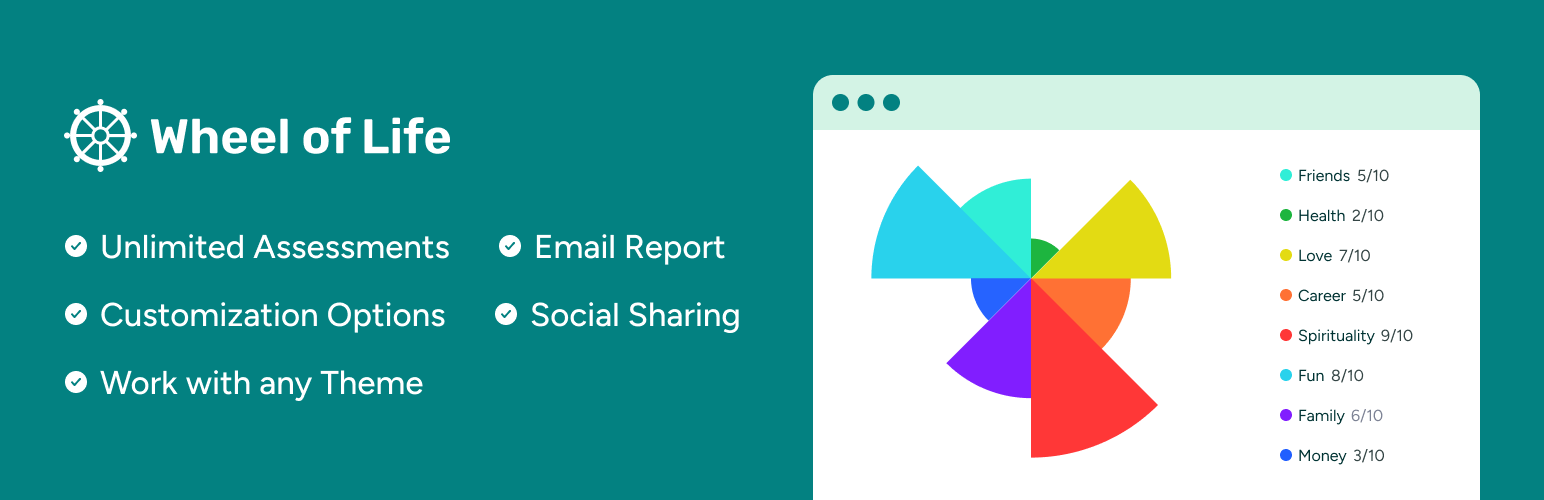
Wheel of Life 外掛是一個強大的工具,專為職業、健康或生活教練設計,幫助教練生成潛在客戶並促進業務成長。透過此工具,訪客可以評估生活的各個面向,並獲得全面的生活平衡視圖。
【主要功能】
• 無限次評估 - 客戶可多次進行評估以分析生活平衡
• 自訂選項 - 完全自訂評估工具的外觀和設定
• 行動呼籲整合 - 在評估結束時添加行動呼籲
• 輕鬆嵌入 - 可在網站文章或頁面中輕鬆嵌入評估
• 社交分享 - 客戶可快速分享評估結果到社交媒體
• 電子郵件報告 - 評估結束後將結果發送至電子郵件
外掛標籤
開發者團隊
② 後台搜尋「Wheel of Life: Coaching and Assessment Tool for Life Coach」→ 直接安裝(推薦)
📦 歷史版本下載
原文外掛簡介
👉 Wheel of Life Pro is now available.
👉 View Demo.
Powerful Tool for Coaches to Generate Leads and Grow Coaching Business
As a career, health or life coach, do you want to easily enable visitors on your website to get a “bird’s eye” view of their lives and capture leads? Or do you want to help your clients to assess each area of life, and help them achieve a profound balanced life?
If your answer is yes, then the Wheel of Life tool is for you.
With the Wheel of Life coaching tool, you can generate leads by letting visitors on your website take assessments. l You can also help your client see how balanced their life is and motivate them to create a fulfilling life. While your clients visualize all the important areas of their lives at once, you can guide them to maintain the perfect balance they need.
Key Features of Wheel of Life Assessment Tool
Unlimited Assessments – You can easily create an unlimited wheel of life assessments for your clients. Your clients can take the assessment multiple times to analyze how balanced their life is. This even encourages them to sign up for coaching services from you to create a fulfilling life.
Customization Options – Wheel of Life is simple and easy to use. You can fully customize the different settings of the assessment tool, such as the visual appearance of the wheel, choices in color options and many more.
Call to Action Integration – To encourage your clients and your website visitors to signup for your services or book an appointment, you can add Call to Action at the end of the assessment. This will help you bring more leads and grow your coaching business.
Easily Embed Across Your Website – You can easily embed the assessment across your website in posts or pages using shortcode and button blocks.
Social Sharing – Your clients and website visitors can quickly share their assessment results on different social media. This will help to increase social media visibility about your business and generate leads.
Email Report – At the end of the assessment, your clients and website visitors can result of the rest to their email their results for future reference.
Compatible with Any Theme – This plugin works smoothly with any theme.
Wheel of Life Tool Pro Features
Analytics Dashboard – With the Pro version, you can get how your clients and website visitors are engaged with the assessments. You can see the total number of assessments taken, the popular assessments and who recently took the assessment.
User Registration – With this feature, you can allow your clients and website visitors to register on your website to take assessments from their profile, view their assessment history and much more. You can also promote helpful resources on the dashboard.
More Insights on Members – You can see the progress of your registered users from your dashboard. You can easily review your clients’ profiles, see their assessment history and much more.
Customizable Email Templates – You can customize the email templates that are sent during registration, forgot password and email report.
Resources Sharing – You can add several helpful resources to inform your clients and generate more leads. The helpful resources are displayed on the user dashboard.
More Chart Types – You get 3 different chart types for displaying the assessment which can be configured independently for each assessment.
Custom Call to Action – In addition to the Global Call to Action, you can configure different CTA for each of your assessments. This feature will offer more control to customize the CTA for each assessment and will help you bring more leads.