
內容簡介
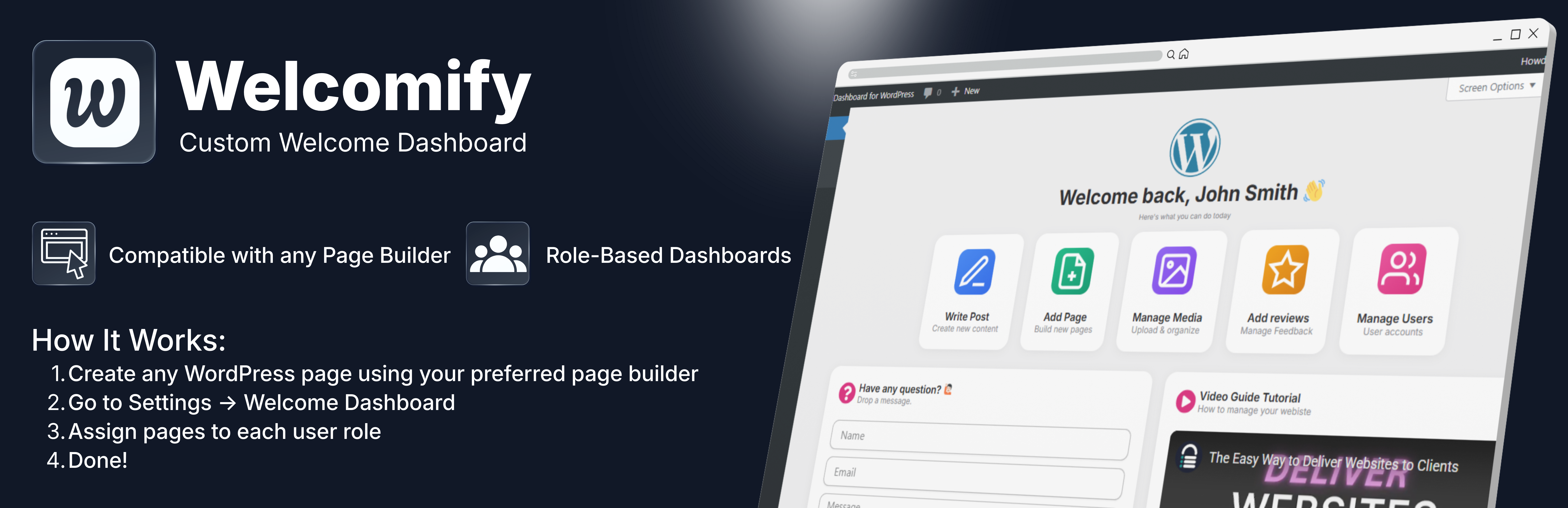
Welcomify 讓您可以用自己喜愛的頁面編輯器(如 Elementor、Gutenberg 等)替換 WordPress 預設的歡迎面板,提供客製化的使用者體驗,提升網站的專業形象。
【主要功能】
• 角色基礎儀表板:為不同使用者角色指派專屬歡迎頁面
• 支援多種頁面編輯器:兼容 Elementor、Gutenberg、Divi 等
• 可關閉選項:允許使用者選擇關閉歡迎面板
• 簡潔嵌入:無標頭、無頁尾、無側邊欄的乾淨顯示
• 多站點支援:完全支援 WordPress 多站點網路
• 輕量化設計:不含多餘功能,僅保留必要特性
外掛標籤
開發者團隊
② 後台搜尋「Welcomify – Custom Welcome Dashboard」→ 直接安裝(推薦)
原文外掛簡介
Welcomify allows you to replace the default WordPress welcome panel with any page you create using your favorite page builder – Elementor, Gutenberg, Bricks, Divi, and more.
Key Features
Role-Based Dashboards – Assign different welcome pages for each user role (Administrator, Editor, Author, Contributor, Subscriber)
Page Builder Compatible – Works with Elementor, Gutenberg, Bricks, Divi, Beaver Builder, Breakdance, and more
Dismissible Option – Allow users to dismiss the welcome panel if desired
Clean Embed – Pages are displayed cleanly without headers, footers, or sidebars
Multisite Support – Full support for WordPress multisite networks
Lightweight – No bloat, just the features you need
Translation Ready – Fully internationalized and ready for translation
Use Cases
Create a branded onboarding experience for new users
Display important announcements to specific user roles
Show quick-start guides for content creators
Present analytics dashboards to administrators
Welcome clients with custom messages
How It Works
Welcomify supports two ways to display content on the dashboard, depending on your page builder:
For Elementor & Bricks (Templates)
Go to Elementor > Templates or Bricks > Templates and create a new template
Design your welcome dashboard content and save the template
Go to Welcomify in the admin menu
Select your template from the Elementor Templates or Bricks Templates section in the dropdown
Assign it to a user role and save
For Gutenberg, Divi, Beaver Builder, Breakdance & Others (Pages)
Create a new WordPress page using your preferred page builder
Design your welcome dashboard content — the page can be published, private, or even password protected
Go to Welcomify in the admin menu
Select your page from the Pages section in the dropdown — it will show a label indicating which builder was used
Assign it to a user role and save
That’s it! When users visit the WordPress dashboard, they will see your custom content instead of the default welcome panel.














