
內容簡介
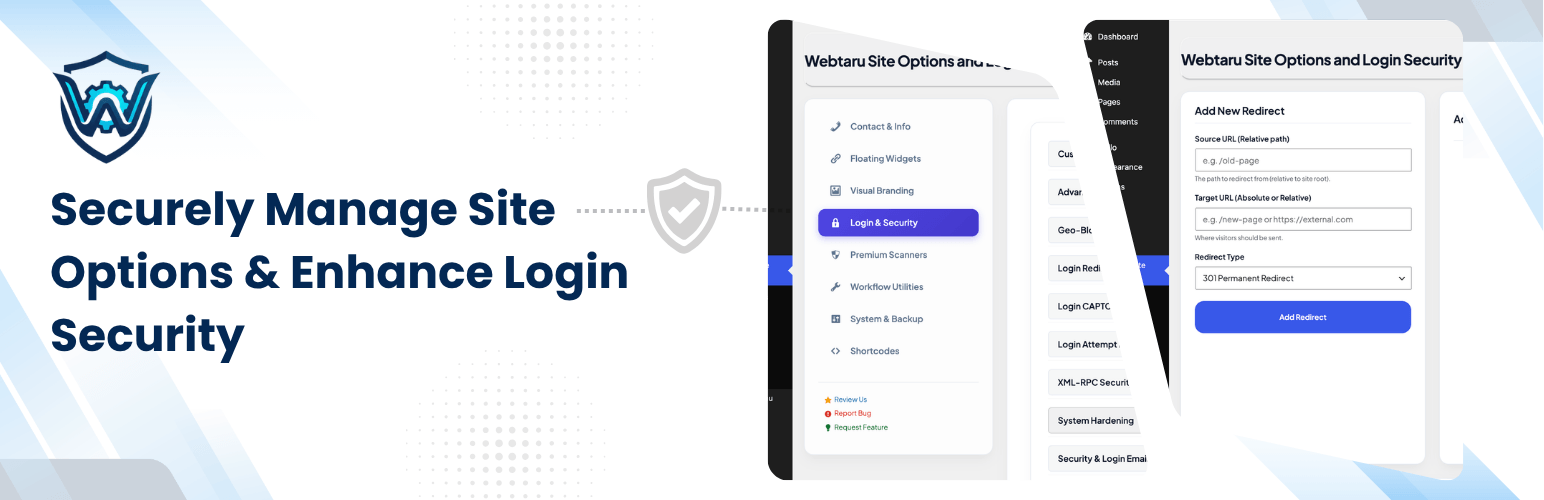
Webtaru Site Options and Login Security 是一款全面的 WordPress 管理工具,幫助網站管理員管理重要的網站資訊、營業時間及視覺品牌,同時加強網站安全性,提供自訂登入網址及 CAPTCHA 保護功能。
【主要功能】
• 檔案與惡意程式掃描:自動掃描外掛、佈景主題及資料庫選項
• 地理封鎖:根據訪客國家限制登入頁面存取
• 安全登入自訂:變更 WordPress 登入網址以防止暴力破解
• CAPTCHA 整合:支援 Google reCAPTCHA v3 和 Cloudflare Turnstile
• 登入嘗試限制器:限制失敗登入次數以防止暴力破解
• 活動日誌:全面監控使用者行為及變更記錄
外掛標籤
開發者團隊
② 後台搜尋「Webtaru Site Options and Login Security」→ 直接安裝(推薦)
原文外掛簡介
Webtaru Site Options and Login Security is a comprehensive toolkit for WordPress administrators to manage essential site information, business hours, and visual branding, while simultaneously hardening your site’s security by allowing you to change the default login URL and add CAPTCHA protection.
Features
Security & Privacy
File & Malware Scanner: Scan your active plugins, themes, and database options for known malware signatures, injected scripts, and hidden backdoors. Includes a 1-Click Auto-Clean feature.
Geo-Blocking: Restrict access to your login page or entire site based on the visitor’s country using lightweight IP lookups.
Secure Login Customization: Change your WordPress login URL to a custom slug to prevent brute-force attacks. Includes a secret key cache-bypass query string for cached environments.
CAPTCHA Integration: Support for Google reCAPTCHA v3 and Cloudflare Turnstile to protect your login forms.
Login Attempt Limiter: Prevent brute-force attacks by limiting failed login attempts. Unlock locked-out IPs directly from the dashboard.
Email-Based 2FA: Intercept logins and require verification codes sent via email for administrators or selected roles.
Inactivity Auto-Logout: Monitor idle times and automatically log out inactive users with an elegant countdown warning overlay.
Login Email Alerts: Receive instant email notifications with user, IP, User Agent, Time, and Site URL upon successful logins.
Advanced XSS Protection: Add basic or advanced security headers to protect your site from script injections.
Basic Security Firewall: Automatically block common malicious query strings, SQL injections, and malware patterns.
REST API Restriction: Restrict WP REST API access for unauthorized users to prevent data enumeration.
Disable Common Usernames: Prevent user registration and logins for weak usernames like “admin” to harden security.
Site Hardening: Restrict author archives to prevent username enumeration and improve overall site safety.
Disable XML-RPC: Disable XML-RPC requests to protect against DDoS and external credential verification exploits.
Content Protection: Protect your content by disabling Right-Click, Text Selection, and Copy-Paste globally.
Content & Media Management
Activity Log: A comprehensive audit trail to monitor user actions, page/post updates, file edits, and plugin/theme changes.
Transients Manager: Easily view, search, and bulk delete expired or unnecessary transients and site transients from the dashboard.
UI & UX Enhancements
Admin Bar Zen Mode: Instantly declutter the admin bar by removing distracting logos, comments, updates, and notices.
Admin Bar Cleanup: Declutter your dashboard by selectively hiding top-level and third-party admin bar nodes.
Dashboard Widgets: Agency-ready dashboard widget showcasing customized business contact and operational details.
Sticky WhatsApp Button: Add a floating WhatsApp contact bubble with customizable placement, numbers, display conditions, and greeting messages.
Sticky Vertical Button: Add a customizable floating side button (e.g. for Feedback or Contact) with customizable styles, IDs, and positions.
Mobile Navigation Bar: Add fixed bottom action navigation buttons specifically optimized for mobile visitors.
Back to Top Button: Smooth scrolling back-to-top button with customizable background/icon colors, shapes, and sizes.
Smooth Inertia Scrolling: Enable customizable fluid mousewheel scrolling speeds and smoothness globally.
Identity & Branding
Advanced Custom Login Page Designer: Elevate your login experience with premium templates like Split-Screen Layouts and modern Glassmorphism aesthetics.
Logo Management: Manage separate Light and Dark versions of your website logo, and support custom SVG uploads.
Login Page Aesthetics: Completely customize the login page with a custom logo, background image, styling overrides, and a custom error message.
Contact & Social Info: Centralized control of primary and secondary phone numbers, email addresses, fax, maps, and social profiles.
Agency Mode / White-Labeling: White-label the plugin for your clients by renaming the menu page and hiding the default brand icon.
SEO & Communication
Business Hours Scheduler: Manage daily business hours and display them dynamically with “Open/Closed” indicator shortcodes.
Schema.org JSON-LD: Automatically generate local SEO-optimized LocalBusiness Schema JSON-LD markup based on your options.
SMTP Integration: Route all outgoing WordPress emails through a secure SMTP configuration (host, port, security, authorization) and test it with a built-in email tool.
Maintenance Mode: Toggle a professional maintenance page with custom headings, messages, SVG status cogs, contact details, and bypass cookies.
Auto-Alt Text: Automatically fill missing image Alt tags with image titles for improved image search SEO.
Content & Media Management
AJAX Media Replacement: Overwrite and replace media files directly from the attachment details panel or list view while preserving the original URLs and file names.
Post & Page Duplicator: Clone or duplicate posts, pages, or custom post types in one click from dashboard list tables.
Duplicate Menu: Duplicate navigation menus with a single click in the WordPress Menu Editor screen.
External Links Control: Force all external links in post content to open in a new tab (target="_blank") automatically.
Shortcodes & Page Builder Widgets: Built-in Elementor Widget and WPBakery Page Builder element for drag-and-drop dynamic contact info placement.
Admin Workflow & Optimizations
Gutenberg Editor Control: Disable the Gutenberg Block Editor and easily restore the classic visual/text editor interface.
Disable Comments Sitewide: Disable commenting features and references sitewide for posts, pages, and media attachment files.
Disable Theme/Plugin File Editor: Turn off the default theme and plugin editor to protect source code from unauthorized modifications.
Hide Admin Sidebar Menus: Hide specific sidebar menus for non-administrators or standard users.
One-Click Cache Flushing: Flush cache across WP Rocket, LiteSpeed Cache, SG Optimizer, and WP Engine on settings save.
Remove Query Strings: Remove version query strings (?ver=) from CSS and JS files for improved page speed scores.
Copyright Year Shortcode: [wtols_copyright] shortcode that automatically displays and updates the current calendar year.
Custom CSS & JS Injector: Inject custom scripts/styles in the header/footer of front-end pages.
404 Redirection: Redirect all 404 Not Found errors to the home page with temporary 302 redirects to preserve SEO rankings.
Database & Redirection Manager
301/302 Redirect Manager: Create, update, and bulk-delete custom source-to-target URL redirects. Supports importing and exporting redirects via JSON.
Database Optimization: Run database cleanup tasks to purge revisions, drafts, transients, and orphan metadata.
Backup & Restore settings: Export your site options configuration as a JSON file and restore it on any site.
External services
This plugin supports the following third-party services to enhance site security:
Google reCAPTCHA (v3): Used to protect the login form from automated bot attacks.
Service: Google reCAPTCHA
Usage: Verification of human users during login.
Data Sent: User’s IP address and browser interaction signals.
Privacy Policy: https://policies.google.com/privacy
Terms of Service: https://policies.google.com/terms
Cloudflare Turnstile: A privacy-focused alternative to CAPTCHA for protecting login forms.
Service: Cloudflare Turnstile
Usage: Verification of human users during login.
Data Sent: Browser and device telemetry.
Privacy Policy: https://www.cloudflare.com/privacypolicy/
Terms of Service: https://www.cloudflare.com/website-terms/
Shortcodes
[wtols_phone] – Display primary phone.
[wtols_email] – Display primary email.
[wtols_address] – Display business address.
[wtols_logo] – Display light/dark logo.
[wtols_map] – Display embedded map.
[wtols_social_links] – Display social icons.
[wtols_hours] – Display business hours or open/closed status.
[wtols_contact_card] – Display a complete contact info block.














