內容簡介
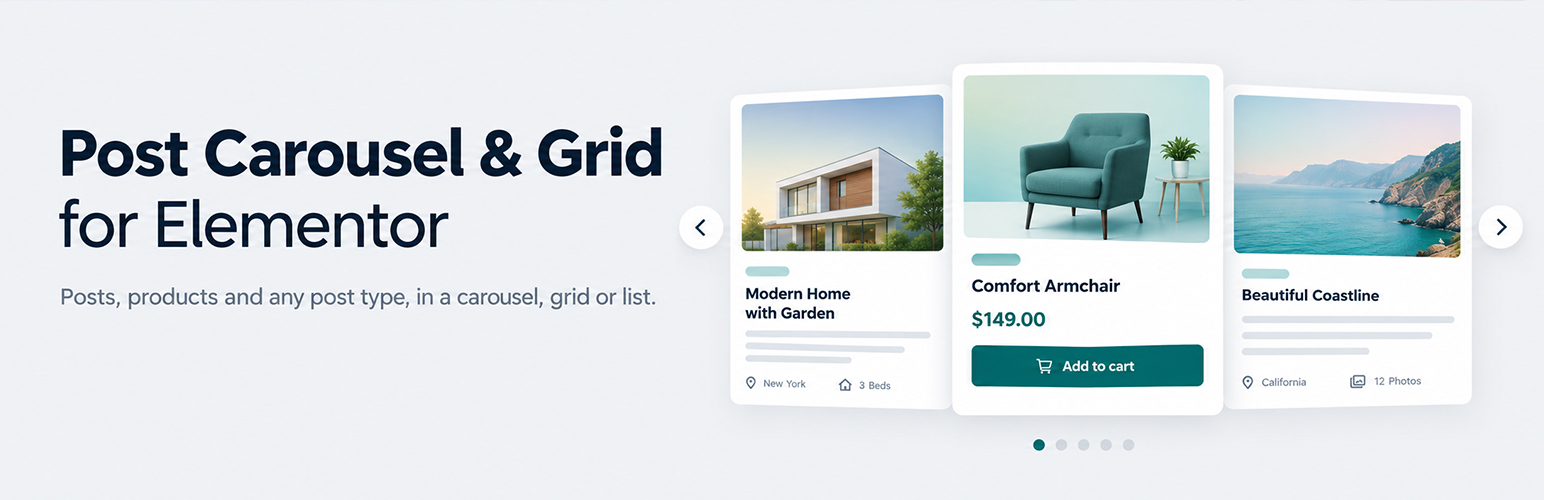
Post Carousel & Grid for Elementor 是一款專為 Elementor 設計的外掛,提供多種方式展示文章,包括滑動、網格或列表格式。使用者可選擇文章、頁面、WooCommerce 產品或自訂文章類型,並在 Elementor 編輯器中輕鬆設計,所有功能皆免費。
【主要功能】
• 支援多種文章類型展示
• 提供 52 種模板選擇
• WooCommerce 產品滑動展示
• 自訂篩選及排序選項
• 支援社交分享連結
• 輕量化設計,快速加載
外掛標籤
開發者團隊
② 後台搜尋「Post Carousel & Grid for Elementor by WebCodingPlace」→ 直接安裝(推薦)
原文外掛簡介
Post Carousel & Grid for Elementor adds one widget to Elementor that shows your posts in a slider, a grid or a list. Pick posts, pages, WooCommerce products or any custom post type, choose one of 52 templates, and style it in the Elementor editor. Everything is free, and the plugin works with the free version of Elementor.
More Details.
What you can build
A blog post carousel on your home page
A related posts slider under every article
A WooCommerce product carousel with prices, ratings and Add to cart
A grid of the latest news, events or portfolio items
A news ticker that scrolls your latest headlines
A carousel of categories or any other taxonomy terms
Choose the posts
Posts I choose: any post type, with search fields to pick or leave out single posts. You can also show taxonomy terms (categories, tags, product categories) instead of posts.
Related posts: on a single post, show posts that share its categories, tags or any other taxonomy. If nothing is related, it can fall back to your latest posts.
Current query: on an archive, category or search page, show the posts of that page. Handy in theme builder templates.
Filters: include or leave out terms (match any or all), include or leave out authors, limit by date (past day, week, month, 3 months, year or a custom range), skip the first posts, and decide what happens to sticky posts.
Order: by date, title, last modified, menu order, comment count, random, ID, author or a custom field.
WooCommerce product carousel
When WooCommerce is active you can show featured, on sale, best selling or top rated products and hide the ones that are out of stock. The Card template shows the price with the sale price, a Sale badge, star rating, an Out of stock label and an Add to cart button that works without leaving the page. Variable products get a “Select options” button.
52 templates and a Card you can shape
51 ready made templates cover classic blog cards, overlays, side by side layouts, minimal lists and product cards. The Card template lets you switch each part on or off: image, category badge, meta row, excerpt, button, and the product parts.
Meta row: date, author, author picture, categories, comment count and reading time.
Image options: aspect ratio, fit, corner radius and a hover effect (zoom, lift, darken or color on hover). These work on every template.
Text: take the heading and description from any post field or custom field, trim them to a word count, and choose the heading tag (H1 to H6, div, p or span).
Link: link the whole card or only the button, in the same tab or a new one.
Social sharing: optional share links for Facebook, X, LinkedIn, WhatsApp, Pinterest and email.
Carousel, grid or list
Switch the layout of any widget. The grid follows Elementor’s own breakpoints for desktop, tablet and phone columns. The list layout puts the image next to the text. Grid and list load no slider script at all.
The carousel offers:
Columns per device and the number of slides to scroll
Autoplay with a pause button, arrows, dots, loop, RTL and vertical mode
Fade, coverflow and centered slide effects
Dots, numbers (2 / 8) or a progress bar
News ticker mode that scrolls at a steady speed and stops when you hover
Your own arrow icons from the Elementor icon library
Light and fast
CSS and JavaScript only load on pages that use the widget, and only for the template you picked.
New carousels use the Swiper library that already comes with Elementor, so nothing extra is downloaded and no jQuery code is added.
With lazy loading on, images in view still load right away and only the rest wait. The browser gets the right image size for each screen.
The post and term pickers search as you type instead of loading every post into the page.
Accessible
Arrows and dots work with the keyboard and show a clear focus outline. Autoplay stops while the mouse or keyboard focus is inside the carousel, there is a pause button, and autoplay turns off for visitors who ask their device to reduce motion. Copies of slides used for looping are hidden from screen readers.
Built for developers
Every template can be overridden from your theme by copying it to your-theme/dpce/style-{id}.php. Register your own templates with the dpce_styles filter. Change the query, the slider options, the settings passed to templates or the HTML of a single card with filters such as dpce_query_args, dpce_swiper_options, dpce_carousel_settings and dpce_slide_html. See the developer guide on GitHub.
External services
The plugin does not contact any outside service on its own. It sends no usage data and has no tracking.
The only outside services involved are social networks, through the optional Social Sharing setting of the widget (off by default). When it is on, the carousel shows share links that point to the addresses below. Nothing is sent when the page loads. Data goes to a network only when a visitor clicks one of its links, and it is limited to the public address and title of the post.
Facebook
Lets visitors share a post on Facebook.
Address: https://www.facebook.com/sharer/sharer.php
Sent on click: post URL.
Terms of service: https://www.facebook.com/legal/terms
Privacy policy: https://www.facebook.com/privacy/policy
X (Twitter)
Lets visitors share a post on X.
Address: https://twitter.com/intent/tweet
Sent on click: post URL and title.
Terms of service: https://x.com/en/tos
Privacy policy: https://x.com/en/privacy
LinkedIn
Lets visitors share a post on LinkedIn.
Address: https://www.linkedin.com/sharing/share-offsite/
Sent on click: post URL.
Terms of service: https://www.linkedin.com/legal/user-agreement
Privacy policy: https://www.linkedin.com/legal/privacy-policy
WhatsApp
Lets visitors share a post on WhatsApp.
Address: https://api.whatsapp.com/send
Sent on click: post URL and title.
Terms of service: https://www.whatsapp.com/legal/terms-of-service
Privacy policy: https://www.whatsapp.com/legal/privacy-policy
Pinterest
Lets visitors pin a post on Pinterest.
Address: https://pinterest.com/pin/create/button/
Sent on click: post URL and title.
Terms of service: https://policy.pinterest.com/en/terms-of-service
Privacy policy: https://policy.pinterest.com/en/privacy-policy
The Email share link is a standard mailto: link. It opens the visitor’s own email program and contacts no server.
The Getting Started page and the review request contain plain links to WordPress.org, webcodingplace.com and classicaddons.com. They only open when you click them.
Third-party libraries
Slick Carousel 1.8.1 by Ken Wheeler, MIT license, https://github.com/kenwheeler/slick. Bundled in assets/vendor/slick/ and loaded from your site. Used by carousels on the Classic engine.
Swiper, MIT license, https://swiperjs.com. Not bundled: the Modern engine uses the copy that comes with Elementor.
No file is loaded from a CDN.