內容簡介
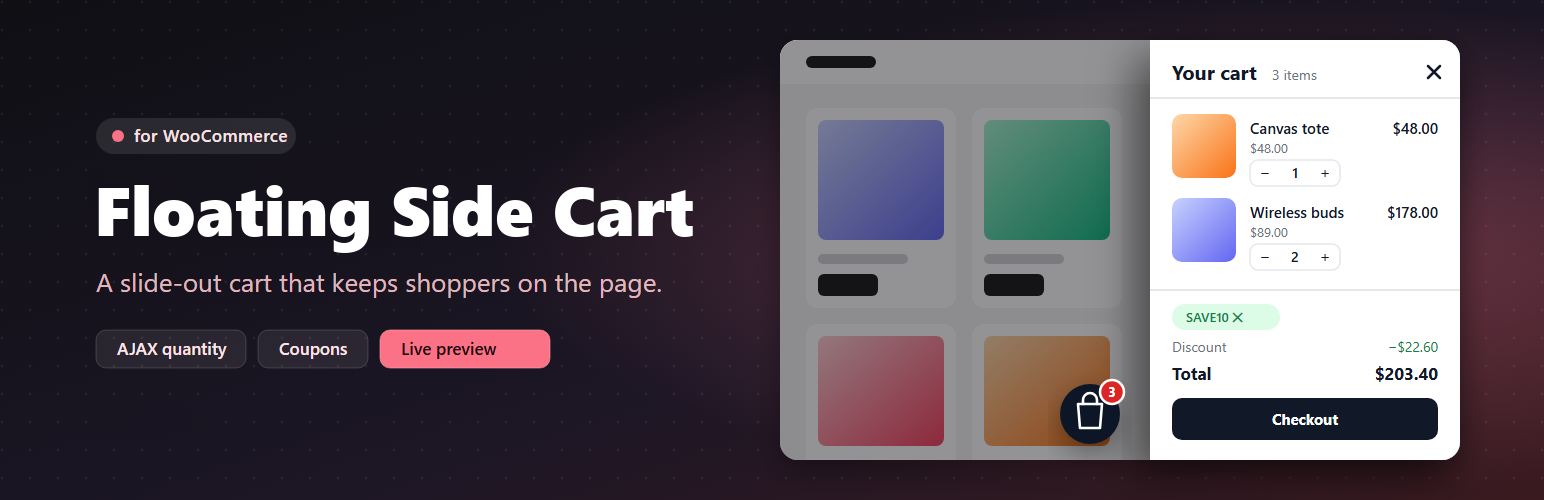
Floating Side Cart for WooCommerce 為您的商店新增一個快速的 AJAX 小型購物車,取代傳統的購物車頁面,提供更流暢的購物體驗。
【主要功能】
• 快速 AJAX 小型購物車
• 六種位置的浮動購物車按鈕
• 自動開啟功能,新增產品時即時更新
• 數量調整與撤銷刪除功能
• 優惠券欄位與即時更新的總計
• WooCommerce 控制台中的即時預覽設置
外掛標籤
開發者團隊
② 後台搜尋「Floating Side Cart for WooCommerce」→ 直接安裝(推薦)
原文外掛簡介
Floating Side Cart for WooCommerce adds a fast AJAX mini cart to your store. It replaces the trip to the cart page with a drawer that slides in from the left or right.
Floating cart button in six positions with offsets, or place a trigger anywhere with the [wbnsc_side_cart] shortcode or in a menu location.
Opens automatically when a product is added, including AJAX add to cart on simple, variable and grouped product pages.
Quantity + / − controls and remove with undo, updated over AJAX with optimistic totals.
Coupon field with applied-coupon chips, discount and total rows.
Settings screen under WooCommerce → Side Cart with a live preview (open, closed and empty cart; desktop and mobile).
Cart contents load over wc-ajax after the page, so pages stay safe to cache.
Shortcode
[wbnsc_side_cart icon="bag" label="Cart" show_count="yes" show_subtotal="yes" class=""]
icon: bag, cart or basket
label: optional text next to the icon
show_count / show_subtotal: yes or no
JavaScript
wbnscSideCart.open(), `wbnscSideCart.close()`, `wbnscSideCart.refresh()`. Wrap a product form in `.wbnsc-no-ajax` to keep the normal page reload.