內容簡介
Web Plura Site Discovery Checker 是一款免費的 WordPress 外掛,旨在檢查網站的搜尋引擎可見性及索引準備狀況。它能夠評估多種因素,幫助使用者識別可能影響網站被搜尋引擎發現的問題。
【主要功能】
• 檢查 WordPress 搜尋引擎可見性設定
• 評估首頁 HTTP 回應狀態
• 檢查 robots.txt 檔案可用性
• 評估網站地圖的準備狀況
• 檢查 noindex 和 canonical 標籤信號
• 提供本地報告與 CSV 匯出功能
外掛標籤
開發者團隊
② 後台搜尋「Web Plura Site Discovery Checker – Indexing & Search Readiness」→ 直接安裝(推薦)
原文外掛簡介
A WordPress site can be online and still have discovery problems. Search visibility settings, robots.txt rules, missing sitemap signals, noindex directives, canonical mismatches, password protection, weak homepage metadata, or unclear identity signals can make a site harder for search engines and other discovery systems to understand.
Web Plura Site Discovery Checker reviews these practical signals from wp-admin. The Free plugin checks the site’s own public homepage, robots.txt, WordPress sitemap, optional llms.txt file, and sampled same-site URLs, then reports findings that may need manual review.
The Free plugin runs locally in WordPress. It does not require Web Plura Cloud, Web Plura Pro, a paid account, an AI provider, or an external SEO service for the included checks. Optional telemetry is disabled by default and is not required for local scans. The plugin reports local findings and suggested next steps, but it does not automatically change SEO settings, submit sitemaps, contact search engines, or guarantee indexing, ranking, or AI-answer inclusion.
Key Discovery Checks
Use the Free plugin to review:
WordPress search engine visibility.
Homepage HTTP response status.
robots.txt availability.
robots.txt crawl-blocking signals.
Sitemap directives in robots.txt when present.
WordPress sitemap readiness.
Same-site sitemap URL samples.
Sampled child sitemap availability.
Sampled sitemap URL type summaries.
Sampled noindex directives.
Sampled canonical tag signals.
Sampled password-protection or access-restriction signals.
Optional llms.txt availability.
Basic Organization or LocalBusiness schema hints.
Homepage title, meta description, site identity, social preview metadata, sameAs or profile links, and logo or identity image hints.
Local readiness score, grouped findings, fix-first suggestions, local report, CSV export, and retained local history.
Indexing and Search Visibility
If a WordPress site is not being indexed as expected, Site Discovery Checker can review common local blockers. It checks the WordPress search engine visibility setting, homepage response status, sampled noindex signals, sampled canonical signals, password-protection indicators, and basic homepage metadata.
These checks help with troubleshooting. They do not control how Google, Bing, or other search systems crawl, index, rank, or display a site.
Robots.txt Checks
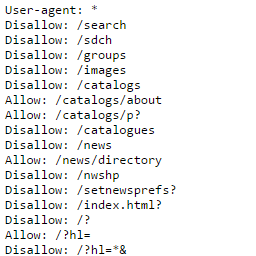
The plugin checks whether robots.txt responds from the current site and whether it appears to include broad crawl-blocking rules for all crawlers. It also checks whether robots.txt exposes Sitemap directives when they are present.
The Free plugin reads and reports robots.txt signals. It does not edit robots.txt, simulate every crawler, or guarantee that every crawler will interpret the file the same way.
Sitemap Readiness
Site Discovery Checker reviews whether the WordPress sitemap is available and whether same-site URL samples can be read from the sitemap response. When the sitemap response is an index, the plugin samples child sitemap URLs and checks whether sampled child sitemaps respond with same-site URL entries.
The sitemap checks are sample-based. The plugin is not a full sitemap crawler and does not submit URLs or sitemaps to Google, Bing, or other search engines.
Noindex and Canonical Signals
The plugin samples the homepage and a small set of same-site sitemap URLs for noindex directives, canonical tags, canonical mismatches, and password-protection signals.
Use these findings as a focused review list for your SEO plugin, theme, content settings, or hosting configuration. They are not a complete sitewide canonical audit.
Homepage and Response Checks
The local check requests the site’s own public homepage and reports whether WordPress can confirm a successful same-site response. It also reviews the homepage title, meta description, and basic identity signals that help explain what the site or organization is about.
This can be useful before launch, after migration, during an SEO handoff, or when a site appears live but is difficult to discover.
Schema and Identity Signals
Site Discovery Checker looks for basic Organization or LocalBusiness schema hints in rendered homepage HTML. It also checks whether core identity fields such as name, URL, sameAs, logo, or image appear to be present where supported.
This is a lightweight schema and identity review. It is not a complete structured-data validator, a rich-results validator, or a replacement for your SEO plugin’s schema tools.
Social Preview and Entity Signals
The plugin reviews homepage signals that can help identify the site or organization, including the WordPress site title, tagline or meta description, homepage title, Open Graph or Twitter preview metadata, sameAs or common social profile links, and likely logo or identity image hints.
These checks are reported in plain findings so a site owner, developer, or SEO specialist can decide what to adjust manually.
Optional llms.txt Check
The Free plugin checks whether an llms.txt file responds from the current site.
This is treated as an optional public discovery signal. The plugin does not claim that llms.txt is required by search engines or AI systems, and it does not measure visibility inside ChatGPT, Gemini, Perplexity, Google AI Overviews, or other AI services.
Findings, Reports and History
After a local check, review grouped findings and the highest-priority items first. The latest local readiness snapshot can be copied into a handoff summary or exported as CSV.
The plugin also keeps recent local check history in WordPress so administrators can compare recent results. The local readiness score summarizes the supported checks performed by the plugin; it is a troubleshooting aid, not a Google ranking score, SEO authority score, or AI visibility score.
What the Free Plugin Does Not Do
The Free plugin does not:
Change SEO settings automatically.
Edit robots.txt, sitemap settings, noindex settings, canonical tags, titles, meta descriptions, or schema output.
Submit URLs or sitemaps to search engines.
Query AI providers.
Track prompts, rankings, competitors, citations, or hosted trends.
Crawl competitor websites.
Replace a full SEO plugin.
Guarantee indexing, ranking, traffic, or inclusion in AI-generated answers.
Require Web Plura Cloud, Web Plura Pro, an account, subscription, license, entitlement, or hosted monitoring service for included local checks.
Local Processing and Privacy
The Free plugin stores the local data acknowledgement, latest local readiness snapshot, and retained local history in the site’s own WordPress database. During a scan, WordPress may request the site’s own public homepage, robots.txt, WordPress sitemap, optional llms.txt file, and sampled same-site public URLs so the plugin can review discovery signals.
The Free plugin does not send local scan results, CSV reports, prompt data, ranking data, competitor lists, or administrator details to Web Plura Cloud, AI providers, analytics services, advertising services, or hosted monitoring services. Optional telemetry is disabled by default and sends only selected sanitized telemetry categories if a site administrator enables them.
Separate Pro and Hosted Workflows
Separate Pro or hosted Web Plura workflows may support cloud-backed AI visibility monitoring, prompt review, competitor tracking, scheduled monitoring, hosted report history, client workflows, and alerts where those services are active.
Those hosted workflows are separate from the Free local checker. The included local checks, local findings, local report, CSV export, and retained local history remain available without a hosted account.
External Services
The Free plugin does not connect to third-party AI, SEO, analytics, advertising, or hosted monitoring services.
During a local check, the plugin performs same-site HTTP requests from WordPress to the WordPress site’s own public URLs. These requests may include the homepage, robots.txt, sitemap URLs, optional llms.txt, and sampled same-site public URLs. The requests are used only to inspect the site’s own public discovery signals and generate the local readiness snapshot.
Optional telemetry can be enabled by a site administrator from the plugin telemetry settings. It is disabled by default and is not required for local discovery checks. When enabled, the plugin may send selected categories to Web Plura at https://api.wplura.com/v1/plugin/telemetry/events:
Usage analytics: plugin lifecycle, consent, and version events.
Error diagnostics: sanitized plugin error category, severity, component, message code, and fingerprint.
Environment diagnostics: coarse WordPress, PHP, multisite, locale, and plugin version metadata with consented events.
The recipient is Web Plura. The data is used to understand plugin reliability and compatibility. The plugin does not send local scan results, CSV reports, prompt data, ranking data, competitor lists, passwords, API secrets, JWTs, authentication headers, request bodies, full file paths, raw stack traces, or unrelated personal information. Consent can be withdrawn later from the plugin telemetry settings, and local discovery checks continue working when telemetry is disabled or unavailable.
Opening product, documentation, support, terms, privacy, or upgrade links in wp-admin will load the linked Web Plura website in the administrator’s browser. The Free plugin does not attach local scan results to those links.
Resources
Product page: https://wplura.com/products/web-plura-site-discovery-checker
Documentation: https://wplura.com/docs
Support: https://wplura.com/support
Terms: https://wplura.com/terms
Privacy: https://wplura.com/privacy
External Services
This free plugin does not connect to third-party AI, SEO, analytics, advertising, or hosted monitoring services.
During a local check, the plugin performs same-site HTTP requests from WordPress to the WordPress site’s own public URLs. These requests may include the homepage, robots.txt, sitemap URLs, optional llms.txt, and sampled same-site public URLs. The requests are used only to inspect the site’s own public discovery signals and generate the local readiness snapshot.
Optional telemetry can be enabled by a site administrator from the plugin telemetry settings. It is disabled by default and is not required for local discovery checks. When enabled, selected telemetry categories are sent to Web Plura at https://api.wplura.com/v1/plugin/telemetry/events; local scan results, CSV reports, prompt data, ranking data, competitor lists, secrets, raw request bodies, full file paths, and raw stack traces are not sent.
Opening product, documentation, support, terms, privacy, or upgrade links in wp-admin will load the linked Web Plura website in the administrator’s browser, but the free plugin does not attach local scan results to those links.
Privacy
The free plugin stores the local data acknowledgement, latest local scan, and retained local history in WordPress options. The local report may include public URLs from the same WordPress site and basic status details about discovery signals. Administrators can export the latest local snapshot as a CSV file after accepting the local data acknowledgement.
The free plugin does not collect cloud passwords, payment information, prompt data, competitor lists, rankings, citations, AI-provider results, or hosted monitoring data.