內容簡介
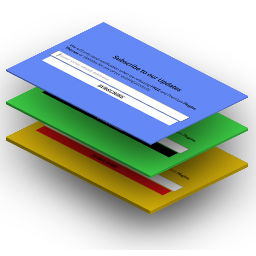
透過此外掛,您可以在您的佈景主題上加入 WDV MailChimp Ajax 儲存小工具並建立一個 MailChimp 訂閱表單。您可以修改小工具的設計,以引起訂閱表單的使用者注意。希望訂閱您的新訊息的使用者將立即收到回覆,告知他們已成功訂閱您的電子報,而無需進行確認。
功能:
- 易於使用
- 小工具的設計讓訂閱表單更加吸引人。
- 每個小工具都可使用不同的 API 金鑰和郵件列表。
- 您可以添加所需數量的小工具。
- 單次訂閱 - 未向訂閱者發送確認電子郵件。
- 您可以在此小工具中添加圖像:
-- 您可以作為此小工具的背景圖像位置。
-- 或者,您可以在此小工具中添加單張圖像。
- 您必須添加您的 Mailchimp 帳戶數據(API 金鑰和受眾 ID)。
- 您可以更改小工具標題,描述,訂閱按鈕背景顏色和按鈕文字顏色的顏色。您可以更改小工具“WDV:訂閱 mailchimp”的背景顏色。您可以創建小工具周圍的填充區域。
- 您的訂閱者將立即收到回應,告知他們已訂閱您的電子報。
- 支援最新的 Mailchimp API V3。
何謂 Mailchimp?
Mailchimp 是領先的電子郵件營銷平台,是建立和跟進您的銷售漏斗的工具,可以幫助您與網站訪客和客戶建立長期關係。
漂亮和實用的登記表單能夠引起訪客的注意,將他們轉換為訂閱者和忠實客戶。
為什麼要使用「WDV MailChimp Ajax」?
透過此外掛,訪客可以非常輕鬆地通過添加至小工具的訂閱表單來訂閱您的電子報。這是將您的網站訪客轉換為訂閱者的最簡單方法。
您可以創建外觀漂亮的登記表單,並添加圖像並更改文本和背景顏色。
「WDV MailChimp Ajax」允許您在您的網站上添加無限制的 Mailchimp 註冊表單,並且每個表單均可以使用不同的 API 金鑰和 ID。
更多詳情,請訪問WDV MailChimp Ajax
外掛標籤
開發者團隊
原文外掛簡介
With this plugin you can add WDV MailChimp Ajax widget with subscribe form by MailChimp to your theme. You can change the design of the widget to attract attention to the subscription form. Visitors to your site who wished to subscribe to your newsletters will get the answer – you’re subscribed to our newsletter. Single opt-in – no confirmation email sending to subscribers.
FEATURES
– Easy to use
– The design of the widget with attract attention to the subscription form.
– Use a different API key and different mailing list per different widgets.
– You can add as many widgets as you need.
– Single opt-in – no confirmation email send to subscribers.
– You can add image in this widget:
—- You can place image how background image for this widget.
—- Or you can add single image in this widget.
– You must add data from your Mailchimp account (Api key and Audience ID).
– You can change color of widget’s title, description, subscribe button background color, button text color. You can change background color for widget “WDV: Subscribe mailchimp”. You can create padding around the widget.
– Your subscribers will get the answer immediately – you’re subscribed to our newsletter.
– Latest Mailchimp API V3
WHAT IS MAILCHIMP?
Mailchimp is the leading email marketing platform. It is an tool to build and follow through on your sales funnel, and helps you create lasting relations with your site visitors and customers.
Beautiful and substantial opt-in forms help you grab the attention of your site visitors and convert them into subscribers and customers.
WHY USE ‘WDV MAILCHIMP AJAX’?
By using this plugin your will allow visitors very easy to subscribe to your newsletter via subscription form added through widget.. It is easiest way to convert your site visitors into subscribers.
You can create good looking opt-in forms. You can add image in forms and change texts and backgrounds colors.
‘WDV MailChimp Ajax’ allows you to add unlimited Mailchimp sign up forms to your site. You can add different keys and Audience ID to different forms.
For more information you can visit the home of the WDV MailChimp Ajax