內容簡介
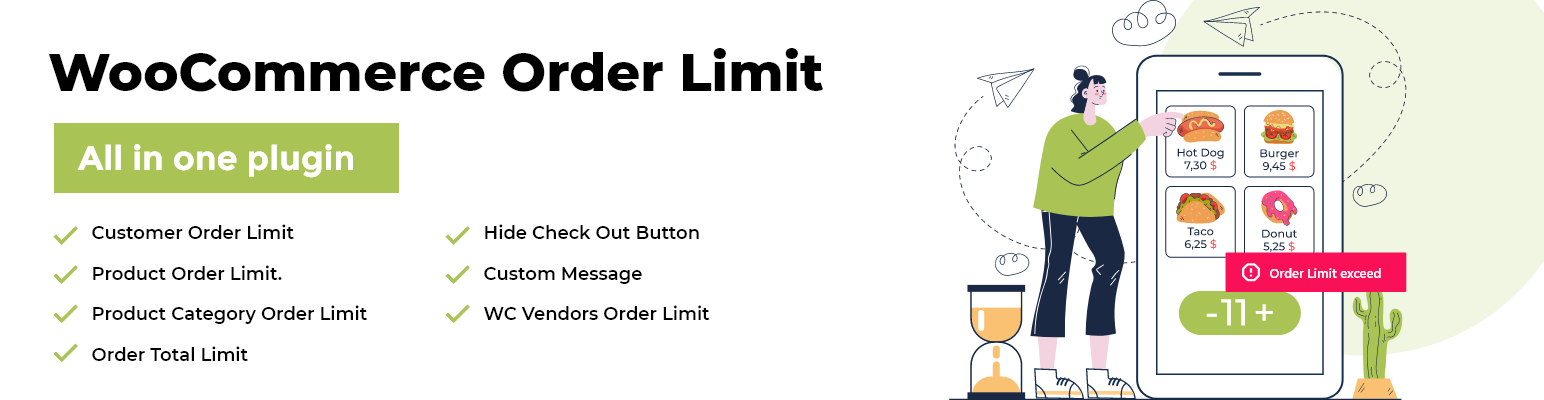
Order Limit for WooCommerce 可以讓你在訂單數量和金額方面設定最小和最大限制。這款 WooCommerce 數量限制的外掛可以避免顧客訂購太少或太多產品,從而使店主難以履行。
查看演示 | 查看文件 | 專業版 | Facebook 專頁
WooCommerce Order Limit 外掛對於需要嚴格控制其網上商店訂購數量的店主非常有用。例如線上麵包店、線上乳製品店或正在運行季節促銷的商店等等。
你可以自定義錯誤訊息,以通知顧客訂單限制,這樣他們就可以相應地調整訂單數量。你也可以禁用結帳按鈕,以防止客戶進入購物車頁面。
在產品上設定訂單限制
為特定產品創建規則,並設定最小和最大訂購數量
對數量或總訂單金額進行限制
將限制累加應用在所選產品上
在產品類別上設定訂單限制
為特定產品類別創建規則,並設定最小和最大訂購數量
對數量或總訂單金額進行限制
將限制累加應用在所選類別上
在購物車上設定訂單限制
在購物車頁面上設定總訂單金額的最小和最大限制
在購物車上設定最小和最大訂購數量
隱藏結帳按鈕
當未達到設定的限制規則時,隱藏結帳按鈕
當訂單限制已達到時顯示自定義訊息
利用動態簡碼自定義訊息,以通知使用者限制
輔助使用者透過自定義的訊息,以便他們排除錯誤並提交訂單
WooCommerce Order Limit Plugin 的使用案例
庫存和生產能力有限的小型店舖,例如一家線上麵包店
需要設定最小數量來彌補獲取小利潤的批發網店
多供應商商店,其中一些供應商需要指定最大最小訂購數量(與 WC Vendors Pro 兼容需要PRO版)
促銷進行期間需要限制客戶購買庫存中的所有產品的商店
專業版功能:
為用戶設定訂單限制
在用戶層次上創建訂單限制規則。
為選定的客戶、用戶角色或訪客用戶設置最大訂單限制
為特定客戶創建產品層次規則
啟用時間跨度限制
對所有訂單限制規則啟用時間範圍,以便限制只在該時間範圍內有效
在設定的時間跨度後自動重置限制
可選擇每日、每週、每月、每年或自定義時間跨度
與 WC Vendors Pro 兼容
管理員可以為每個供應商設定單獨限制
管理員可以授權供應商更改訂單限制
供應商有更改訂單限制的能力
在此購買專業版:
外掛標籤
開發者團隊
② 後台搜尋「Order Limit for WooCommerce – Set Order Restrictions, Min and Max Amount/Quantity, Cart Control, and Checkout Restrictions」→ 直接安裝(推薦)
📦 歷史版本下載
原文外掛簡介
Set WooCommerce order limits with minimum and maximum quantities, cart totals, and role-based rules. Also, control product, category, and checkout order restrictions with ease.
Try the Demo
Technical Documentation
👉 Check out the Premium Version
Facebook Page
If you run a WooCommerce store, controlling how much customers can order is crucial for managing stock, avoiding overordering, and boosting sales. Order Limit for WooCommerce gives you powerful tools to set minimum and maximum order amounts, product quantity limits, and cart restrictions without complex setups.
Whether you need to restrict checkout in WooCommerce based on order value, create user role-based order limits for wholesalers, or simply enforce a minimum purchase in WooCommerce, this plugin helps you handle it all.
From product-level rules to cart validation, category-based order limits, and payment gateway restrictions, this plugin is built for store owners who want smarter control over how orders are placed.
Isn’t that amazing? Wait until you see its features 😃👇
Powerful Features of Order Limit for WooCommerce
Here’s what you get with this WooCommerce min and max order restriction plugin:
🛒 Product & Category Order Limit Features
Product Purchase Limit Control: Set minimum and maximum order quantities or amounts for individual products.
Variation-Specific Purchase Restrictions (Pro): Apply unique minimum and maximum order limits to each variation of a variable product.
Aggregate Product Rule Combinations: Combine restrictions across selected products for cumulative purchase control.
Category-Based Order Limits: Define minimum and maximum purchase restrictions across entire product categories.
Aggregate Category Rules: Apply combined restrictions across multiple categories by quantity or value.
Exclude Specific Products (Pro): Exempt items like gift cards, subscriptions, or promos — or even assign them their own special purchase cap.
Exclude Specific Products from Rules (Pro): Exempt items like gift cards, subscriptions, or promotional products from restrictions.
👥 Customer & User Role Order Restrictions
User Role-Based Order Rules (Pro): Create tailored restrictions for wholesalers, retailers, logged-in users, or guest shoppers.
Customer-Specific Purchase Limits (Pro): Assign unique order rules to specific customers for tighter control.
Guest-Only Restrictions (Pro): Apply special purchase limits for guest checkouts.
User Purchase History Limits (Pro): Restrict new orders based on a customer’s past WooCommerce purchases.
Storewide Purchase History Control (Pro): Track combined sales across all customers to set total store limits.
Real-Time Order Validation (Pro): Instantly verify past orders before allowing checkout.
Wholesale Order Flexibility (Pro): Set relaxed order limits for wholesale buyers while applying stricter rules for retail shoppers.
Order Status Control (Pro): Choose which order statuses (e.g., Completed, Processing) count toward purchase history limits.
🛍️ Cart & Checkout Restriction Features
Cart Total Restrictions: Enforce minimum and maximum cart totals (items or amount) before checkout.
Cart Quantity Restrictions: Apply minimum and maximum product quantity rules directly at the cart level.
Hide Checkout Button: Prevent checkout until cart or order rules are met.
Payment Gateway Restrictions (Pro): Apply purchase restriction rules for specific payment methods such as PayPal, Bank Transfer, or COD.
Exclude Shipping Costs (Pro): Ensure order limits are based only on products, not shipping fees.
⏳ Time-Based & Storewide Order Rules
Time-Based Reset Rules: Reset order limits daily, weekly, monthly, yearly, or on custom intervals.
Precise Reset Options: Choose to reset at midnight or from the customer’s last purchase time.
Global Order Count Limits (Pro): Limit the total number of orders storewide on flexible schedules.
Global Order Value Caps (Pro): Restrict the total revenue across your store over a set period.
Store Closure Mode (Pro): Pause all new orders instantly with a one-click storewide block.
💬 Messaging, Alerts & Shortcodes (Free + Pro)
Custom Limit Messages: Display personalized warning or error messages to customers when limits are exceeded.
Dynamic Message Placeholder Support: Use placeholders such as {store-name}, {max-order-limit}, or {remaining} to make messages clear and dynamic.
Advanced Notices (Pro): Customize messages for specific cases — parent products, accumulative rules, or returning customers.
Dynamic Quantity Alerts: Show real-time notifications on how many items a customer can still purchase.
Shortcodes for Rules & Limits: Display order rules anywhere on your store using simple shortcodes.
Remaining Limit Shortcodes: Show remaining product or order allowance with shortcodes like [wc-order-limit-remaining].
🌐 Multi-Vendor Marketplace Compatibility
Compatibility with WC Vendors Pro (Pro): Admin can set vendor-specific order limits. Let vendors set their own order limits, share control with admins, or apply global restrictions across vendors.
Compatible with WC Vendors Pro
Our plugin works seamlessly with WC Vendors , giving marketplace admins and vendors full flexibility over order restrictions:
Per-Vendor Order Limits: The admin can set individual minimum and maximum limits for each vendor’s products.
Admin Control Sharing: The admin can grant vendors permission to adjust their own order restriction settings.
Vendor Self-Management: Vendors with access can create or update their own WooCommerce order limits without relying on the site admin.
This makes it the perfect solution for multi-vendor stores that need product quantity limits, cart restrictions, or checkout rules tailored to each vendor.
🆚 Free vs Pro Features of Order Limit for WooCommerce
Free Version
✔ Set min/max order quantities or amounts per product (simple products)
✔ Set min/max purchase restrictions per category
✔ Combine product or category limits for cumulative control
✔ Min/max cart totals (by items or amount)
✔ Min/max cart quantities
✔ Hide checkout button until limits are met
✔ Reset order limits daily, weekly, monthly, yearly, or custom
✔ Customizable limit messages, dynamic placeholders, real-time quantity alerts
✔ Display rules and remaining limits anywhere on your store
✔ Create, edit, bulk-manage, enable/disable rules
Pro Version
✅ Set min/max order quantities or amounts per product (simple products) + variation-level rules, dependent parent rules, purchase history rules, user targeting, payment method restrictions, time spans, custom notices
✅ Set min/max purchase restrictions per category + cumulative across multiple categories, dependent parent rules, purchase history rules, user targeting, payment method restrictions, time spans, custom notices
✅ More advanced accumulative control with custom notices and dependencies
✅ Exclude specific products (e.g. gift cards, promos) and optionally set custom max limits for them
✅ Create rules for specific customers, guest users, or user roles with min/max order count or amount
✅ Apply rules per user role (wholesale, retail, guest, logged-in)
✅ Assign unique restrictions to selected customers
✅ Restrict based on past orders (current user or all users)
✅ Choose which order statuses count toward history-based rules
✅ Min/max cart totals (by items or amount) + per-category cart total restrictions, exclude shipping cost from limits
✅ Min/max cart quantities
✅ Hide checkout button until limits are met + block checkout per payment method
✅ Restrict rules by payment gateway (PayPal, COD, Bank Transfer, etc.)
✅ Reset order limits daily, weekly, monthly, yearly, or custom + more precision: reset at midnight or purchase time, custom day of week/month
✅ Storewide daily/weekly/monthly caps on total order count or value, plus store closure mode
✅ Customizable limit messages, dynamic placeholders, real-time quantity alerts + advanced notices for parent/child rules, purchase history rules, accumulative rules, and role/customer-specific rules
✅ Display rules and remaining limits anywhere on your store + more shortcode variants (product, category, customer, cart, storewide)
✅ WC Vendors Pro support (vendor-specific rules, admin control, shared restrictions)
✅ Create, edit, bulk-manage, enable/disable rules + adds more rule types & conditions
WooCommerce Order Restriction is Ideal for Store Owners Who Want To:
Set WooCommerce Minimum Order Amounts: Require customers to spend a specific amount before checkout, helping increase average order value.
Apply WooCommerce Maximum Order Quantity Rules: Stop customers from purchasing more than a set number of items, preventing stockouts and abuse during sales.
Create Min/Max Order Rules Per Product or Category: Control purchase quantities at both product and category levels with flexible settings.
Restrict Checkout Based on Cart Value: Block checkout if the cart total doesn’t meet your defined minimum or maximum threshold.
Manage Wholesale and Retail Orders Differently: Apply user role-based order limits so wholesalers can place bulk orders while retail customers face stricter rules.
Limit Discounted or Promotional Items: Control how many sale products or coupon-based items a single customer can purchase.
Use Time-Based Order Rules: Automatically reset purchase limits daily, weekly, or monthly, perfect for seasonal or recurring promotions.
Control Orders by Payment Method: Apply order restrictions to specific payment gateways like COD, PayPal, or bank transfers.
Enforce Cart Limits at Checkout: Define cart-level restrictions that encourage larger purchases or stop oversized orders.
Automate Inventory Control: Reduce manual oversight with rules that handle stock protection, order caps, and purchase limitations automatically.
Use Cases of This WooCommerce Order Restriction Plugin
Order Limit for WooCommerce isn’t just another min/max plugin—it’s built to solve real problems for different types of online stores. Here are some of the most popular use cases:
Retail Stores: Apply a WooCommerce minimum order amount to encourage larger carts, or set maximum order quantities on hot products to prevent hoarding during promotions.
Wholesale Businesses: Use role-based order rules to require higher minimum purchases for B2B buyers while keeping retail customers unrestricted.
Food & Beverage Shops: Add daily order limits on perishable goods like bread, cakes, or meals to match production capacity.
Event Planners & Ticketing: Restrict the maximum number of tickets or event merchandise a customer can buy to avoid scalping.
Handmade & Custom Products: Set WooCommerce purchase restrictions to control order quantities on items with limited production time.
Seasonal or Holiday Sales: Use time-based order rules to spread inventory across a holiday season and stop buyers from clearing out your stock.
Subscription Services: Limit the number of items per subscriber each week or month, keeping order volume aligned with delivery capacity.
Promotional Campaigns: Restrict discounted items or coupon-based purchases with WooCommerce product quantity limits to maintain fair distribution.
Over-Ordering Prevention: Stop bulk or excessive purchases during promotions or when stock is low.
Inventory Workflow Automation: Automate minimum and maximum purchase rules to reduce manual oversight.
High-Demand or Limited Stock Items: Enforce WooCommerce cart limits to prevent overselling when supply is low.
Payment-Based Order Control: Apply restrictions when customers choose certain gateways like COD, PayPal, or Bank Transfer.
Customer Support and Technical Documentation
We provide 24/7 customer support to help you set up and customize your WooCommerce order rules. Our detailed technical documentation covers everything from creating product-level restrictions to configuring cart limits and checkout restrictions.
Still Need Help?
Reach out anytime, and our support team will get you up and running quickly.