內容簡介
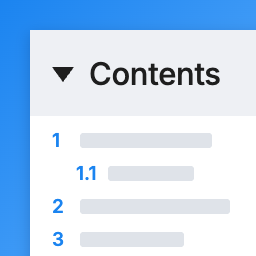
此外掛旨在提升 WordPress Classic Editor 的編輯體驗,透過為 H2 和 H3 標題啟用手風琴式行為,幫助作者更有效地組織、導航和預覽長篇文章或結構化內容。
【主要功能】
• H2 標題的手風琴式行為
• H3 標題的嵌套手風琴行為
• 提升長內容的可讀性與導航性
• 僅適用於 WordPress Classic Editor
• 輕量級實作,使用原生 JavaScript
• 不影響前端渲染
外掛標籤
開發者團隊
② 後台搜尋「Wareko Header Auto Accordion Admin」→ 直接安裝(推薦)
原文外掛簡介
This plugin enhances the editing experience in the WordPress Classic Editor by enabling accordion-style behavior for H2 and H3 headings while editing content.
Unlike frontend accordion plugins that affect published pages, this plugin works only inside the WordPress admin area. It helps authors organize, navigate, and preview hierarchical content more efficiently when editing long articles, documentation, or other structured content.
The plugin does not modify or inject any behavior into the frontend. Published content remains completely unchanged.
No external libraries are required.
Features
Accordion-style behavior for H2 headings
Nested accordion behavior for H3 headings within H2 sections
Improves readability and navigation when editing long content
Works only with the WordPress Classic Editor
Lightweight implementation using vanilla JavaScript
No external dependencies
Does not affect frontend rendering
Compatible with frontend accordion plugins
Scope
This plugin works only in the WordPress admin area.
It does not modify or inject any behavior into the public-facing website.
Important Notes
When an H2 or H3 section is collapsed, deleting its heading will also remove all content contained within that collapsed section.
If you want to delete only the heading itself, first expand the section completely, then remove only the heading.
To avoid accidental data loss, always make sure the section is expanded before deleting an H2 or H3 heading.