內容簡介
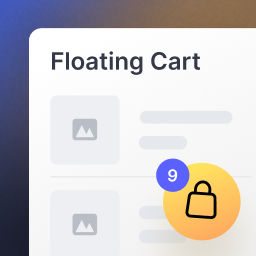
WALoops Express Checkout for WooCommerce 外掛旨在簡化 WooCommerce 的結帳過程,透過滑入式購物車和單一結帳面板,讓顧客能夠快速完成購物,減少流失率,提升轉換率。
【主要功能】
• 滑入式購物車,無需重新導向頁面
• 單一面板結帳,所有資訊一目了然
• 支援 WhatsApp 一次性密碼登入
• 儲存地址,方便回頭客使用
• 直接使用現有的支付閘道
• 兼容各種佈景主題,易於整合
外掛標籤
開發者團隊
② 後台搜尋「WALoops Express Checkout for WooCommerce」→ 直接安裝(推薦)
原文外掛簡介
Every page between “Add to cart” and “Pay” is a chance for a shopper to leave. WALoops Express Checkout for WooCommerce shortens that path to a slide-in cart and a single checkout panel that opens right on top of the page they are already looking at. No redirect to a separate cart page, no long multi-step form, no starting from scratch on every visit.
It sits on top of WooCommerce instead of replacing it. Your products, shipping zones, taxes, coupons, payment gateways and order emails all keep working exactly as before. Orders are created by WooCommerce’s own checkout, so everything downstream (order emails, stock, reports, your fulfilment and accounting plugins) sees a completely normal order.
What shoppers get
A cart that slides in, not a page that loads. Add to cart and the drawer opens with the product, quantity controls, coupon box and running totals. One tap on Checkout takes them straight to the panel.
Checkout in one panel. Address, delivery option, payment method, coupon and order summary on a single screen, as a side panel or a centered popup, your choice.
Sign in the way they prefer. WhatsApp one-time code, a code sent by email, email and password for existing customers, or plain guest checkout. Turn on any mix.
Saved addresses. A returning shopper picks a saved address instead of retyping it, and their details are remembered for next time.
Coupon offers. A “See all offers” list so shoppers can find and apply a coupon in one tap instead of leaving to hunt for a code.
Pay with the gateways you already use. Your existing WooCommerce payment gateways appear inside the panel, including gateways that show their own card or wallet fields. If one needs the full checkout page, flip a switch and that gateway hands off to it, with the address and delivery choice already filled in.
What you get as the store owner
Works with any theme. A floating cart button is included, or point the plugin at your theme’s own cart icon and “Checkout” button with a CSS selector and it takes over from there.
A kill switch. One toggle sends every shopper back to the native WooCommerce cart and checkout while keeping all your settings. Useful when you are troubleshooting.
Runs on real WooCommerce objects. Cart, customer, shipping and checkout are WooCommerce’s own, so every standard WooCommerce hook still fires. Developers get extra wlec_ hooks for the rest (see docs/HOOKS.md in the plugin folder).
Compatible with High-Performance Order Storage (HPOS), translation ready, and free of tracking. Nothing is sent anywhere until you switch on WhatsApp OTP login, and then only what that feature needs (see “External services”).
Built for stores that sell cash on delivery too. COD is labelled as such in the panel, and works with WooCommerce’s own Cash on Delivery gateway or the one you choose.
WhatsApp OTP login: passwordless, and shoppers already have the app
Shoppers enter their WhatsApp number, receive a six-digit code in the chat they open every day, and they are logged in. A new number quietly becomes a normal WooCommerce customer account; a returning number brings back saved addresses. There is no password to forget and no reset email to wait for.
WhatsApp OTP runs on the WALoops WhatsApp OTP service. Create a free WALoops account from the Login tab, paste your API key, and you can send real one-time codes straight away. The free plan includes 100 codes a month with no credit card. Prefer not to use WhatsApp? Leave it off. Email code, email and password, and guest checkout need no account with anyone.
Who it is for
Stores where mobile shoppers are the majority, and typing on a phone is the biggest source of friction.
Cash-on-delivery markets, where every extra step and every unverified phone number is expensive.
Stores that want a faster checkout without rebuilding their theme or moving to a hosted checkout.
Agencies that want one reliable, well-documented checkout upgrade to roll out across client stores.
Go further with Express Checkout Pro
Everything above is free and stays free. Express Checkout Pro is a separate download from waloops.com that adds order-value boosters and smarter payment pricing on top, for $79 per year for one WooCommerce site, with updates and support included.
Buy Now button. A button next to Add to Cart that skips the cart and opens checkout for just that product.
Upsells. “Products you may like” in the cart and checkout, from cross-sells, related products or your own hand-picked list.
Bundle discounts. Tiered “buy more, save more” discounts that apply automatically, with a live progress bar that tells shoppers how close they are to the next tier.
Free-shipping goal. Show shoppers how much more they need to add for free delivery.
Prepaid discount and COD fee. Reward online payment and put a fair price on Cash on Delivery to cut returns to origin.
Partial COD. Collect an advance online and the rest on delivery to filter out fake and failed COD orders.
PIN code autofill. City and state filled in from the postal code, so forms are faster and cleaner.
The Pro features are previewed, greyed out, in this plugin’s settings so you can see what each one does. They are previews only: nothing in this plugin is locked, trial-limited or switched on by a key. Pro installs in place of this plugin and keeps all your settings. See the plans at waloops.com/quick-checkout.
External services
This plugin can connect to one external service: the WALoops WhatsApp OTP service at https://app.waloops.com/. It is used only if you turn on WhatsApp OTP login and add a WALoops API key on the Login tab. With WhatsApp OTP off, or no API key added, the plugin makes no external requests.
What is sent, and when:
A shopper asks for a verification code: the phone number they entered is sent to WALoops so it can deliver a one-time code to that number over WhatsApp.
A shopper submits the code: the phone number and the code they typed are sent to WALoops to be checked.
Every request also carries your WALoops API key (so WALoops knows which account to use) and the plugin’s name and version.
Clicking “Create account” or “Log in” on the Login tab only opens app.waloops.com in a new tab. Nothing is sent from the plugin when you click it.
Email code login is handled entirely on your own site with WordPress’s own wp_mail(). Nothing about it is sent to WALoops.
No other data is sent to any third party. The service is provided by WALoops: Terms of Service and Privacy Policy.