
外掛標籤
開發者團隊
原文外掛簡介
VX Framework is the data model layer for WordPress. You describe the
structures your site needs. The framework supplies the editing interface,
the storage, and the validation.
Create fieldsets in the UI, in PHP, as JSON, or through an AI
assistant. Assign them to posts, terms, or users. Bind the values into
the block editor. The same typed model is what your theme and your
agents read.
Features
Fieldsets with Locations, conditional logic, and revisions
38 field types, including the Repeater field
Custom post types and taxonomies
Dynamic data for the block editor with VX Script
AI-ready: MCP, WordPress abilities, and WP-CLI
Config as code: PHP and JSON
Bricks Builder integration
Built-in documentation
Site: vxframework.com
Docs: docs.vxframework.com
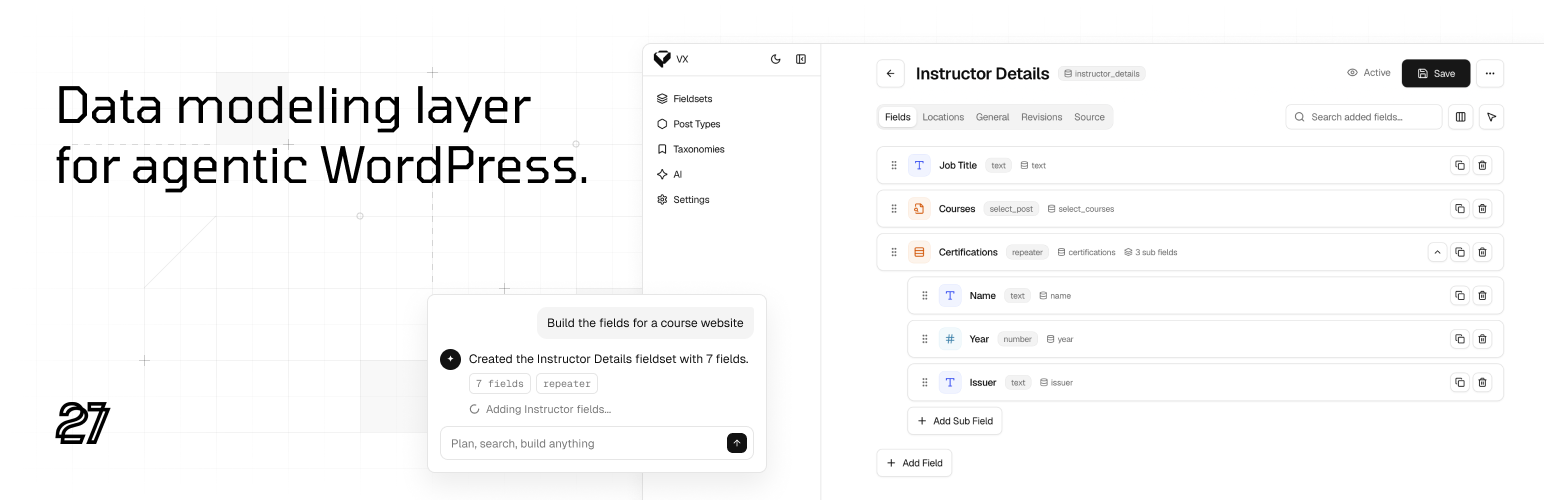
Create fieldsets. Assign them anywhere.
A fieldset is a named group of fields – the building block of your
content model. You design it once and reuse it.
Locations decide where it appears: a post type (including ones you
did not register), a taxonomy, or a user profile, optionally limited by
role. Conditional logic, revisions, and import/export live in the same
editor.
Create the fieldset visually, describe it to an assistant over MCP, or
define it in Local JSON or PHP and keep it in version control.
Field types for any model
From text and media to nested fields. Every field is typed, reusable,
and ready for the block editor and your theme.
Input – Text, Textarea, Rich text, Number, Stepper, Email,
URL, Phone, Password, Color, List, Slider, Range slider, Code
Choice – Select, Multiselect, Checkboxes, Radio Buttons,
Button Group, Switcher
Dates – Date, Date range, Time, Date & Time
Media – Image, Gallery, SVG, Video, Audio
Relational – Taxonomy, Select Post, Select User
Composite – Group, Repeater
Layout – UI Heading, UI Spacer, UI Notice, UI HTML
One model, any front-end
Use VX with the block editor, Bricks, or a custom
theme. In templates, PHP helpers and hooks read typed field values.
The model does not change when the front-end does.
Config as code
Register post types, taxonomies, and fieldsets as JSON or PHP in your
theme or plugin, and keep your model in version control. Edits made
in the dashboard can be synced back to the files. The files describe
structure only, never content, so they move safely between
development, staging, and production.
Dynamic data for the block editor and page builders
Model with VX, build with the block editor.
Bind any field to any block with VX tags on the Block Bindings API.
Shape values with VX Script – tags, modifiers, and chainable
expressions. Loop a repeater or a gallery so each row renders as its
own block. Show or hide any block with visibility rules: user, content,
request, time, or a VX Script expression.
Building with Bricks instead? The same fields
appear in the builder’s dynamic data picker and query loops.
Content editing that feels native
Navigate fieldsets from a collapsible sidebar. Edit on the canvas or in
form view. Everything stays in sync.
Agentic WordPress, out of the box
A typed data model agents can read and write through MCP and WordPress
abilities. The same catalog is available
from WP-CLI. The MCP endpoint stays off until you enable it. Reading and
writing are separate permissions – you grant each one yourself.
VX Framework Pro
VX Framework Pro is a separate plugin, available through vxframework.com.
Same model, more field types and modules.
Fields – Markdown, Files, Clone, Post Relation, User Relation, Recurring Date, Field Table, Content Sections, Location, Area
Option Pages – site-wide settings screens built from fieldsets
Dictionaries – shared choice lists, plus built-in lists of countries, currencies and units
REST API – typed, access-controlled field values for apps and headless front ends
Shader – a local development tool for building WordPress themes with AI and one-click deploy.
Premium support – direct support from the VX team
Get VX Framework Pro at vxframework.com.
Tools
System information, Meta Watch, field key conflict detection, and
import/export.
Documentation
The user guide and the developer documentation ship inside the plugin
and are read from the dashboard. They cover what is in this package,
and they match the version installed on the site, with no connection
required. The same documentation is also online at
docs.vxframework.com.
External services
This plugin does not connect to any external service. Its fonts and other
assets are served from the plugin itself. The admin links to two websites,
both from cards under Settings: vxframework.com from the VX Framework Pro
card, and getshader.com from the Shader card. Neither link opens unless
clicked.
Source code
The admin interface is a compiled Vue application. The complete, unminified
source it was built from ships in this package in client/src, together with
the package.json, package-lock.json and vite.config.js that build it.
Running
cd client && npm install && npm run build
rebuilds client/dist from those sources, with the configuration exactly as it
ships – the same entry points and the same chunks, from the same dependency
versions the lockfile pins. Nothing in the package is obfuscated.
The PHP libraries in app/vendor ship as readable source under their own
licences, each one named with its version and its licence file in
LICENSE-THIRD-PARTY.txt.














