
內容簡介
<html>
<body>
<h3>總結:</h3>
<ul>
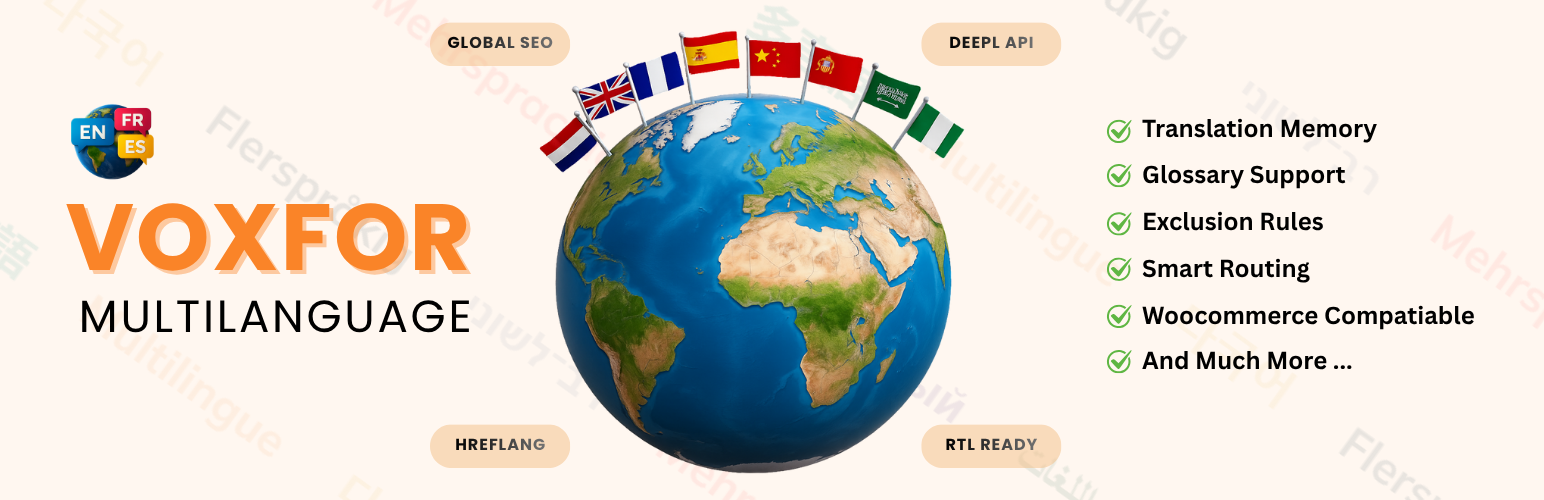
<li>Voxfor Multilanguage 是一個強大且免費的 WordPress 多語言外掛程式,可以讓您的網站對全球觀眾開放。它使用 DeepL API 提供專業的翻譯,同時保留對內容的完全控制。</li>
<li>重要:此外掛程式使用 DeepL API 外部服務進行翻譯。您需要提供自己的 DeepL API 金鑰(免費或付費)。關於數據傳輸和隱私的完整詳細信息,請參閱下面的「外部服務」部分。</li>
</ul>
<h3>問題與答案:</h3>
<ul>
<li><strong>Q:</strong> Voxfor Multilanguage 的AI翻譯功能使用的是哪個 API?</li>
<li><strong>A:</strong> 使用 DeepL API 進行準確且具上下文感知的翻譯。</li>
<li><strong>Q:</strong> 如何使用此外掛程式的 SEO 功能提升國際搜尋引擎優化?</li>
<li><strong>A:</strong> 可自動生成所有語言版本的 hreflang 標記,將圖像 ALT 文本翻譯為更好的國際 SEO,以及使用語言特定的規範 URL 避免重複內容。</li>
<li><strong>Q:</strong> Voxfor Multilanguage 外掛程式如何讓訪客能看到他們偏好的語言內容?</li>
<li><strong>A:</strong> 安裝並啟用外掛程式後,添加您的 DeepL API 金鑰,在設定中選擇要支援的語言,外掛程式將使用 DeepL API 自動翻譯內容,所有翻譯都存儲在本地數據庫以實現快速載入,訪客將以其偏好的語言查看內容。</li>
</ul>
</body>
</html>
外掛標籤
開發者團隊
原文外掛簡介
Voxfor Multilanguage is a powerful, free WordPress multilingual plugin that makes your website accessible to a global audience. Using the DeepL API, it provides professional-quality translations while maintaining full control over your content.
IMPORTANT: This plugin uses the DeepL API external service for translations. You need to provide your own DeepL API key (free or paid). See the “External Services” section below for complete details about data transmission and privacy.
Resources
Official Website
Documentation
Watch Full Video Guide
Get Your DeepL API
Key Features
AI Translation – Uses DeepL API for accurate, context-aware translations
BYO API Key – Bring your own DeepL API key for unlimited scalability
SEO-Optimized – Automatic hreflang tags, translated image ALT text, and language-specific canonical URLs
Translation Memory – Stores all translations locally for efficiency and consistency
Visual Editor – Edit translations directly on your pages with in-context editing
Flexible Language Switcher – Multiple widget styles: dropdown, inline, flags, or compact
Smart Routing – Clean URL structure with language prefixes (/fr/, /de/, /es/)
Glossary Support – Define terms that must always be translated consistently
Exclusion Rules – Skip translation for specific pages, elements, or content
WooCommerce Compatible – Safe checkout process with smart exclusions
SEO Features
Automatic hreflang tag generation for all language versions
Image ALT text translation for better international SEO
Language-specific canonical URLs to prevent duplicate content
Structured data support for multilingual content
Integration with popular SEO plugins (Yoast, RankMath, All in One SEO)
Optional URL slug translation
How It Works
Install and activate the plugin
Add your DeepL API key in settings
Select the languages you want to support
The plugin automatically translates your content using DeepL API
All translations are stored in a local database for fast loading
Visitors see content in their preferred language
Language Support
Supports 33+ languages including:
English, French, German, Spanish, Italian, Portuguese, Russian, Japanese, Chinese, Korean, Arabic, Hebrew, Swedish, Norwegian, Danish, Finnish, Dutch, Polish, Turkish, Czech, Slovak, Slovenian, Hungarian, Romanian, Bulgarian, Greek, Estonian, Latvian, Lithuanian, Thai, Vietnamese, Indonesian, Ukrainian
Developer Friendly
Clean, well-documented code
Extensive hooks and filters for customization
REST API for programmatic access
Compatible with page builders and custom themes
Full multisite support
External Services
This plugin relies on the DeepL API, an external third-party service, to provide translation functionality. By using this plugin, you acknowledge and agree to the data transmission described below.
DeepL API Translation Service
Service Provider: DeepL SE, Maarweg 165, 50825 Cologne, Germany
What the service is:
DeepL is a professional AI translation service that provides high-quality language translation.
What it’s used for:
This plugin uses the DeepL API to translate your website content including posts, pages, menus, widgets, image alt text, custom fields, and WooCommerce products from one language to another.
What data is sent to DeepL:
When translation is requested, the following data is transmitted to DeepL servers:
– Text content to be translated (post content, titles, excerpts, menu items, widget text, image alt text, custom field values, etc.)
– Source language code (e.g., “EN” for English)
– Target language code (e.g., “FR” for French, “DE” for German, “ES” for Spanish)
– Your DeepL API authentication key
– Optional: Formality preference (formal/informal)
– Optional: Context information to improve translation accuracy
– Optional: Glossary terms for consistent translations
When data is sent:
Data is transmitted to the DeepL API only in the following scenarios:
– When you manually request translation of specific content via the admin interface
– When new content is published and automatic translation is enabled in settings
– When bulk translation operations are performed
– When translation memory cache does not contain a previously translated version
– When testing API connection in plugin settings
– When checking API usage statistics
Data NOT sent:
– No visitor/user personal information
– No browsing data or analytics
– No database credentials
– No WordPress admin credentials
– API calls only occur during translation operations, NOT on frontend page loads
Data Storage:
– All translations received from DeepL are stored locally in your WordPress database
– Once cached, no further API calls are made for that content
– Translations are served from your local database to visitors
– No ongoing data transmission to DeepL for previously translated content
Your API Key:
– You must provide your own DeepL API key (free or paid account)
– API keys are stored encrypted in your WordPress database
– This plugin does NOT collect, store, or transmit your API credentials to Voxfor or any other third party
– Your API key is only sent to DeepL servers for authentication
Legal & Privacy Links:
– DeepL Terms of Service: https://www.deepl.com/pro-license
– DeepL Privacy Policy: https://www.deepl.com/privacy
– DeepL API Documentation: https://developers.deepl.com/api-reference/translate
GDPR Compliance:
DeepL is GDPR compliant and processes data in accordance with European data protection regulations. For more information, see DeepL’s privacy policy linked above.
User Consent:
By installing and using this plugin with a DeepL API key, you acknowledge that content from your WordPress site will be sent to DeepL for translation purposes as described above.
Privacy Policy
This plugin stores all translations locally in your WordPress database. No data is sent to Voxfor or any other third party except the DeepL API as described in the “External Services” section. The plugin only transmits data to DeepL when translation services are actively used by the site administrator.