內容簡介
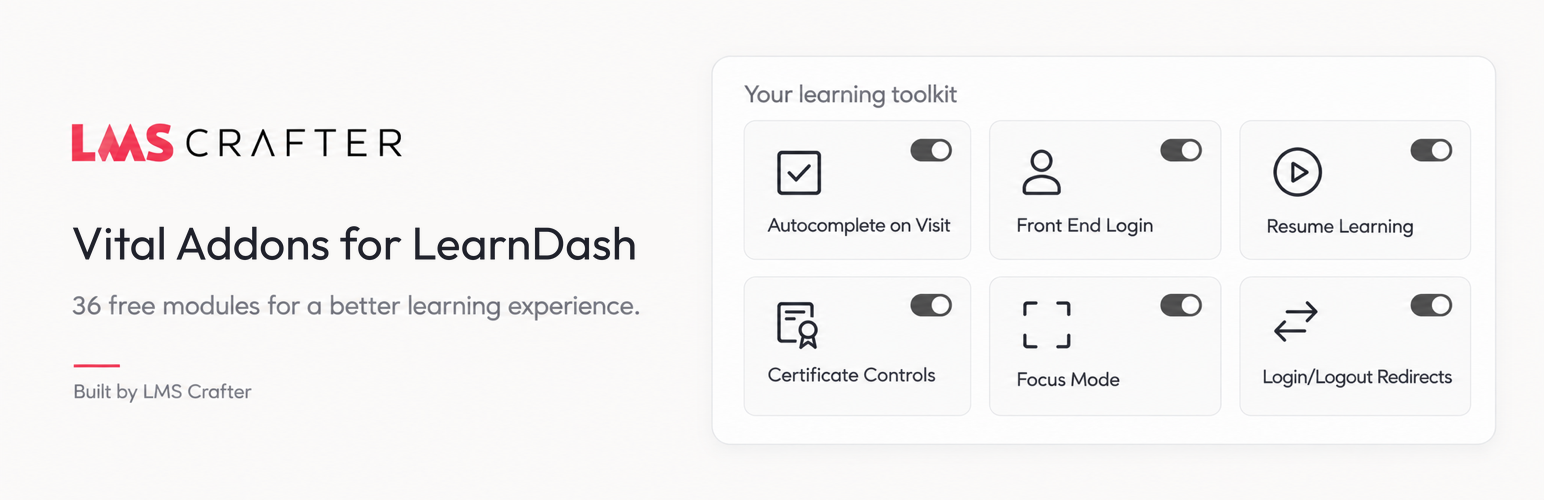
Vital Addons for LearnDash 是一款免費的 LearnDash 工具包,提供 36 個可單獨啟用的外掛模組,讓使用者能夠輕鬆自訂 LearnDash 的功能,無需為每個小變更安裝額外的擴展。此外掛可自動完成課程、提供前端登入、恢復學習進度等,提升學習體驗。
【主要功能】
• 自動完成課程與主題
• 前端登入功能
• 恢復學習進度與麵包屑導航
• 證書顯示控制
• 焦點模式控制
• 批次課程存取管理
外掛標籤
開發者團隊
② 後台搜尋「Vital Addons for LearnDash」→ 直接安裝(推薦)
原文外掛簡介
Vital Addons is a free LearnDash toolkit: 36 add-ons you switch on one at a time. Autocomplete lessons and topics, keep login on your own site, send learners back to where they left off, show their earned certificates and fine-tune LearnDash Focus Mode, without installing a separate LearnDash extension for every small change.
Every module starts disabled. Turn on the ones you need, read the setup notes in each module’s Details dialog, and save. There is no license key, trial period or usage quota: all 36 modules are free.
The modules people turn on first
Autocomplete lessons and topics. Mark LearnDash lessons and topics complete automatically when a learner visits them, passes a quiz, has a quiz graded manually, or submits a connected form (Gravity Forms, Elementor Pro Forms or Contact Form 7). Per-step overrides let you exclude any step.
Front-end login. Put the login, lost-password and password-reset forms on your own pages, add an optional modal login, login/logout menu links and safe login and logout redirects.
Resume Learning and Breadcrumbs. Give learners a resume button that returns them to their last course step, and a breadcrumb trail from course to lesson to topic, as a shortcode or block.
Certificate Controls. Show each learner the LearnDash certificates they have earned with a shortcode, block or widget.
Focus Mode controls. Set the welcome text, lesson expansion and comments in LearnDash Focus Mode, and control next-step navigation.
Bulk Course Access. Switch many Open courses to Closed in previewed, bounded batches, with a rollback if you change your mind.
Visit-based and manual-grading autocomplete are included free. See the FAQ for how Vital Addons compares with Uncanny Toolkit for LearnDash.
Built to stay out of your way
One searchable dashboard. Search and filter all 36 modules, open Details for setup guidance and limits, then configure Settings. Changes are staged, so you can review and undo them before saving.
Only what you enable runs. The module loader starts enabled modules when their dependencies are available. Admin scripts and styles load only on the Vital Addons settings screen.
No phoning home. No telemetry, license checks or remote asset requests. Fonts, scripts and styles are bundled locally.
Consistent design. The Design tab gives learner-facing components one look, with theme inheritance, presets and a responsive preview. Controls that change native LearnDash output keep LearnDash’s own appearance.
Privacy built in. WordPress personal-data export and erasure cover Vital Addons learner data, and settings are preserved on uninstall unless you choose to delete them.
All 36 LearnDash add-ons
Course completion automation
Autocomplete on Visit: complete eligible lessons and topics when a learner visits, with per-step overrides.
Autocomplete After Quiz Pass: complete eligible parent steps after a passing quiz result.
Autocomplete After Quiz Grading: complete eligible parent steps after a quiz is graded manually.
Autocomplete After Form Submission: connect opted-in forms to eligible course steps.
Course controls
Completion Message: customize the message shown after a course is complete.
Button Labels: change Closed-course, Stripe and Course Grid button labels.
Course Points Precision: show course points with zero to four decimal places.
Classic Editor: choose which LearnDash post types use the Classic Editor.
Disable Mobile Autoplay: stop LearnDash videos autoplaying on mobile.
Empty Course Message: customize the text shown when a course list is empty.
Prerequisite Message: customize prerequisite text and add an optional link.
Course Steps in Menus: add lessons, topics and quizzes to navigation menus.
Course Taxonomy Archives: control LearnDash course category and tag archives.
Hide Course Price: hide the native course price.
Sample Lesson Controls: require login for sample lessons and rename the sample label.
Not-Enrolled Redirect: send visitors who are not enrolled in a course to a page you choose.
Focus Mode and navigation
Focus Mode: set welcome text, lesson expansion and comments.
Next-Step Controls: configure next-step navigation and optional progression behavior.
Breadcrumbs: show the course, lesson and topic trail with a shortcode or block.
Resume Learning: return learners to their last eligible course step.
Quizzes, certificates and profiles
Admin Quiz Testing: let administrators test quizzes without changing saved quiz limits.
Continue After Failed Quiz: show LearnDash’s native Continue button after a failed attempt.
Assignment & Essay Comments: control assignment comments and Dashboard Activity entries.
Profile Controls: choose which LearnDash profile sections are shown.
Certificate Controls: display earned certificates with a shortcode, block or widget.
Login and WordPress utilities
Front End Login: login, password recovery, reset and optional modal login forms.
Login/Logout Redirects: send users to safe same-site pages after login or logout.
Login/Logout Menu Links: add dynamic login and logout links to menus.
Menu Item Visibility: show menu items only to logged-in or logged-out users.
Login-State Content: show different shortcode or block content to logged-in and logged-out visitors.
Hide Admin Bar: hide the admin bar for selected non-administrator roles.
Email Sandbox: pause outgoing WordPress email while you test, with warnings and an optional expiry.
Access administration and email
Completed-Step Access: let learners review completed steps after a course expires, for courses you select.
Bulk Course Access: preview and convert Open courses to Closed in batches, with conflict-aware rollback.
Access Mode Restrictions: limit which access modes non-administrator course editors can choose.
ProPanel Email Sender: set the sender and Reply-To for ProPanel emails.
Works with
LearnDash LMS is required for the course modules. Integrations have been verified with LearnDash 5.1.9 and 5.1.10. Optional modules work with LearnDash Course Grid, LearnDash ProPanel, Gravity Forms 2.5+, Elementor Pro Forms, Contact Form 7 and WP 2FA. The login, menu, admin bar and email utilities also work on sites without LearnDash.
Getting help
Ask in the Vital Addons support forum. We answer questions there so the next person with the same question can find the answer. Each module also has setup notes and limits in its Details dialog.
Vital Addons is developed by LMSCrafter. It is not affiliated with, endorsed by, or sponsored by LearnDash.