內容簡介
總結:Vishavjeet Entry Manager WPForms是WPForms Lite使用者完美的外掛,可以協助存儲、查看和匯出表單提交。這個外掛填補了WPForms Lite中沒有的表單輸入管理功能的空白。
問題與答案:
1. 這個外掛主要為哪些人士設計?
答:這個外掛主要為WPForms Lite使用者設計,尤其是那些需要進行表單提交管理的用戶。
2. 如何自動保存表單提交?
答:所有表單提交都會自動保存到你的數據庫中,無需手動操作。
3. 可以將提交的數據匯出到哪些格式?
答:提交的數據可以匯出為CSV(逗號分隔值)和Excel(XLS格式)兩種格式。
4. 如何查看提交的詳細信息?
答:可以在用戶友好的儀表板中查看所有表單提交,詳細信息包括所有表單字段的完整信息。
5. 如何確保數據的隱私和安全?
答:所有數據存儲在WordPress數據庫中,不會發送到外部服務,並符合GDPR標準。
6. 需求條件包括什麼?
答:需求條件包括WordPress 6.0或更高版本、PHP 7.4或更新版本以及WPForms Lite或Pro。
外掛標籤
開發者團隊
② 後台搜尋「Vishavjeet Entry Manager WPForms – Manage and Export Form Entries」→ 直接安裝(推薦)
原文外掛簡介
Vishavjeet Entry Manager WPForms – Manage and Export WPForms Entries is the perfect companion plugin for WPForms Lite users who need to store, view, and export form submissions. While WPForms Lite is an excellent form builder, it doesn’t include entry management features. This plugin fills that gap!
Key Features
Automatic Entry Storage – All form submissions are automatically saved to your database
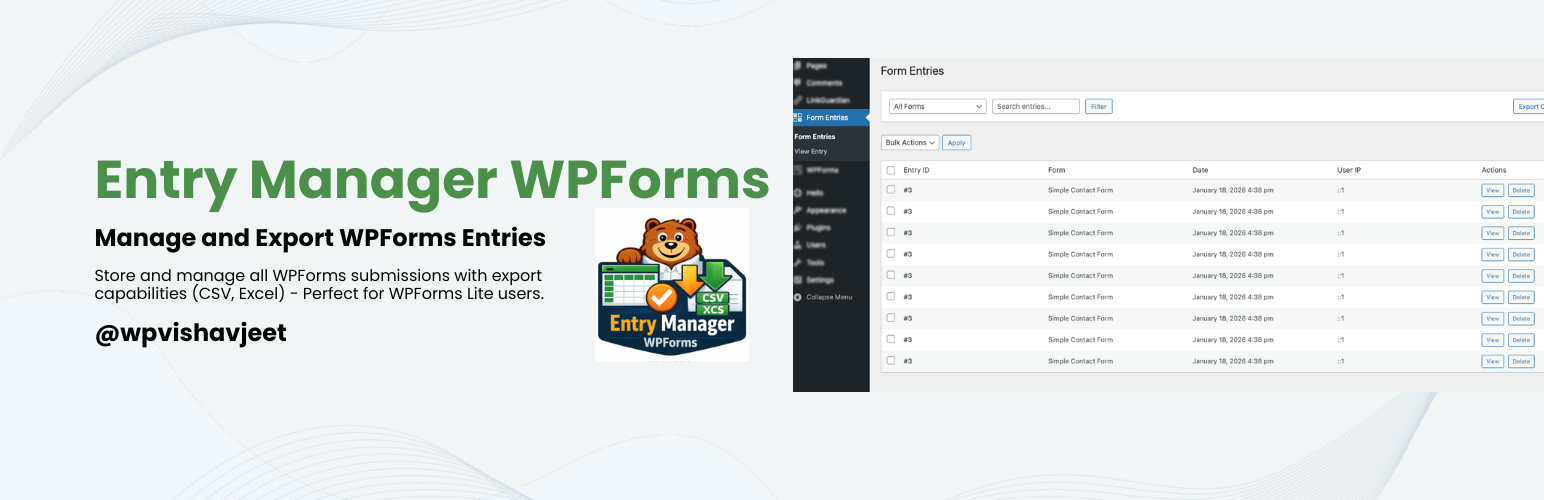
User-Friendly Dashboard – View all your form entries in a clean, organized admin interface
Powerful Export Options – Export entries in multiple formats:
CSV (Comma Separated Values)
Excel (XLS format)
Advanced Filtering – Filter entries by form, search through submissions
Bulk Actions – Delete multiple entries at once
Entry Details – View complete submission details with all form fields
User Information – Track submitter IP address, user agent, and WordPress user
No External Dependencies – All exports work without any external CDN or API calls
Privacy Friendly – All data stored in your WordPress database
Translation Ready – Fully internationalized and ready for translation
Perfect For
WPForms Lite users who need entry management
Small businesses tracking customer inquiries
Event registrations and RSVPs
Contact form submissions
Survey responses
Newsletter signups
Job applications
And much more!
How It Works
Install and activate the plugin
Create forms with WPForms (Lite or Pro)
Entries are automatically saved when forms are submitted
Access entries from the “Form Entries” menu in WordPress admin
View, filter, and export entries as needed
Privacy & Security
All data is stored in your WordPress database
No data sent to external services
Follows WordPress coding standards
Secure data handling and sanitization
GDPR friendly
Developer Friendly
Object-oriented code structure
Follows WordPress coding standards
Clean and documented code
Extensible architecture
Action and filter hooks for customization
Requirements
WordPress 6.0 or higher
PHP 7.4 or higher
WPForms Lite or Pro
Privacy Policy
Vishavjeet Entry Manager for WPForms stores form submission data in your WordPress database including:
* Form field values submitted by users
* IP addresses of submitters
* User agent information
* WordPress user IDs (if logged in during submission)
This data is stored locally on your server and is not sent to any external services.