外掛標籤
開發者團隊
② 後台搜尋「Videoteca – Video Library for Mux」→ 直接安裝(推薦)
原文外掛簡介
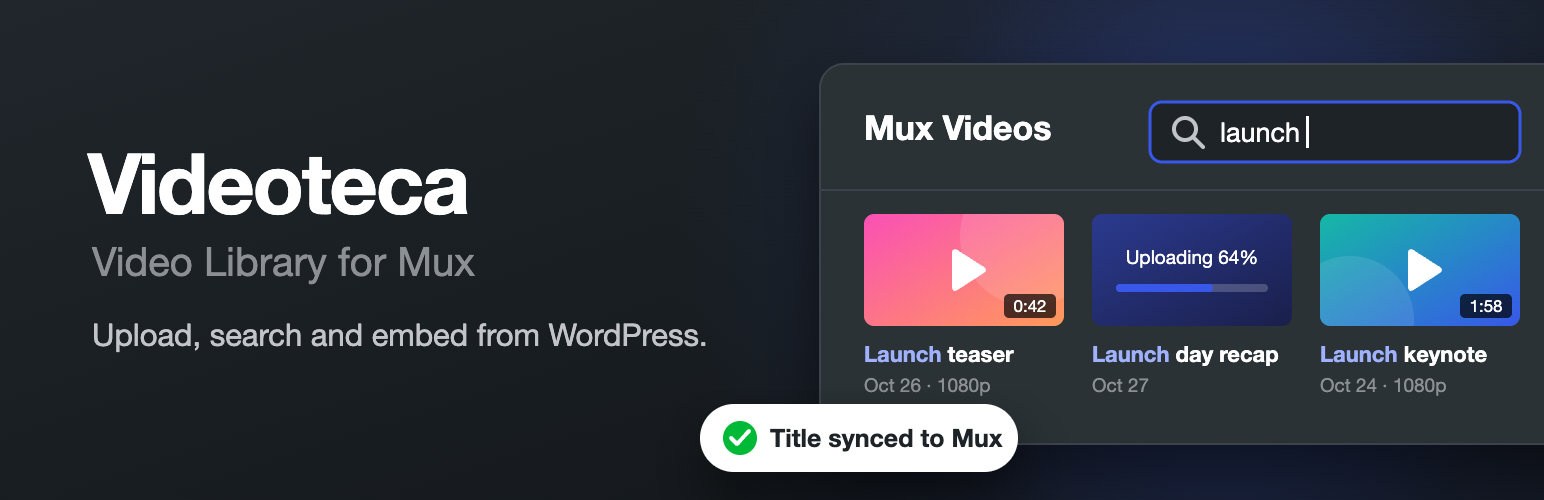
Videoteca adds a video library to WordPress for videos hosted on Mux. You upload, find, rename and embed videos from the WordPress admin, and Mux handles encoding and streaming. It is an independent plugin, not affiliated with or endorsed by Mux, Inc.
Titles stay the way you wrote them. Each video is stored in WordPress with the title you give it, taken from the file name unless you change it, even while it is still uploading. The same title goes to Mux, so your Mux dashboard shows it too. Rename a video in WordPress and it is renamed in Mux.
Search by title. Find any video by words from its title, description or original file name, or by its Mux asset or playback ID. Search works in the library screen and in the block’s video picker.
Features
Mux Videos in the admin menu: a library screen with thumbnails, durations and a short animated preview on hover. Filter by status, sort by date or title, and search.
Uploads straight to Mux: drag files onto the library or into the block. Files go from the browser to Mux in chunks, so your server’s upload size limit does not apply, and an upload pauses and carries on if the connection drops.
Import from a URL: give Mux the address of a video file and it fetches it.
Sync from Mux: add the videos already in your Mux account to the library, using their Mux titles where they have one.
Video details: preview a video, rename it, add a description, choose the thumbnail frame, copy the IDs or shortcode, download static renditions, and delete it from the library or from Mux as well.
Mux Video block: upload, choose or import a video without leaving the editor. Renaming the video in the block renames it everywhere.
Player options: autoplay, mute, loop, start time, a background video mode, hidden controls, captions off by default, the speed menu, preload, a maximum resolution, a poster image from the Media Library, showing the title and the player’s accent color.
Shortcode for classic content and page builders: [vlfm_video id="123"], with the same options.
Advanced Custom Fields: a Mux Video field type with the same picker as the block, for themes that place videos themselves.
WPGraphQL: a MuxVideo type for headless sites, which ACF Mux Video fields resolve to, and library queries for editors.
Signed playback (optional): the site issues short-lived tokens, so your videos only play where you embed them. The plugin can create the signing key for you.
Auto-generated captions in more than 20 languages, chosen per site.
Static renditions (optional): an MP4 or audio-only file next to each stream.
Webhooks (optional): Mux tells your site when a video is ready, even after you close the page.
Videos play in Mux Player, which is bundled with the plugin, so nothing loads from a CDN. Casting to Chromecast is turned off, because it needs Google’s Cast SDK from Google’s servers. AirPlay still works in Safari.
Source code and libraries
The plugin includes its source code. The JavaScript and CSS in build/ are compiled from src/ with @wordpress/scripts: run npm install, then npm run build.
Bundled libraries, both under the MIT License:
Mux Player (@mux/mux-player)
UpChunk (@mux/upchunk)
tools/no-cast-sdk-loader.js removes the code in Mux Player that loads Google’s Cast SDK, during the build.
You need a Mux account. Mux charges for encoding, storage and delivery; see Mux pricing.
Shortcode
[vlfm_video id="123"] plays library video 123. Switches take `1`, `true`, `on` or `yes`.
background="1": plays muted and on a loop with no controls, like a moving image.
autoplay="1": starts playing, muted, when the page loads.
muted="1", loop="1"
controls="0": hides the controls. A click on the video plays and pauses it.
title="1": shows the title in the player.
captions="off": starts with captions off. Visitors can turn them on.
speeds="0.5 1 1.5 2": the speeds in the speed menu, or speeds="off" to hide it.
preload="none": none, metadata or auto.
max_resolution="720p": 720p, 1080p, 1440p or 2160p.
poster="456": a poster image, as a Media Library ID or an image URL.
start="10": starts 10 seconds in.
accent_color="#fa50b5": the color of the controls.
You can find a video’s ID in its details in Mux Videos → Library, where you can also copy its shortcode.
Advanced Custom Fields
With Advanced Custom Fields active, field groups get a Mux Video field type, under Content. Editors choose a video from the library, upload one or import one from a URL, right in the field. The field saves the library video ID.
Return Format sets what get_field() returns:
Video Array (the default): the video ID, title, description, status, playback ID and policy, duration, aspect ratio, resolution, thumbnail and animated preview URLs, the HLS stream URL, captions, downloads and, for signed videos, the tokens Mux Player needs.
Video ID: the library video ID.
Player HTML: a Mux Player, ready to print with the_field(). Its script and styles load with it.
For player options, set Return Format to Video ID and pass the ID to the shortcode:
echo do_shortcode( sprintf( '[vlfm_video id="%d" background="1"]', get_field( 'video' ) ) );
In ACF’s REST API, the field’s value is the video ID.
WPGraphQL
With WPGraphQL active, the schema has a MuxVideo type. Add WPGraphQL for ACF and Mux Video fields resolve to MuxVideo, whatever their Return Format:
{
post(id: "launch-day", idType: SLUG) {
videoFields {
video {
title
playbackId
playbackPolicy
tokens { playback thumbnail storyboard }
thumbnailUrl
aspectRatio
duration
}
}
}
}
Anyone who can see a post can see the videos in its fields, as on the page itself. tokens is null for public videos. For signed ones it has the same shape as the tokens prop of Mux Player for React, and it expires after the token lifetime in Mux Videos → Settings, so refetch or rebuild pages within that time. streamUrl is the HLS stream, for other players.
To browse the library itself, muxVideo(id: ID!, idType: MuxVideoIdTypeEnum) gets one video by global ID, database ID, asset ID or playback ID, and muxVideos(first: Int, after: String, where: {search, status, orderby, order}) lists them, newest first. node(id:) loads videos too. These are for logged-in users who can edit posts, for example with an application password, and return nothing to anyone else, so videos that are not on a page stay private.
External services
This plugin connects to Mux, a video hosting service run by Mux, Inc., to store, process and stream your videos. Without a Mux account it cannot upload or play videos.
Mux Video API (api.mux.com): called from your server when you connect your account, upload or import a video, open or refresh the library, rename or delete a video, sync your account, or create a signing key. It sends your Mux access token, the titles you give your videos, the address of any video you import from a URL, and each video’s ID in WordPress. Titles and IDs are stored in Mux as asset metadata. Descriptions stay in WordPress.
Direct uploads: when you upload a video, your browser sends the file to an upload address that Mux provides for that file.
Mux image and stream delivery (image.mux.com, stream.mux.com): visitors’ browsers load thumbnails and video streams from Mux whenever a page with a video is viewed, and the library and editor do the same for you.
Mux Data (off by default): if you turn on Viewer analytics under Mux Videos → Settings, Mux Player sends playback quality data (such as start-up time, errors and buffering, along with the viewer’s browser, device and approximate location) to Mux Data when someone plays a video. Mux Data does not set cookies unless you allow that separately. Previews in the WordPress admin are never sent.
Webhooks: if you set one up, Mux sends notices about your videos to /wp-json/vlfm/v1/webhook on your site. The site turns them away until you save the webhook’s signing secret.
Mux terms of service: https://www.mux.com/terms
Mux privacy policy: https://www.mux.com/privacy