內容簡介
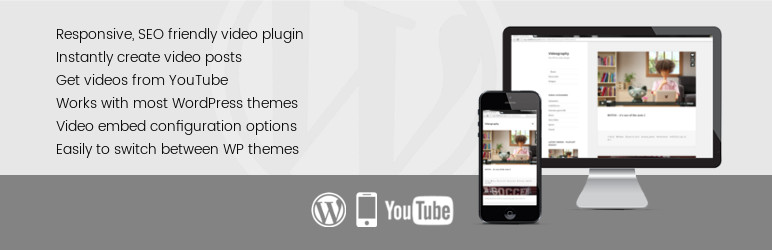
VideographyWP 是一個 WordPress 特色視頻外掛,可以從 YouTube 將視頻內容導入您的 WordPress 文章中,並自動嵌入視頻,可以選擇性地取代文章的特色圖像。
「WordPress featured video plugin」可以自動填充文章標題和文章內容,並從 YouTube 撈取的資訊還可以自動設置文章推荐圖像,這樣您就不必複製和粘貼詳細信息了。
請注意,Vimeo 和 Dailymotion 視頻只能適用於 VideographyWP PRO 版。
這個 WordPress 特色視頻外掛自動化了將視頻附加到文章或頁面的過程。通過為每個個別的視頻平台提供豐富的嵌入選項,該外掛允許您自定義嵌入的外觀,以更好地滿足您的需求。
WordPress 特色視頻可以在文章內容上方或下方顯示,它可以以影片取代文章的特色圖像,也可以使用短代碼將視頻嵌入,您可以在文章內容中任意放置短代碼以顯示視頻。
功能
響應式 WordPress 特色視頻;
匯入所有視頻內容(視頻標題、推荐圖像、內容);
多種嵌入方法:懶加載、常規嵌入、模態窗口、按鈕等;
多種嵌入選項(視頻大小、音量、視頻循環、平台特定設置);
多種嵌入位置:在內容上方或下方、替換文章的特色圖像、短代碼放置等。
PRO 版其他功能:
WooCommerce 產品視頻;
與遵循標準並使用默認 WooCommerce 產品圖庫的任何 WooCommerce WordPress 主題兼容;
與 WooCommerce 購物商城專業主題 Flatsome(由 UX-themes)、Basel(由 xtemos)、Unicon(由 minti)、Patron(由 Themedy 創建,由 Genesis 驅動)和 Bridge(由 QODE)的產品圖庫兼容;
其他視頻來源(Vimeo、Dailymotion 和 Vine);
WooCommerce 產品圖庫特定的視頻設置。
主題兼容性
此 WordPress 視頻外掛與遵循編碼標準的任何 WP 主題兼容。
鏈接:
外掛設置說明;
如何獲得 YouTube API 金鑰;
如何使用 VideographyWP 導入視頻;
如何將 VideographyWP 整合到我的主題中;
外掛標籤
開發者團隊
② 後台搜尋「Featured Video for WordPress – VideographyWP」→ 直接安裝(推薦)
原文外掛簡介
VideographyWP is a WordPress featured video plugin that can import video content from YouTube into your WordPress post and embed the video automatically, optionally replacing the post featured image.
WordPress featured video plugin can automatically fill the post title and post content with the details retrieved from YouTube and it can also set the post featured image automatically allowing you to avoid having to copy/paste the details.
Please note that Vimeo and Dailymotion videos can only be imported by VideographyWP PRO.
This WordPress featured video plugin automates the process of attaching videos to posts or pages. By offering plenty of embedding options for each individual video platform, the plugin allows you to customize the look of your embeds to better suit your needs.
WordPress featured video can be displayed above or below the post content, it can replace the post featured image with a video or embed the video by using shortcodes that you can place anywhere in your post content where you want the video to be displayed.
Features
Responsive WordPress featured video;
Imports all video content (video title, featured image, content);
Multiple embedding methods: lazy load, regular embedding, modal window, button;
Lots of embedding options (video size, volume, video loop, platform specific settings);
Multiple embedding positions: above or below content, replace post featured image, shortcode placement, etc.
PRO version additional features
WooCommerce product video;
Compatible with any WooCommerce WordPress theme that follows standards and uses the default WooCommerce product gallery;
Compatible with WooCommerce product gallery of premium themes Flatsome (by UX-themes), Basel (by xtemos), Unicon (by minti), Patron (created by Themedy, powered by Genesis) and Bridge (by QODE);
Additional video sources (Vimeo, Dailymotion and Vine);
WooCommerce product gallery specific video settings.
Theme compatibility
This WordPress video plugin is compatible with any WP theme that follows the coding standards.
Links:
Plugin settings explained;
How to get YouTube API key;
How to import videos with VideographyWP;
How to use VideographyWP in your WordPress theme;