
內容簡介
總結:使用 Video Frame Extractor 外掛,您可以在 WordPress 儀表板內輕鬆取得影片的截圖並用作特色圖片或內容縮圖,省去手動製作的困擾。
1. 這個外掛在哪個部分添加了專用管理頁面?
- 在「媒體」-> 「Video Frame Extractor」下。
2. 這個外掛如何幫助您找到完美的截圖時刻?
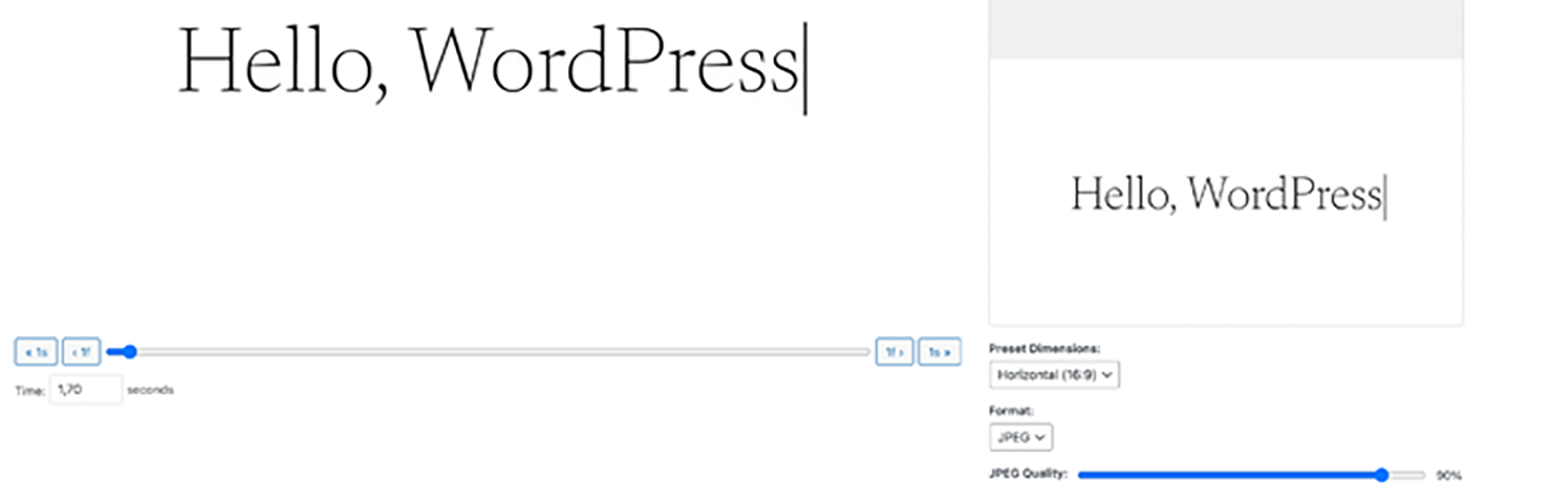
- 使用準確的滑塊和逐幀控制來快速切換影片。
3. 如何可預覽已修剪的截圖?
- 透過即時預覽功能,您可以看到截圖的外觀。
4. 可以使用哪些維度預設來設置截圖的尺寸?
- 水平(16:9)、垂直(9:16)或方形(1:1)方面比例。
5. 如果需要特定大小的截圖,該如何設置?
- 可輸入任意寬度和高度以取得完全控制。
6. 如何控制影像格式和品質?
- 可以在 JPEG 和 PNG 格式之間選擇。對於 JPEG,還可以調整壓縮品質以平衡文件大小和清晰度。
7. 這個外掛提供了獨立界面,如何改善用戶體驗?
- 不再需要應付擁擠的媒體模態彈出窗口。整個製作過程都在乾淨的專用頁面上進行,提供最佳的使用者體驗。
外掛標籤
開發者團隊
原文外掛簡介
Tired of manually taking screenshots of your videos for featured images or content thumbnails? Video Frame Extractor provides a seamless solution right within your WordPress dashboard.
This plugin adds a dedicated admin page under “Media” -> “Video Frame Extractor”. Simply select a video from your library, and you’ll get a powerful editor that allows you to:
Scrub Through Your Video: Use a precise slider and frame-by-frame controls to find the perfect moment.
Live Preview: See exactly how your cropped screenshot will look before you generate it.
Dimension Presets: Instantly set dimensions for Horizontal (16:9), Vertical (9:16), or Square (1:1) aspect ratios.
Custom Dimensions: Need a specific size? Enter any width and height for full control.
Format & Quality Control: Choose between JPEG and PNG formats. For JPEGs, you can even adjust the compression quality to balance file size and clarity.
Standalone Interface: No more struggling with crowded media modal popups. The entire process happens on a clean, dedicated page for the best user experience.
Stop wasting time with external tools. Generate the perfect video thumbnail in seconds without ever leaving WordPress!