內容簡介
總結:
Vehizo 是一個專為汽車代理商、汽車市場和車輛清單平台而設計的全面車輛管理解決方案,能將您的 WordPress 網站轉變為專業的汽車展示平台,具有強大功能來管理和展示您的車輛庫存。
問題與答案:
1. Vehizo 是為哪些類型的企業或個人而設計的?
- Vehizo 是專為汽車代理商、汽車市場和車輛清單平台設計的。
2. 這個外掛提供哪些前端展示功能?
- 包括多種響應式佈局選項、進階篩選系統、行動優化的響應式設計、以及 SEO 優化的車輛頁面等功能。
3. 如何可以進行車輛的匯入?
- 可以從各種汽車平台和數據來源匯入車輛數據,具備批量匯入功能。
4. 這個外掛是否支援與外部汽車數據的集成?
- 是的,這個外掛支持從各種汽車平台和數據來源匯入車輛數據,但並不隸屬於或獲得特定服務提供者的認可。
透過 HTML 的符號列表方式,呈現如下:
- Vehizo 是一個全面車輛管理解決方案,專為汽車代理商、汽車市場和車輛清單平台而設計。
- 轉變您的 WordPress 網站成為專業的汽車展示平台。
- 具有強大功能,用於管理和展示車輛庫存。
- 該外掛支持從各種汽車平台和數據來源匯入車輛數據。
- 展示功能包括多種響應式佈局選項、進階篩選系統、行動優化的響應式設計和 SEO 優化的車輛頁面。
外掛標籤
開發者團隊
原文外掛簡介
Vehizo is a comprehensive vehicle management solution for WordPress, designed specifically for car dealerships, automotive marketplaces, and vehicle listing platforms. Transform your WordPress site into a professional automotive showcase with powerful features to manage and display your vehicle inventory.
Key Features
Vehicle Management
* Complete vehicle inventory system with custom post type and unlimited vehicles
* Professional vehicle editor with tabbed interface
* Unlimited image gallery management per vehicle
* Bulk import capabilities from various data sources
* Vehicle status management (Available, Reserved, Sold)
Frontend Display
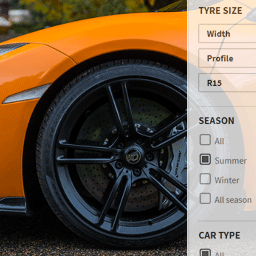
* Multiple responsive layout options (Grid, List, Masonry, Compact)
* Advanced filtering system (Make, Model, Price, Year, Mileage, etc.)
* Mobile-optimized responsive design
* SEO-optimized vehicle pages with schema markup
* Fast loading with optimized image handling
Contact & Lead Generation
* Built-in vehicle inquiry forms
* Test drive booking system
* Email notifications for dealers
* GDPR compliant data handling
* Integrated anti-spam protection
SEO & Marketing
* Automatic SEO titles and meta descriptions
* Schema.org markup for vehicle listings
* PDF export for vehicle specifications
* Social media sharing optimization
* Search engine friendly URLs
Professional Tools
* Import capabilities from automotive data sources
* Automated recurring imports with cron scheduling
* Export functionality for vehicle data
* Analytics and reporting dashboard
* Translation-ready with included POT files
Perfect For
Car dealerships and auto dealers
Vehicle listing websites and marketplaces
Automotive classified sites
Individual car sellers and collectors
Rental car companies
Classic and specialty vehicle collections
Import Integration
This plugin supports importing vehicle data from various automotive platforms and data sources. The import functionality allows integration with external automotive services but is not affiliated with or endorsed by any specific service provider. All integrations are implemented as neutral data import tools.
Demo & Documentation
Support Forum: WordPress.org Support
External Services
This plugin can optionally connect to external automotive data APIs when configured by the administrator.
Mobile.de Search API (Optional Import Service)
When you configure the import settings and provide API credentials, this plugin can import vehicle data from mobile.de.
Service URL: https://services.sandbox.mobile.de/search-api/search (sandbox environment)
What data is sent: API authentication credentials (username/password) and search parameters (make, model, price range, etc.) that you configure in the plugin settings
When data is sent: Only when you manually trigger an import via the admin dashboard OR when automated cron-based imports are configured and executed
Why this connection: To import vehicle inventory data from mobile.de into your WordPress site for display and management
Data received: Vehicle listings data including specifications, images, pricing, and vehicle details
User privacy: This is an admin-only feature. No visitor/customer data is sent to external services
Configuration required: You must explicitly configure the API URL and provide valid authentication credentials in Vehizo > Import Settings
Terms of Service: https://www.mobile.de/service/nutzungsbedingungen
Privacy Policy: https://www.mobile.de/service/datenschutz
Important Disclaimer: This plugin is not affiliated with, endorsed by, or officially supported by mobile.de GmbH. It provides neutral import tools that work with their publicly available API when properly configured. You are responsible for:
– Obtaining proper API access and authorization from mobile.de
– Complying with mobile.de’s terms of service and API usage guidelines
– Ensuring you have legal rights to use and display the imported data
– Maintaining valid API credentials and managing API rate limits
Privacy & Data Handling
Vehizo is designed with privacy and data protection in mind:
Data Collection: Contact form data is only collected when users voluntarily submit inquiry forms
No Tracking: No tracking scripts or external service dependencies by default
Local Storage: All data is stored securely in your WordPress database
Privacy Policy: Includes privacy policy content suggestions for GDPR compliance
User Rights: Compatible with WordPress data export and deletion tools
Consent Management: Contact forms include proper consent mechanisms
Data Retention: Administrators can configure data retention policies
Technical Information
Minimum Requirements
* WordPress 6.0 or higher
* PHP 8.0 or higher (PHP 8.1+ recommended)
* MySQL 5.7 or MariaDB 10.4 or higher
* At least 128MB PHP memory limit (256MB recommended)
* Modern web browser for admin interface
Supported Features
* Multisite compatible
* Translation ready (POT files included)
* RTL language support
* Custom post type and meta fields
* WordPress REST API integration
* Gutenberg editor compatibility
File Structure
* Plugin follows WordPress coding standards
* PSR-4 autoloading compatibility
* Modular architecture for easy customization
* Comprehensive documentation included
Support & Development
Community Support
* Plugin support: WordPress.org Support Forums
* FAQ: Comprehensive FAQ section available
Contributing
* Bug reports: Use WordPress.org support forum
* Translations: Help translate the plugin to your language
Credits
Developed by Thorsten Glander. Special thanks to the WordPress community for feedback, testing, and contributions.
Third-party libraries used:
* Chart.js for statistics visualization (MIT License)
All libraries are included locally and comply with WordPress.org guidelines.