內容簡介
Vanquish Multiple Addresses for WooCommerce 讓顧客擁有真正的地址簿,能儲存多個帳單和運送地址,並在結帳時輕鬆選擇,提升購物便利性。
【主要功能】
• 儲存無限制的帳單和運送地址
• 在結帳時選擇已儲存的地址
• 設定每個地址的名稱和預設值
• 在「我的帳戶」區域管理地址
• 支援 CSV 檔案匯入地址
• 兼容 WooCommerce 的區塊結帳
外掛標籤
開發者團隊
② 後台搜尋「Vanquish Multiple Addresses – Address Book for WooCommerce」→ 直接安裝(推薦)
原文外掛簡介
Vanquish Multiple Addresses for WooCommerce gives your customers a real address book. They can save as many billing and shipping addresses as they like, name them (Home, Office, …), set a default, and pick one at checkout instead of retyping it every time.
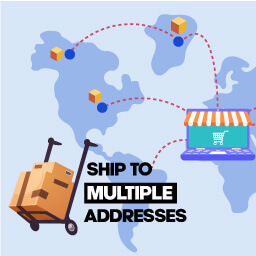
That is the everyday case: the customer who ships to home and to work, or who sends to the same three relatives every December. The premium edition handles the harder one — a single order that has to go to more than one place at once.
It works in the block checkout, and in the classic one
The saved-address selector appears in both, and it is the same selector in each. So is the premium per-product destination picker, and the split shipping that goes with it. The block checkout is not a “coming soon” here. Every feature on this page already works in both, premium included.
This matters more every month: WooCommerce is moving stores onto the block checkout by default, and an address plugin that only understands the classic one quietly stops working on the day a store switches over.
Free features
Pick a saved address at checkout, for billing and for shipping
Save as many addresses per customer as you like, with no cap
Name each address — Home, Office, Mum — and set a default for billing and for shipping
Add, edit and delete addresses from the My Account area
Add and edit addresses without leaving the checkout, or turn that off and keep the address book in My Account
Let customers download their own address book, and add addresses from a CSV — two separate switches, because only one of them writes to your store
Preselect the customer’s default address at checkout, or keep the address WooCommerce already filled in
Show the selector on the billing form, the shipping form, or both
Billing and shipping address columns on the admin orders list, which you can hide from Screen Options
Set the color of the address buttons to match your theme
Supports High-Performance Order Storage (HPOS)
Override any template from your theme, and change the rest with filters
There is no cap on the number of addresses, no time limit, and nothing switched off waiting to be paid for. The premium edition adds separate features; it does not unlock these.
Premium features
Where the free edition is about keeping addresses, the premium edition is about using several of them in the same order — one cart going to more than one place — and about managing your customers’ address books yourself. If you sell to businesses, or your customers send gifts, this is the part you are here for.
Ship each product in the cart to a different saved address, in both checkouts
Send part of a quantity to another address — ten identical gifts to ten people — in both checkouts, behind its own setting
Split the order into one package — and one shipping cost — per destination
Charge a handling fee for each extra destination: a flat amount, or based on how many destinations there are
Keep some things out of it: exclude individual products, or whole categories, so they always go to the main shipping address
Hand a split order to Vanquish Shipping Tracking (premium): its order screen opens with one shipment per destination, products already assigned, so you only type the tracking numbers
Store a delivery note with an address and carry it into the order notes
Give each address its own shipping email, for whoever receives the parcel
Restrict the address book by user role, and cap how many addresses each customer can save
Search a customer’s address book, select several addresses at once, delete them together or duplicate one
Import and export every customer’s addresses as CSV
Download every setting as a file and load it back, here or on another store
See a customer’s address book on their user profile, and pick a saved address when editing an order
Add your own CSS to the My Account and checkout pages
Translate the labels you write yourself, one text per language, with WPML or Polylang
More WooCommerce plugins by Vanquish
Vanquish Upload Files for WooCommerce – let customers upload files (even large ones) on the product, cart, checkout and order pages, for custom, personalized and print-on-demand products.
Vanquish Shipping Tracking for WooCommerce – tracking numbers on orders and emails, with 1,600+ carriers and their logos, a direct tracking link and a Track button. No account needed.
Vanquish Attach Me – Order & Product Attachments for WooCommerce – attach files to orders and products, show them to the customer and send them with the order emails.