內容簡介
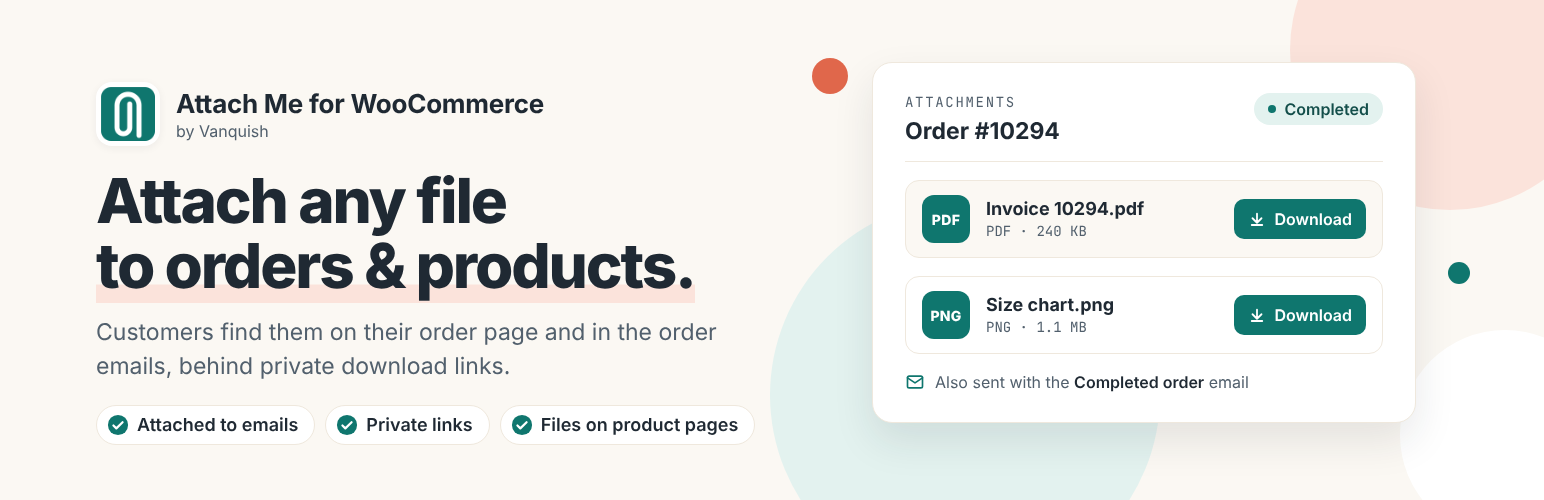
Vanquish Attach Me 是一款專為 WooCommerce 設計的外掛,讓商家能夠為每個訂單提供相關檔案,方便客戶在訂單頁面和電子郵件中查看,提升客戶體驗與管理效率。
【主要功能】
• 為每個訂單附加任意數量的檔案
• 提供檔案標題與描述,方便客戶識別
• 支援產品檔案附加,並可選擇變數
• 在訂單頁面及產品頁面顯示檔案
• 自動附加檔案至 WooCommerce 標準電子郵件
外掛標籤
開發者團隊
② 後台搜尋「Vanquish Attach Me – Order & Product Attachments for WooCommerce」→ 直接安裝(推薦)
📦 歷史版本下載
原文外掛簡介
Vanquish Attach Me for WooCommerce lets you give each customer the files that belong to their order, straight from the order screen: the proof they have to approve, their invoice, a certificate, the finished design. They find them on their order page and in the order emails, behind private download links. Files that belong to a whole product — a manual, a size chart, a data sheet — work the same way, on the product page, after purchase, or both. Upload the file, pick one from the media library, or point at a URL.
Uploaded files are not left where a URL can find them: they sit behind server rules and an unguessable path, and they are served through an endpoint that checks who is asking — the customer who placed that order, or somebody who can manage the shop. That is not a setting you can turn off — it is the only correct way to serve a file attached to an order, so it is simply how the plugin works.
Large files go up in pieces, so your server’s per-request upload limit is not the limit on what you can attach.
Proofs: file approval with your customer (Premium). Send a design, a print layout or a translation from the order for the customer to approve. They approve or reject it on their order page and you write to each other; every new version asks for approval again, and the whole history stays on the order. Reminders, automatic approval after a number of days, and a one-click import from the CodeCanyon plugin WooCommerce File Approval.
Free features
Attach any number of files to an order: upload them, choose them from the media library, or link to an external URL.
A title and a description for each file, shown to the customer.
Attach files to products, with a choice of which variations they apply to.
Show a product’s files on the product page, on the order page after buying, or both.
Files attached to the standard WooCommerce emails (processing, completed, invoice, refunded) and to custom emails registered by other plugins, chosen per file.
A block inside the order emails with your own wording and the download links, with placeholders for [order_number], [customer_name] and [order_page_link] that a click writes into the text.
Choose the order statuses in which each file is available; in the others it stays hidden.
Default options: the emails, the statuses it is available in and the email block a new attachment starts with, set once instead of on every file, for order attachments, product attachments or both.
A list you can read at a glance: each file is a row that shows its type, its size and what is set on it — the emails it goes with, where it shows, when it expires. Open a row to edit it, drop files on the list to add them.
The largest file to attach to an email, set once: a bigger file goes out as a download link in the same email, so an oversized attachment never costs the customer the whole message.
Files keep the name they were uploaded with, on the order, in the download and in the email. The copy on your server keeps its unguessable name.
Each file’s type and size under its name — “PDF · 2.4 MB” — so the customer knows what they are about to open.
Image previews, at a thumbnail size you choose, and a configurable position for the attachments box on the order page.
A “View attachments” button in the customer’s order list.
A product’s files in a tab of their own, or beside the price: under the short description or after the “Add to cart” button — chosen for the whole shop, and per file where one belongs somewhere else.
Sections on the product page — “Manuals”, “Certificates” — optionally folded, and a choice of cards or a compact list.
A Product attachments block, for a block theme’s product template or any page: the current product’s files, or any product’s.
An attachments column in the admin orders list, a “Manage” modal for handling them without opening the order, a filter for orders that have attachments, and a bulk action to delete them. The products list has the same bulk action.
Every customer-facing text is editable — and, with WPML or Polylang active, editable per language.
Template overrides from your theme, HPOS (High-Performance Order Storage) support.
Migrates automatically from the legacy “WooCommerce Attach Me!” (CodeCanyon) plugin: settings, product attachments and every order’s files.
Premium features
Bulk product attachments — one rule attaches a file to many products or categories at once: all products, only the ones you pick, or all except those, with or without child categories. The rule counts the products it reaches as you build it, and can be duplicated. No opening a thousand products.
Bulk order attachments — one file for the orders you pick by number, or for every order: terms and conditions, a warranty, a notice. Kept once in its rule, shown next to each order’s own files and sent with the emails you choose. Every product and order lists the bulk attachments that reach it.
Proofs / approval requests — send a file from the order for the customer to approve: a design, a print layout, a translation, uploaded or picked from the media library. They approve or reject it on their order page, you write to each other, and every new version you send asks for approval again, with the whole history kept. The customer can add files to their answers, and the email takes them to the page where they answer. An answer given on the phone or in person is marked from the order, and the conversation says who marked it. The verdict can move the order to another status; emails to each side are grouped, so three files sent in a row make one email. Reminders when nobody answers, and automatic approval after a number of days, announced to the customer beforehand. A “Files to approve” page in My account, and every proof of every order in one list.
Expiry — a file that stops being available on a fixed date, or a set time after the order. It disappears from the order page, the download link stops working, and the file can be deleted from the server automatically.
All attachments — every order’s files on one screen: search by file, order or customer, see which nobody has downloaded yet and which expire this week, and delete in bulk — every expired file in one click. A second tab lists every file sent for approval: what is waiting, rejected and approved.
Clean up old orders — free disk space by deleting the attachments and proofs of orders placed before a date, or more than three months to two years ago, in the statuses you choose. The page says how many orders it is about before anything is deleted, asks you to confirm, works a few orders at a time and carries on from where it stopped if a request fails. The same cleanup can run by itself every night. Each order keeps a note of what was removed.
Download history — see on every order whether the customer has downloaded each file, and when: under the file’s name, in full when you open it, and as an order note the first time. No IP address or other personal data is kept.
Download limits and a required disclaimer — a maximum number of downloads per file, and terms the customer must accept before the first one.
Visibility by user role, including visitors who are not signed in, on product attachments and bulk product attachments.
Automatic email files — a file that goes out with every copy of a chosen email, whatever the order contains: terms on every invoice, a returns form on every completed order. Any email WooCommerce sends to a customer, including the ones about an account rather than an order: new account, password reset.
A message written by hand — send the customer an email from the order screen, with whichever of that order’s files you choose attached or linked, in your shop’s own email template. Preview it before it goes; it leaves an order note saying what went out, and every message you send stays on the order, to read again or send again with “Use again”.
A library of preset texts — messages written once and offered under every editor by an “Insert template” button, so a shop that says the same thing on every order writes it once.
CSV import — one row, one link, one order or one product (by id or SKU), for a shop that already has its files listed somewhere else. Drag the file in; comma, semicolon or tab separated.
My Account → Downloads — the attachments listed on the page that claims to list everything the customer can download.
Shortcodes — put the attachments, or a single download link, on a page of your own. Each shows nothing at all unless the person reading the page is entitled to that order.
Files only in the emails — a product file, or a bulk product attachment, that goes out with the order emails you pick and shows nowhere on the site: not on the order page, not on the product page.
Copy the download link with one click, on the customer’s side.
Premium default options — what a new proof starts with, the download terms and the copy-link button, and the manual message to the customer, set once.
Mark up the proof — the customer circles, points and writes their corrections right on an image or PDF proof, with a pen, arrows, boxes and notes, and the drawing goes with their answer: one picture, or one for each page of a PDF they marked. Off until you switch it on, for every file or only the ones you choose.
Proofs in the orders list — a “Proofs” column shows each order’s files to approve and where each stands, the ones to fix first, with the customer’s unread messages flagged. One click opens the order on its proofs. Above the list, “Proofs: Needs my action | Waiting for customer | All approved” shows only the orders that need you.
Withdraw a proof — take back a file sent by mistake, or no longer needed, without deleting it: the customer can no longer answer it and it stops counting towards the order status, while its conversation stays. You choose whether the customer still sees it, marked as withdrawn, and whether they get an email about it. Restore it with one click.
Moving from WooCommerce File Approval — its files, conversations, customers’ files, answers, settings and preset answers become proofs, from one button.
Works with Vanquish Upload Files — the customer uploads their artwork with Upload Files, you press “Send a proof” on that file, and the proof form opens here, filled in. The state of the proof then shows next to the file, for you and for your customer.
Screenshots, plans and answers on the plugin’s page: vanquishplugins.com/plugins/attach-me.
External services
The free version does not send any data to external services. Files you upload stay on your own server, and the download links point at your own site.
This plugin uses Freemius to manage licensing and updates for the premium version, and to offer an optional opt-in when you first activate it. Nothing is sent unless you opt in or activate a licence; if you do, Freemius receives your site URL, WordPress and PHP versions and your administrator email address, in order to deliver updates and support. See freemius.com, its terms and its privacy policy.
The premium version adds no external services of its own: bulk product attachments, approval, expiry, automatic emails and the manual notification all run on your site, and the emails go out through WooCommerce.
More WooCommerce plugins by Vanquish
Vanquish Upload Files for WooCommerce – let customers upload files (even large ones) on the product, cart, checkout and order pages, for custom, personalized and print-on-demand products.
Vanquish Shipping Tracking for WooCommerce – tracking numbers on orders and emails, with 1,600+ carriers and their logos, a direct tracking link and a Track button. No account needed.
Vanquish Multiple Addresses for WooCommerce – give customers an address book: save multiple billing and shipping addresses and pick one at checkout.