內容簡介
總結:Uply旨在解決一個主要問題:讀者疲勞。長篇文章可能令人感到壓倒性,但透過適當的視覺提示,您可以讓用戶輕鬆參與並瀏覽。此外掛結合了三個必備工具 - 捲動至頂、進度條和閱讀時間,全都經過速度和SEO優化。
1. 進階 WordPress 捲動至頂按鈕
- 讓您的訪客只需單點擊就能返回頁面頂部。不再需要手動滾動長篇文章。
- 經典圖標庫:使用一系列乾淨、專業的圖標,如箭頭、綽順和圓圈,適合任何網站風格。
- 靈活對齊:可將按鈕放置在螢幕左側或右側,並調整底部邊緣以避免與其他元素重疊。
- 70+ 大型模板庫(專業版):升級到龐大的創意設計收藏,包括火箭圖標、紙飛機和3D動畫按鈕。
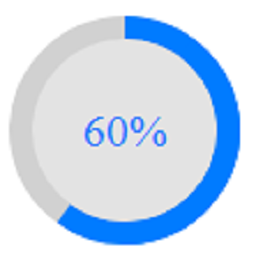
- 捲動進度按鈕(專業版):一項高端功能,按鈕本身可作為進度條,隨著用戶向下滾動而填充。
- 自定義 SVG 圖標建置者:完全的創意自由。使用獨特的SVG圖標,並手動調整背景、邊框和懸停效果。
- 行動端顯示控制:選擇在行動裝置上啟用或停用按鈕,以保持您的行動使用界面整潔。
2. 動態閱讀進度條
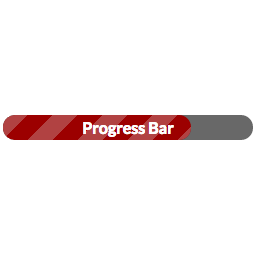
- 進度條為讀者提供視覺 "路線圖",讓他們在閱讀內容時獲得成就感。
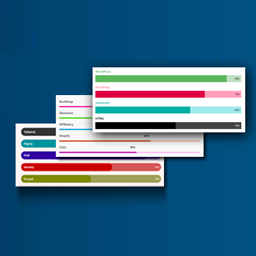
- 時尚簡潔風格:從乾淨的實心、分段或彩虹色進度條開始,固定在視口頂部。
- 頂部定位:標準、不侵入的進度條,實時跟踪閱讀進度。
- 40+高級視覺效果(專業版):透過引人注目的動畫如耀眼的霓虹光、液態金屬、漸變波浪和故障效果來轉變您的進度條。
- 底部視窗檢視切換:根據您網站的設計,可靈活將進度條移動到螢幕底部。
外掛標籤
開發者團隊
② 後台搜尋「Animated Scroll to Top Button, Progress Bar & Read Time – Uply」→ 直接安裝(推薦)
原文外掛簡介
Ultimate UX Toolkit: Advanced Scroll to Top, Progress Bar, and Smart Reading Time.
Uply is designed to solve one major problem: Reader Fatigue. Long articles can be overwhelming, but with the right visual cues, you can keep users engaged and navigating effortlessly. This plugin brings together three essential tools – Scroll to Top, Progress Bar, and Reading Time — all optimized for speed and SEO.
1. Advanced Scroll to Top Button
Make site navigation effortless. Say goodbye to boring navigation and give your users a stylish way to return to the top.
Standard Icon Library: Access a clean collection of Arrows, Chevrons, and Circles that fits any theme.
Flexible Positioning: Toggle between Left or Right alignment with adjustable bottom margins.
Custom SVG Icon Builder: Upload your own branding icons and fully customize background colors, borders, and hover effects.
Mobile Visibility Control: Keep your mobile interface clean by specifically enabling or disabling the button on mobile devices.
58+ Premium Button Designs [PRO]: Upgrade to a massive library featuring Rocket icons, Paper planes, 3D animated buttons, and unique modern shapes.
10+ Special Progress Buttons [PRO]: A high-end feature where a circular or square progress indicator is built directly around the button, filling up as the user scrolls.
Unique Styles & Fluid Animations [PRO]: Every Pro button comes with “Joss” (stunning) animations and designer-grade transitions that make your site stand out.
2. Dynamic Reading Progress Bar
A visual roadmap that encourages users to finish your articles. Give your readers a sense of accomplishment as they scroll.
Sleek Minimalist Styles: Solid, Segmented, or Rainbow bars that track progress in real-time.
Top Positioning: A standard, non-intrusive bar fixed to the top of the viewport.
Bottom Viewport Toggle: Choose to fix the progress bar to either the top or the bottom of the screen.
Precision Height & Thickness: Use a range slider to adjust the thickness of the bar to match your brand’s style perfectly.
Intelligent Sticky Offset: Smart “Space Above/Below” settings to prevent the bar from overlapping with your sticky headers or menus.
30+ Premium Animation Styles [PRO]: Access 30+ stunning animations, including Neon Glow, Liquid Metal, Gradient Waves, and Glitch effects.
Advanced Unique Designs [PRO]: High-end, eye-catching designs that elevate your website’s aesthetic instantly.
3. Smart Reading Time Indicator
Transparency builds trust. Letting readers know the time commitment upfront significantly reduces bounce rates.
Precision WPM Algorithm: Automatically calculates reading time based on a customizable “Words Per Minute” logic.
Clean Text Layout: Displays a simple, automated “X min read” label before your content.
Dual-Positioning Display: Display the reading time Before Content, After Content, or in Both locations simultaneously.
Full Typography & Styling Suite: Total control over font size, colors, background padding, and margins—no coding required.
Custom Labels: Fully customize your Prefix (e.g., “Ready in:”) and Postfix (e.g., “minutes”) text.
25+ Designer Layouts [PRO]: Access 25+ unique and advanced layouts featuring professional icons like Clocks, Books, Hourglasses, and Sand-timers.
Stunning Layout Animations [PRO]: Beautifully animated entry and hover effects for the reading time badge.
4. Intelligent Targeting & Performance
Uply is built for speed and control. It gives power users the tools they need without sacrificing performance.
Vanilla CSS Power: No heavy libraries (No jQuery UI or GSAP). All animations are built with optimized CSS for zero impact on Core Web Vitals.
Conditional Display Logic: Enable or disable features globally or for specific Post Types (e.g., show on Posts but hide on Pages).
Precise Page Exclusion: Use a built-in search interface to exclude specific Page IDs or posts where you don’t want the tools to appear.
Why Choose Uply?
Whether you use the feature-packed Free version or the designer-grade PRO version, Uply is engineered to improve your “Time on Site” and “Bounce Rate” — two of the most important metrics for SEO and user satisfaction.