內容簡介
重要提示:本外掛需要 PHP 版本 7.2 或以上和 LearnDash 版本 3.6 或以上。
Uncanny Toolkit for LearnDash 外掛新增了 16 種模塊,包括登入表單、登入重新導向、繼續學習等,這些都是每個電子學習網站必備的功能。已經被超過 30,000 個 LearnDash 網站信任,是改善學生學習體驗的最簡單方式。支援多語言和多站點。
Uncanny Toolkit for LearnDash 外掛會將以下功能新增到你的 LearnDash 網站中:
前端登入:將預設的 WordPress 登入表單替換為整潔、現代的登入表單,可以新增到任何品牌頁面中。還支援前端密碼重設和使用自訂郵件進行發送。也可以啟用用戶驗證,需要管理員批准註冊。
隱藏管理列:隱藏特定使用者角色的 WordPress 管理列。
LearnDash 續學按鈕:讓使用者透過點擊按鈕就能回到上次停留的 LearnDash 課程。
登入/登出重新導向:在使用者登入或登出網站後,將使用者重新導向到特定頁面。
選單項目可見性:根據使用者是否已登入,控制選單項目的可見性。
顯示或隱藏內容:使用簡碼根據使用者是否已登入,顯示或隱藏內容。非常適合公開課程類型。
登入/登出鏈接:在選單中新增登入和登出鏈接,或在任何頁面或小工具中使用簡碼。如果你對於已經登入的使用者還能看到登入鏈接而感到沮喪,這將有所幫助。
課程自動完成:當所有該課程、主題和測驗都標記為完成時,自動標記課程為完成。
測驗完成繼續下一步:當使用者在課程/主題的最後一個測驗頁面上點擊“點此繼續”後,自動進入下一步。
用戶切換:以特定用戶的身份查看課程和站點,而無需輸入其密碼。
LearnDash 麵包屑導航:新增支援課程、主題和測驗的麵包屑導航連結。還支援 WooCommerce、自訂文章類型等功能。
LearnDash 證書小工具:使用小工具顯示學習者已獲得的所有證書。
外掛標籤
開發者團隊
② 後台搜尋「Uncanny Toolkit for LearnDash」→ 直接安裝(推薦)
原文外掛簡介
Important: This plugin requires PHP 7.4 or higher and LearnDash 4.2 or higher.
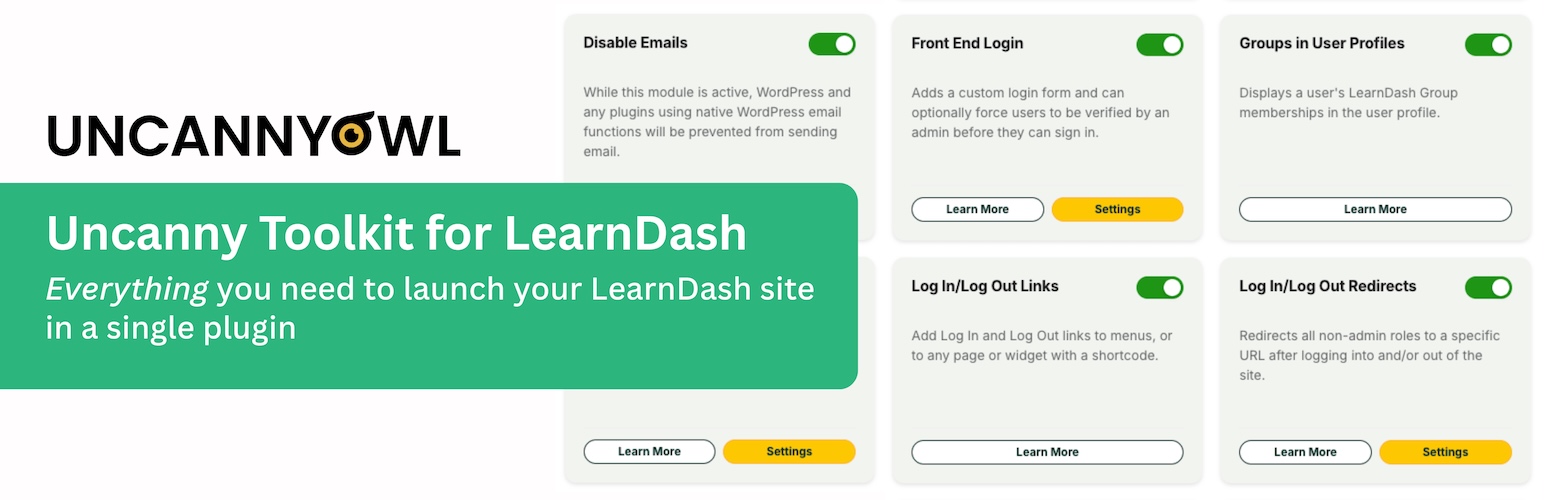
The Uncanny Toolkit for LearnDash adds 16 modules that every elearning site needs, including a login form, login redirect, resume capabilities and more. Trusted to power over 30,000+ LearnDash sites, it’s the easiest way to improve the learning experience for your students. Translation ready and multisite capable!
The Uncanny Toolkit for LearnDash adds the following features to your LearnDash site:
Disable Emails: While this module is active, WordPress and any plugins using native WordPress email functions will be prevented from sending email. Use this on development and staging sites to block accidental customer emails.
Front End Login: Add full-featured login forms with reCaptcha, password reset, and user validation support to front end pages.
Hide Admin Bar: Hide the Admin Bar at the top of WordPress pages based on user role.
LearnDash Breadcrumbs: Easily add breadcrumb links that work with courses, lessons, topics and quizzes using a shortcode or template change.
LearnDash Certificate Widget: Display all LearnDash certificates earned by a user in a widget.
LearnDash Groups in User Profiles: Display a user’s LearnDash Group memberships in the user profile.
LearnDash Resume Button: Inserts a button that allows learners to return to the course, lesson or topic that they last visited.
Log In/Log Out Links: Add Log In and Log Out links to site menus, or to any page or widget with a shortcode.
Login/Logout Redirects: Redirect learners to a specific URL after signing in or out of the site.
Menu Item Visibility: Toggle the visibility of menu items based on whether or not users are signed in to the site.
Not Enrolled Redirect: Redirect all non-admin roles to a specific URL if they are not enrolled in the course. This is useful for directing prospective customers to a course sales page.
Quiz completion advances to next step: Automatically advance to the next course step when a user clicks “Click here to continue” on quiz results page inside a lesson or topic.
Show LearnDash Certificates: Display a list of LearnDash certificates (course, quiz and group) earned by the user, with the most recent at the top.
Show or Hide Content: Conditionally shows content to either logged in or logged out users. Great for Open course types or protecting content on a course page.
Topics Autocomplete Lessons (Legacy): Automatically marks lessons as completed when all topics and quizzes for that lesson are marked complete.
User Switching: Easily and securely switch between users. Great for testing your site and troubleshooting user issues.
We welcome contributions to the Uncanny Toolkit! The plugin is managed in a GitHub Repository.
Ready to take your LearnDash site even further?
The Pro version of the Uncanny Toolkit adds a continuously expanding list of powerful features (currently 35) to the Toolkit. These include:
Autocomplete Lessons & Topics: Automatically mark all lessons and topics as completed on user visit and remove Mark Complete buttons. Global settings can be overridden for individual lessons and topics.
Autocomplete Lessons & Topics on Fluent Forms Submission: Automatically mark LearnDash lessons and topics as complete when the user submits a Fluent form.
Autocomplete Lessons & Topics on Formidable Forms Submission: Automatically mark LearnDash lessons and topics as complete when the user submits a Formidable form.
Autocomplete Lessons & Topics on Gravity Form Submission: Automatically mark LearnDash lessons and topics as completed when the user submits a Gravity form.
Autocomplete Lessons & Topics on Quiz Results Page: Automatically mark LearnDash lessons and topics as completed when the user reaches the quiz results page with a passing mark (so users that forget to click “Click here to continue” don’t get stuck in a course).
Autocomplete Lessons & Topics on WPForms Submission: Automatically mark LearnDash lessons and topics as complete when the user submits a WPForms form.
Autocomplete Lessons & Topics When Quiz Is Graded : Automatically mark LearnDash lessons and topics as completed when the associated quiz is manually graded.
Certificate Preview: Get a preview of your LearnDash certificate without leaving the editor.
Course Dashboard: Display a list of enrolled courses to students in a variety of ways. This tool also makes it easy to access individual lessons, topics, quizzes, quiz results and certificates for students.
Days Until Course Expiry: Display the number of days until the learner’s access expires for the current course. This is a useful shortcode to include on course pages.
Download Certificates In Bulk: Download course, quiz and group certificates in bulk. Available to admins and Group Leaders.
Drip Lessons by LearnDash Group: Unlock access to LearnDash lessons by setting availability dates for LearnDash Groups rather than for all enrolled users.
Drip Topics by Group: Unlock access to LearnDash topics by setting dates for LearnDash Groups rather than for all enrolled users.
Duplicate Pages & Posts: Easily clone pages, posts, LearnDash courses, lessons, topics, quizzes and more.
Email Course Certificates: Sends a copy of certificate earned from course completions and optionally save certificates on the server.
Email Group Certificates: Sends a copy of certificate earned from group completions and save certificates on the server.
Email Quiz Certificates: Sends a copy of certificates earned from quiz completions and save certificates on the server.
Enhanced Course Grid: Add a highly customizable grid of LearnDash courses to the front end, learner dashboard or anywhere you want. This is a great tool for sites with a large number of courses.
Enhanced LearnDash CSV Reports: Add additional columns to the LearnDash Course CSV report, including custom user and course meta records.
Enhanced Lesson/Topic Grid: Add a highly customizable grid of LearnDash lessons/topics to the front end, learner dashboard or anywhere you want.
Group Expiration: Set expiration dates for LearnDash groups so that course enrolment for the group is removed on the specified day. Reminder emails can be sent to users advising them of group expiration.
Group Forums with bbPress: Create group-specific discussion forums with bbPress. Only group members will have access to group-specific forums. Includes a handy widget.
Group Login Redirect: Adds a group-specific login redirect setting to LearnDash groups. Automatically redirect group members to a specific page on login.
Group Logo/List: Add group-specific logos to any page, including registration pages. A shortcode to list a user’s LearnDash Groups is also available.
Group Registration: Allow users to add themselves directly to LearnDash groups on registration by assigning each group a unique registration URL. Users can also change or add groups themselves by visiting group URLs.
Import Users: Create or update users and assign them to courses and LearnDash groups from a CSV file. Supports custom user fields.
Improved Group Leader Interface (deprecated): This legacy module helped LearnDash 2.x and 3.x sites hide unrelated menu entries from /wp-admin/ and enroll Group Leaders in group courses.
Lazy Loading Course Navigation: Shortcode that loads a course navigation tree via AJAX. Useful on sites with many lessons and topics where the native LearnDash Course Navigation widget is extending page load time.
Learner Transcript: Add printable transcripts to the front end for your learners. This is a great way for learners to have a record of all course progress and overall standing.
Lesson/Topic/Quiz Table Colors (Legacy): Change the background and header text color of LearnDash tables. This module modifies the course, lesson, topic, quiz, and Pro Dashboard tables. (Legacy LearnDash theme only).
Reset Progress Button: Inserts a button that allows learners to reset all activity for a course, allowing them to retake it.
Restrict Page Access: Restrict access to any page by logged in/out status, course enrollment, group membership, or role. Display a message or automatically redirect users that are denied access.
Simple Course Timer: Tracks time spent in all LearnDash courses, lessons, and topics, and detects when a user is idle. Course completion time and total course time are both added to LearnDash reports. Enables blocking access to quizzes until minimum time spent in a course.
Single Page Courses: Create microlearning courses that have no associated lessons; this moves the Mark Complete button up to the course level.
Uncanny Automator
If you like the Uncanny Toolkit, you’ll love Uncanny Automator! Our free no-code automation plugin connects LearnDash to over 150 plugins and apps plus other WordPress sites. Build personalized learning paths and automated instructional workflows with an easy-to-use interface in minutes. Trusted by over 40,000 WordPress sites to build powerful learning workflows and automations.
More LearnDash Plugins!
Uncanny Owl offers a full suite of plugins that extend the LearnDash platform and make it easier to build and manage a great learning experience. Here are a few:
Tin Canny Reporting for LearnDash: Add support for your SCORM and Tin Can modules inside WordPress as well as powerful drill-down LearnDash course and quiz reports.
Uncanny Groups for LearnDash: Make it easy for your customers and member organizations to manage their learners in the front end, track and manage their progress, and buy buy groups with B2B sales tools.
Uncanny Codes: An easier way to get your learners into LearnDash groups, courses, and more. Generate codes that can be used by learners to self-enrol into LearnDash groups and courses when they register, make a purchase, or are simply signed in.
Uncanny Continuing Education Credits: Assign credits to LearnDash courses and archive LearnDash course and quiz data to offer recurring training.
Follow Uncanny Owl for updates about our latest LearnDash enhancements on Twitter, Facebook and YouTube.