
內容簡介
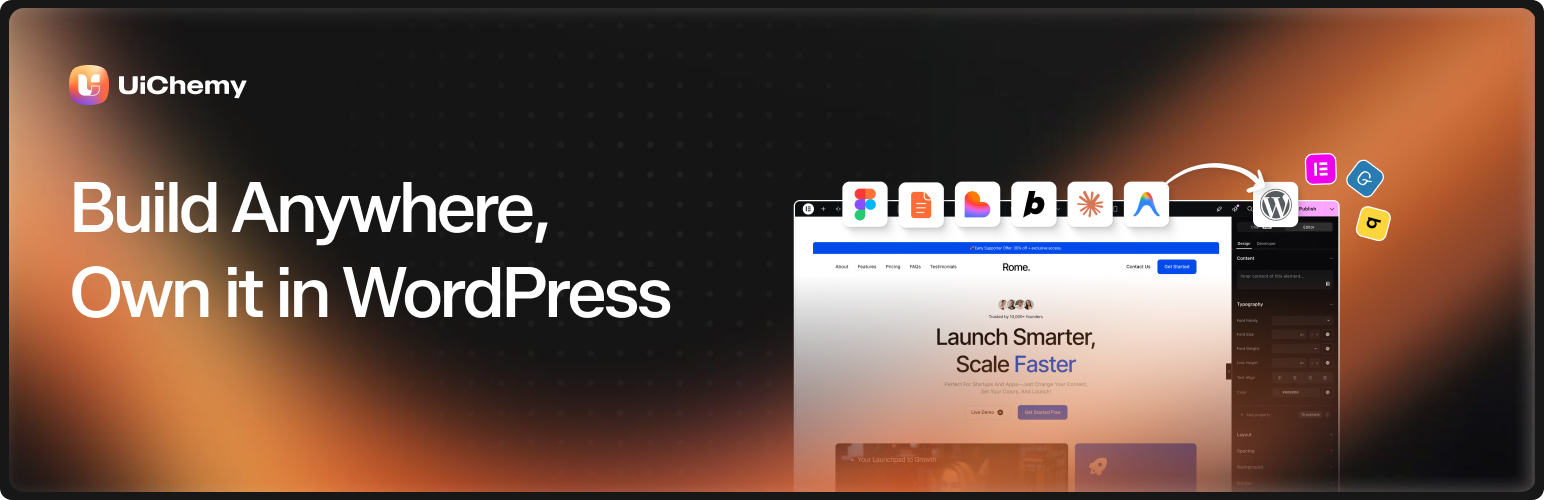
UiChemy 是唯一一款將 Figma 設計轉換為 WordPress 的外掛,能將設計轉換為可編輯的 Elementor 小工具、Gutenberg 區塊和 Bricks 元素,無需編寫 HTML 或程式碼,讓設計師輕鬆實現其創意。
【主要功能】
• 將 Figma 設計轉換為可編輯的 WordPress 元素
• 支援 50 多種小工具,無需編寫程式碼
• 自動同步全局樣式,確保一致性
• 具備響應式輸出管理功能
• 80,000+ 設計師信賴的解決方案
外掛標籤
開發者團隊
② 後台搜尋「UiChemy — Figma Converter for Elementor, Gutenberg and Bricks」→ 直接安裝(推薦)
📦 歷史版本下載
原文外掛簡介
UiChemy is the only Figma to WordPress plugin that converts your designs into real Elementor widgets, Gutenberg blocks, and Bricks elements.
Not HTML. Not code. Real, native, 100% editable page builder output. 50+ widget support, global style sync, responsive output manager, and trusted by 80,000+ designers worldwide.
Website | Pricing | Documentation | Roadmap | Facebook Community | Community Support | Premium Support | AI Chat (Instant Answers) | Video Tutorials | Figma Templates
See UiChemy in Action
1. How Does UiChemy Work? It’s Almost Too Simple
You designed a beautiful website in Figma. Now what?
Traditionally, you hand it off to a developer, wait days, go through rounds of “that’s not what I designed,” and still end up rebuilding half of it. UiChemy changes that entirely.
UiChemy reads your Figma design structure (frames, layers, Auto Layout, hierarchy) and converts it into real page builder widgets. Not static HTML. Not throwaway code. Actual Elementor containers, Gutenberg blocks, or Bricks sections you can click, edit, and customize inside WordPress, just like you built it there yourself.
4 Steps. Figma to Live WordPress Website.
Design in Figma : Create your layout following the UiChemy Design Guidelines
Run the Figma Plugin : Install the UiChemy Figma plugin and export your design
Connect Your WordPress Site : Activate the UiChemy WordPress plugin and link your domain
Hit Import : Your Figma design is now a fully editable WordPress page. Done.
No developer needed. No code generated. No waiting.
🔌 2. Figma to Elementor Converter
If you use Elementor, this is where UiChemy feels like magic. Your Figma layers become real Elementor widgets that you can drag, drop, and edit inside the Elementor editor. No custom HTML blocks. No CSS hacks.
✅ What You Get with Figma to Elementor
30+ Native Elementor Widgets Supported : Your Figma design maps to actual Elementor widgets, not code dumps
Elementor v4 Atomic Elements Ready : Full support for the latest Elementor Editor v4 including global classes and variables
Global Styles Sync : Typography, colors, and spacing from your Figma file sync directly to Elementor global settings
The Plus Addons for Elementor : Extends your conversion with 30+ additional advanced widgets
Works with Elementor Free & Pro : Use it with Elementor Free or Elementor Pro. If your design uses Pro widgets like contact forms, menus, or sliders, Pro is needed for those specific widgets
Figma Plugin: Figma to Elementor Plugin
🧱 3. Figma to Gutenberg Block Editor Converter
Prefer the default WordPress editor? UiChemy converts your Figma designs into native Gutenberg blocks with support for the most popular block builders. No lock-in. Use whichever block system you prefer.
✅ What You Get with Figma to Gutenberg
Core WordPress Gutenberg Blocks : Converts to default WordPress blocks natively
Spectra Blocks : Full compatibility with the Spectra block builder
Kadence Blocks : Works with Kadence Blocks for advanced responsive layouts
GenerateBlocks : Converts to GenerateBlocks elements for lightweight output
Nexter Blocks : Extended tagging support using Nexter Blocks
Clean Output Option : Disable custom CSS entirely for a code-free block export
Figma Plugin: Figma to Gutenberg Plugin
🧱 4. Figma to Bricks Builder Converter
Bricks Builder users, you are not left out. UiChemy converts Figma designs into native Bricks Builder elements with pixel-accurate precision.
✅ What You Get with Figma to Bricks
Native Bricks Elements : Your Figma layers become real Bricks elements, not custom code
Global Style Classes : Syncs Figma global styles to Bricks global classes
Border, Border-Radius, Gap & Shadow : Precise design conversion for borders, gaps, and shadows
Multiple Breakpoints for Boxed Width : Control responsive boxed width across multiple breakpoints
Padding Sync : Padding values transfer directly from Figma to Bricks for uniform spacing
Copy Paste Mode with Media : Paste converted designs into Bricks with full media import
Figma Plugin: Figma to Bricks Plugin
⚙️ 5. Why Designers Trust UiChemy Over Other Figma Converters
Most Figma to code tools give you messy HTML that no one can edit. UiChemy gives you a Figma to WordPress plugin experience that actually works in the real world. Here is what sets it apart:
🎨 Global Style Sync (Your Brand Stays Consistent)
Typography Sync : Text styles from Figma transfer to WordPress so your fonts and sizes stay exact
Color Variables Sync : Figma color variables map directly to your page builder’s design system
Border Color Variables : Even border colors stay brand-consistent through variable mapping
📱 Responsive Design Conversion (No More Manual Breakpoint Work)
Responsive Output Manager : Set responsive breakpoint values once and let UiChemy handle the rest
Auto-Fetch Values : UiChemy automatically detects font sizes, padding, line height, and flex gap from your Figma file
Manual Responsive Setup : Want full control? Override any responsive value per breakpoint
Boxed Width Breakpoints : Multiple breakpoint support for Elementor and Bricks container widths
⚡ Conversion Power Tools
50+ Widget Support : UiChemy tags your design elements to the correct page builder widgets automatically
WebP, AVIF & SVG Import : Modern image formats are imported and handled automatically
One-Click Site Import : Push your entire Figma design directly to WordPress in one click
Section-by-Section Export : Export individual sections for granular control and pixel-perfect accuracy
JSON File Import : Download and import JSON templates as an offline alternative
Multi-Site Connection : Manage multiple WordPress sites from one UiChemy plugin installation
Disable Custom CSS : Export 100% clean native page builder output without any additional CSS
📦 6. 100+ Pre-Designed Figma Templates
Don’t want to start from scratch? Use any of our 100+ Figma Templates and sections, already optimized for UiChemy export. Pick a template, customize it in Figma, and convert it to a live WordPress website in minutes. It is the fastest way to go from idea to published website.
🔍 Our Other Products
🥇 The Plus Addons for Elementor — 120+ Elementor Widgets, Free Elementor Theme Builder & Templates
🥇 Nexter Blocks — 90+ Gutenberg Blocks, AI Website Builder, Popup Builder, Mega Menu, Form Builder & 1000+ Templates
🥇 Nexter Extension — 50+ Site Tools: Security, SMTP, Image Optimizer (WebP/AVIF), Theme Builder, Code Snippets, Performance
🥇 NexterWP Theme — Ultra-light, FSE-ready starter theme. Zero jQuery
🥇 WDesignKit — 1000+ Templates, Cloud Block Storage, Gutenberg & Elementor Builder
External Services
This plugin connects to the following external services:
UiChemy Cloud API : When you export a design from Figma, UiChemy communicates with its cloud API to process and convert your Figma design data into page builder compatible format. Design structure data (frames, layers, styles) is sent during export. No personal data is transmitted.
Privacy Policy | Terms of Use
Figma API : UiChemy’s Figma plugin reads your design data from Figma to generate the export. This requires the Figma plugin to access your currently open Figma file.
Figma Privacy Policy | Figma Terms
jsDelivr CDN : The composer’s “Add library” catalog offers a curated list of popular open-source JavaScript and CSS libraries. When you choose one, UiChemy adds a pinned cdn.jsdelivr.net URL to that widget’s assets, so visitors to the published page load the file from jsDelivr. Nothing is requested until you add a library, and you can remove or edit the URL at any time. No data about you or your visitors is sent by UiChemy to jsDelivr.
jsDelivr Privacy Policy | jsDelivr Terms
Google Fonts : The same “Add library” catalog offers a list of Google Fonts. Choosing one adds a fonts.googleapis.com stylesheet URL to that widget’s assets, so visitors to the published page load the font from Google. Nothing is requested until you add a font, and you can remove the URL at any time.
Google Privacy Policy | Google Terms