內容簡介
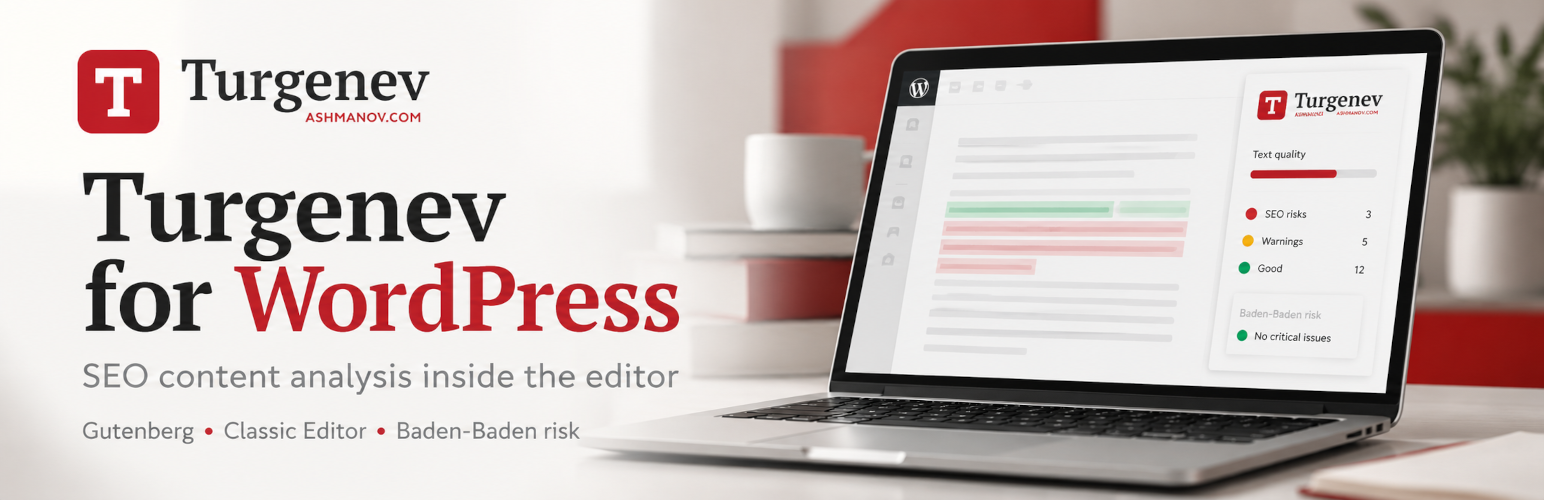
Turgenev 是一款專業的 SEO 內容分析外掛,讓使用者能在 WordPress 中直接檢查文本質量、搜尋過度優化及可讀性,無需將草稿複製到其他工具中。適合 SEO 專家、編輯及內容團隊使用。
【主要功能】
• 直接在 WordPress 中進行內容分析
• 提供文本的整體風險評分
• 檢查關鍵字堆砌及重複性問題
• 評估可讀性及風格問題
• 無需瀏覽器擴充功能或 API 金鑰
外掛標籤
開發者團隊
原文外掛簡介
Professional SEO content analysis directly inside WordPress — without copying drafts into a separate tool.
Turgenev connects the WordPress Block Editor and Classic Editor to the Turgenev content-analysis service. It is built for SEO specialists, copywriters, editors, content teams, agencies and site owners who want to review text quality, search over-optimization and readability before publishing.
Analyze the current WordPress document, including unsaved changes, and review Turgenev’s overall risk score plus detailed sections for repetition, style, keywords, formality and readability.
No browser extension. No copy/paste workflow. No provider API key exposed to JavaScript.
What Turgenev helps you review
The Turgenev service analyzes text using multiple independent signals. According to the provider, these can help identify content patterns associated with unnatural or over-optimized SEO copy, including:
SEO over-optimization and signals associated with Yandex Baden-Baden risk;
keyword stuffing and unnatural keyword repetition;
unusually frequent words and phrases;
query / keyword coverage;
stylistic problems, SEO clichés and bureaucratic wording;
“wateriness” / low-information wording;
long or difficult sentences;
readability;
the combined Turgenev risk score.
The provider explicitly describes its score as a risk indicator, not a guarantee of a search-engine penalty. The goal is not to chase a zero score mechanically, but to find text that may deserve editorial attention.
Built for SEO and editorial workflows
Turgenev is useful for:
SEO landing pages;
commercial category and service pages;
blog articles;
product and category copy;
agency content QA;
copywriter review;
editor approval workflows;
Russian-language SEO content audits;
pre-publication readability checks;
detecting repetitive or template-like text.
Instead of switching between WordPress and a separate analysis page, editors can review the current document from the same editing screen.
Gutenberg / Block Editor integration
The plugin adds a Turgenev button to the WordPress editor toolbar.
Open it to access a dedicated Turgenev panel with:
current Turgenev account balance;
balance refresh;
a direct balance top-up link;
Analyze document;
optional HTML analysis (send markup) mode;
overall risk;
detailed analysis sections;
links to provider reports;
in-editor highlighting when the server supports the required DOM component.
Analysis is not tied to the currently selected Gutenberg block. Turgenev analyzes the whole current document.
You do not need to save the post first: the plugin reads the current in-memory editor state, including unsaved edits.
Classic Editor support
Post types using the Classic Editor receive a Turgenev metabox.
The integration supports both TinyMCE visual mode and the underlying textarea/text mode while using the same secure server-side API bridge as Gutenberg.
Plain-text and HTML analysis
By default, the plugin sends a normalized representation of the visible document text while preserving meaningful block boundaries.
If you explicitly enable HTML analysis (send markup), the provider receives an HTML-aware payload instead.
The runtime accepts up to 50,000 visible Unicode characters per check. Invalid UTF-8 and embedded NUL characters are rejected before an outbound analysis request is made.
API key stays on your WordPress server
The Turgenev API key is stored in WordPress and is never intentionally exposed through:
localized editor JavaScript;
HTML source;
browser-visible AJAX responses;
Gutenberg configuration objects.
The browser talks to WordPress. WordPress talks to Turgenev.
Every document-analysis request is protected by:
a WordPress nonce;
validation of the target post;
current_user_can( 'edit_post', $post_id ) for that exact post;
server-side per-post and per-user rate limiting.
Safe API-key replacement
Go to Settings → Turgenev to configure the provider API key.
When you enter a new key, the plugin verifies it through the Turgenev balance operation before replacing the working key.
That means:
an empty field keeps the current key;
an invalid replacement does not erase the current key;
a provider outage during verification does not erase the current key;
only Delete API Key explicitly removes the saved key.
The saved secret is never printed back into the password field. WordPress displays only a masked suffix.
Report highlighting does not alter your content
Highlighting is visual only.
The plugin does not persist Turgenev highlight markup into post_content, block attributes, revisions or autosaves. Your article remains your article.
Server-side rate limiting
Turgenev is an external service with account usage/billing, so the plugin does not rely only on a disabled button in JavaScript.
The WordPress backend applies independent request limits per user/post and per user across all posts. If either limit is exceeded, the request is rejected before contacting the provider.
Graceful server compatibility
The PHP DOM extension is optional.
Without ext-dom:
account balance still works;
normal content analysis still works;
functionality that requires parsing the provider’s HTML report is disabled gracefully rather than crashing the editor.
How Turgenev scores content
The Turgenev service describes its total risk as the sum of penalties from independent analysis criteria.
Its published documentation discusses, among other signals:
word-frequency / repetition metrics;
unusually frequent words;
style-problem density;
low-information wording;
query coverage;
readability based in part on sentence and word length.
The provider currently describes risk levels beginning around 5 points as medium, 8 as high and 13 as critical. These are the provider’s interpretation thresholds and should be used as editorial guidance, not as a promise or prediction of search-engine action.
Get an account, API key and balance
This plugin requires an account with the external Turgenev service.
Useful provider pages:
Turgenev website
API key / account
Top up balance
The Turgenev website currently publishes separate pricing for its web interface, subscriptions and API usage. Pricing can change, so always treat the provider’s current website as authoritative.
The plugin itself is GPL-licensed and does not include Turgenev service credit.
External Service
This plugin connects WordPress to the external Turgenev service.
The provider is operated by ООО “Интернет-лингвистика” / Internet-Linguistics LLC.
Exactly what is sent:
Document analysis: after an authenticated editor explicitly starts an analysis, the current document content is sent to Turgenev for processing. This can include unsaved editor changes.
API key: the API key is added by the WordPress server to provider requests. It is not intentionally exposed to browser JavaScript.
Balance: balance checks send the API key but do not send document content.
Report details/highlights: after analysis, report-reference data returned by Turgenev can be used to request the provider report required for detailed sections/highlighting.
The plugin does not control how the external service stores or processes data after it is transmitted.
Provider links:
Turgenev service
API key / account
Balance top-up
Service terms / company information
By configuring this integration, the site administrator is responsible for determining whether sending content to the external service is appropriate for the site’s privacy policy and applicable data-protection requirements.