外掛標籤
開發者團隊
原文外掛簡介
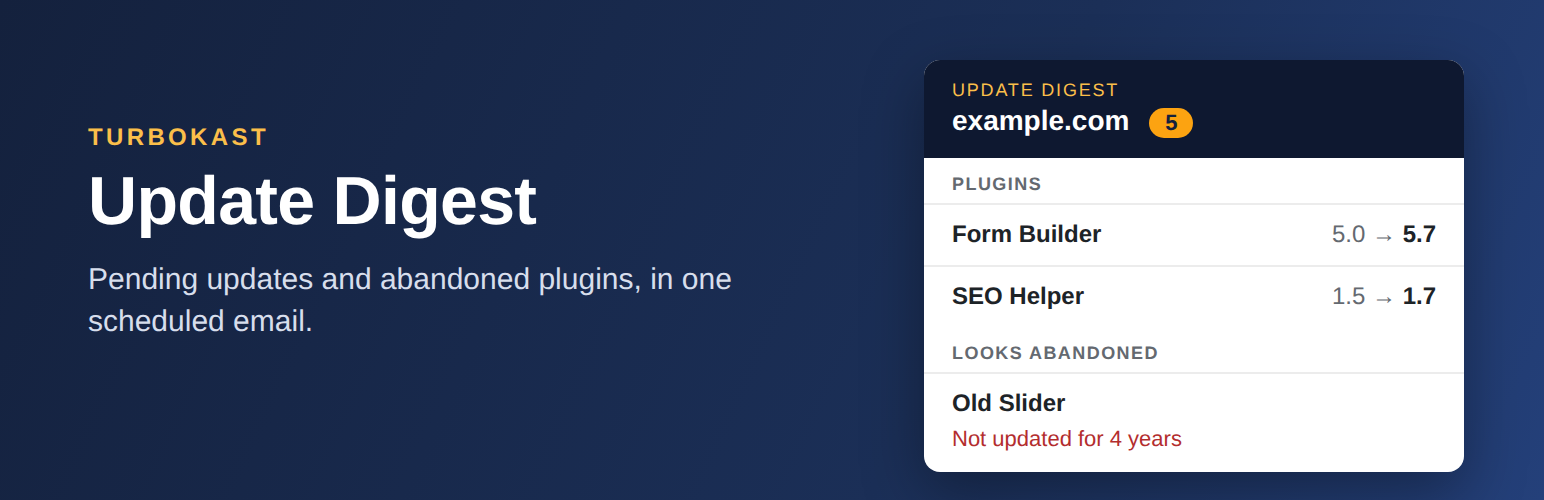
TurboKast Update Digest emails you one tidy summary of everything on your WordPress site that needs attention, on a schedule you choose. No dashboard to log in to, no external account, no tracking.
Each digest tells you:
Pending updates for WordPress core, plugins and themes, with the installed and the available version side by side.
Plugins that look abandoned: plugins that have been closed on WordPress.org, or that have not been updated by their developer for 2 years or more (you can pick 1, 2, 3 or 5 years).
Helpful notes on each update, such as “major update”, “inactive”, “only tested up to WordPress 6.9” or “needs PHP 8.1”.
Built for freelancers, small agencies and site owners who look after one or a few WordPress sites and just want a reliable heads-up.
Features
Daily, weekly or monthly digest, at the day and hour you choose (in your site’s time zone).
One or more recipients. If you leave the field empty, the administrator email is used.
Choose what to include: core, plugins, themes, abandoned-plugin flags.
Hide patch releases, or show major releases only, for plugin and theme updates.
Ignore list for plugins you do not want to hear about.
“Do not send an email when there is nothing to report” option, on by default.
“Send a test digest now” button and a delivery log of the last 20 digests, so you can see what happened if an email does not arrive.
HTML email with a plain-text alternative.
Multisite aware: when network-activated, one digest covers the whole network and the settings live in Network Admin.
Translation ready, and cleans up after itself when deleted.
Lightweight: nothing loads on the front end of your site.
How abandoned plugins are detected
For plugins installed from WordPress.org, the plugin asks the public WordPress.org plugin API whether the plugin is still open and when it was last updated. Plugins that were closed are flagged straight away. Others are flagged when their last update is older than your chosen threshold. Answers are cached for 7 days, so a typical site makes a handful of requests per week.
“Abandoned” is a signal, not a verdict. Some small plugins are simply finished and still work. The digest tells you so that you can decide.
Plugins that are not hosted on WordPress.org (premium or custom plugins) are not flagged as stale.
What this plugin does not do
It does not install updates for you, and it does not change how WordPress updates itself.
It does not look up security vulnerabilities.
It does not send your data anywhere except to WordPress.org (see “External services”).
Planned Pro version
We are considering a paid Pro version that also sends the digest to Slack, Microsoft Teams or a webhook. It has not been released. This free plugin contains no Pro code and keeps working without it. If an optional pre-order link is shown on the settings screen, it is clearly labelled and is the only mention of Pro inside the plugin.
External services
This plugin connects to one external service, the WordPress.org plugin information API, to find out whether an installed plugin is still open and when it was last updated.
Service: WordPress.org plugin API, https://api.wordpress.org/plugins/info/1.2/
When: only if “Flag abandoned plugins” is switched on, when the digest is built or when you press “Refresh WordPress.org data”. Results are cached for 7 days.
What is sent: the folder name (slug) of each installed plugin that WordPress knows to be hosted on WordPress.org, plus your WordPress version in the user agent. As with any web request, the server also sees your server’s IP address. Your site URL is not sent.
Terms and privacy: WordPress.org privacy policy
WordPress itself also contacts WordPress.org to check for updates. This plugin only reads the results that WordPress has already stored for that. Emails are sent with the standard wp_mail() function, through whatever mail setup your site already uses.
No analytics, telemetry or advertising is included.