內容簡介
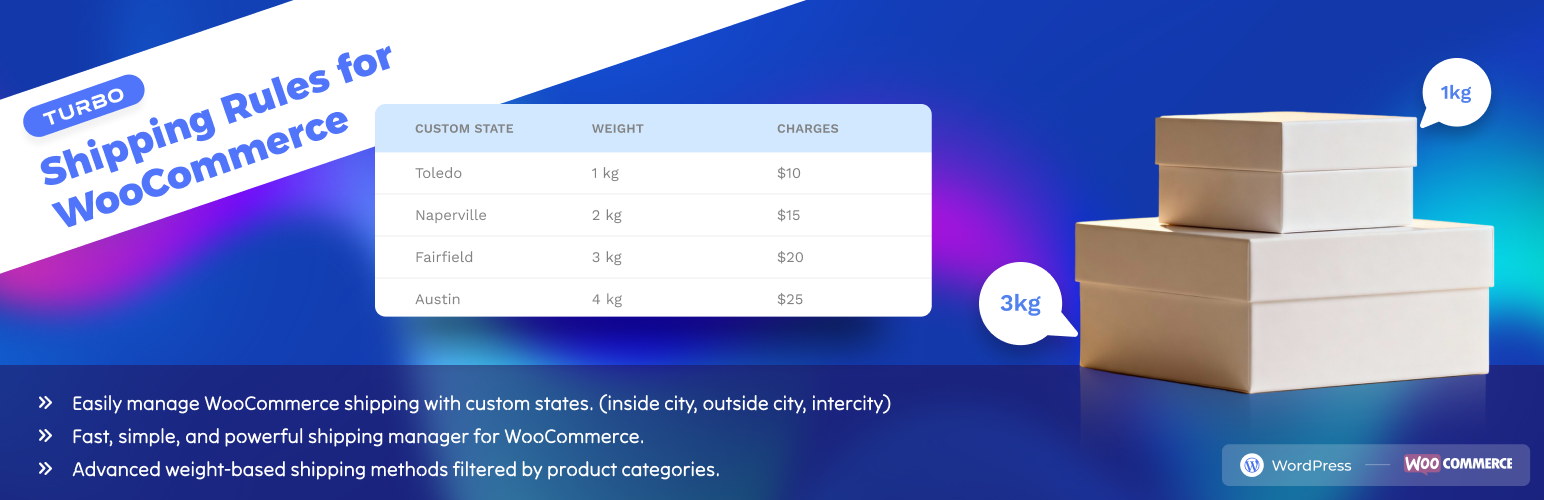
TURBO – Shipping Rules for WooCommerce 讓您能夠定義和管理自訂的州(或區域)選項,並為 WooCommerce 的結帳表單創建靈活的運送方式,特別適合不在預設州列表中的地區。
【主要功能】
• 添加自訂州/區域到任何國家
• 在 WooCommerce 結帳表單中顯示自訂州
• 根據國家組織州(例如:BD、IN、US 等)
• 支援運送區域的運作
• 創建基於重量的運送方式(搭配產品類別篩選)
• 簡單的管理介面來新增、編輯、刪除州
外掛標籤
開發者團隊
② 後台搜尋「TURBO – Shipping Rules for WooCommerce」→ 直接安裝(推薦)
原文外掛簡介
TURBO – Shipping Rules for WooCommerce allows you to define and manage custom state (or district) options and create flexible shipping methods (weight-based with product category filters) for any country in WooCommerce checkout forms.
This is especially useful if your business operates in regions that are not covered by WooCommerce’s default state lists — such as custom districts in Bangladesh, provinces in African countries, or extra regions within the United States — and also requires advanced shipping methods based on weight and product categories.
With a simple admin UI and seamless WooCommerce integration, your customers can now choose from precise and relevant shipping regions and shipping methods tailored to your business.
✅ Ideal for:
– Local delivery businesses
– Regional shipping rate setup
– Weight-based shipping (with product category filter)
– WooCommerce store owners in non-standard countries
Features
Add custom states/districts to any country
Display custom states in WooCommerce checkout forms
Organize states per country (e.g., BD, IN, US, etc.)
Works with shipping zones
Create weight-based shipping methods (with product category filter)
Simple admin interface to Add, Edit, Delete states
Lightweight and follows WordPress coding standards
No bloat – clean and optimized code
License
TURBO – Shipping Rules for WooCommerce is licensed under the GNU GPL v2 or later.