
內容簡介
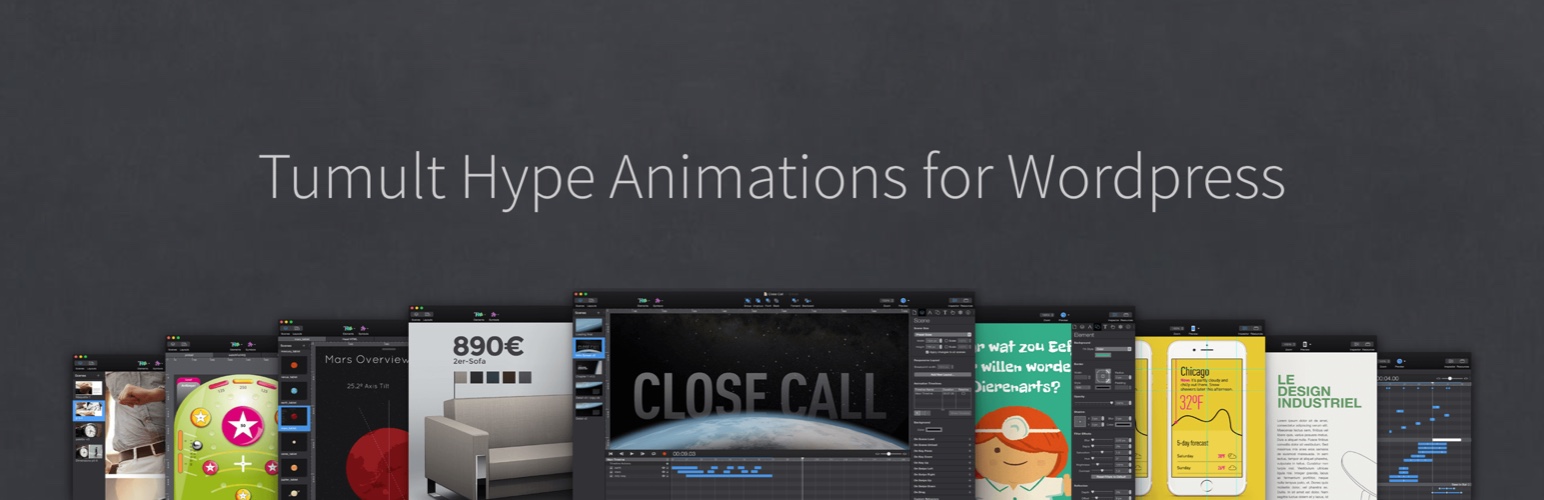
此外掛允許您將 Tumult Hype 動畫上傳到 WordPress 網站,以便在文章和頁面上使用簡碼輕鬆嵌入。您也可以複製嵌入程式碼,將 WordPress 網站用作 Tumult Hype 動畫主機。
如需有關此外掛的詳細信息和支援,請訪問:https://forums.tumult.com/t/hype-animations-wordpress-plugin/11074
用法
在 Tumult Hype Professional 中,選擇檔案 > 匯出為 HTML5 > OAM Widget。注意:匯出時不要使用任何檔名中的空格或外國文字,並且不要在匯出後重新命名您的 .oam 檔案。
在管理員儀表板中的 Hype Animations 部分中,點擊上傳新動畫並選擇您的 .oam 檔案。
成功上傳後,外掛將生成一個可在文章和頁面中使用的簡碼。
外掛標籤
開發者團隊
原文外掛簡介
This plugin allows you to upload your Tumult Hype animations to your WordPress site to easily embed them using shortcodes on posts and pages. You can also copy the embed code to use your WordPress site as a Tumult Hype animation host.
For detailed information and support for this plugin, please visit the support forum. If your animation doesn’t show up at all, please first read the following responsive design tips on the forums.
Usage
In Tumult Hype Professional, Select File > Export as HTML5 > OAM Widget. Note: Do not export with any spaces in your filename or foreign characters or rename your .oam file after export.
In the Hype Animations section in the Admin dashboard, click Upload New Animation and select your .oam file.
After successful upload, the plugin will generate a shortcode you can use in posts and pages.
Changelog ==c
1.9.19
Improve ‘Upload new animation’ button icon placement
1.9.18
Avoid function name collision for parse_size
1.9.17
Animation names can now contain spaces. Avoid foreign characters or symbols.
Improve input validation
Improvements to translation strings
1.9.16
Resolves CVE-2024-11082: Authors+ can upload executable files during OAM replacement. Thanks to Wordfence and vgo0 for responsible disclosure.
1.9.15
Ensure only authors, editors, and admins can access animation information (not subscribers). Thanks to Tieu Pham Trong Nhan for the responsible security disclosure and Wordfence for forwarding the issue. Resolves CVE-2024-10543.
1.9.14
Add a note to describe your uploaded animation. Notes are autosaved after half a second.
Ensure upload form only appears on the Hype Animations dashboard page.
1.9.13
File Upload Allowlist now parsed in memory. Better wp_nonce security via recommendations from Patchstack.
1.9.11
Improve security: OAMs must pass a whitelist before being uploaded. Kudos to Patchstack and the WordPress Plugin team.
1.9.9
Shows your server’s php.ini upload_max_filesize, post_max_size and memory_limit limit in the upload modal
Handle exotic values provided by php.ini (e.g. 2M, 2.2G)
1.9.8
Upgrade to dropzone 5.9.3, remove unused code, improve management panel
1.9.7
Improve Code Copying Function to avoid debug log errors
1.9.6
Compatibility with EasyWP Hosting
Improve translations
1.9.5
Disable Classic Editor Animation button
Design Improvements
1.9.1
Fixes issue with CSS classes not saving
1.9.0
Translate into Spanish (Mexico, Spain), Chinese, Portuguese, Arabic, German & Dutch (Thanks Bendora), Japanese, Italian, Romanian (Thanks ionutilie)
Update Table sorting + styling
1.8.2
Compatibility with WordPress 5.3
Shortcode copying improvement
1.8.1
WordPress 5.2.1 support
Ondersteuning vir die Afrikaanse taal. (Afrikaans language support!) Thanks https://profiles.wordpress.org/puvircho/!
1.8
Improved Shortcode copying font & style
Fully supports WordPress 5.2
1.7.4
Your most recently-updated Tumult Hype animations will appear first in the admin panel list.
Fully compatible with WordPress 5.0.1
1.7.3
Resolves issue where pre formatting overrides other plugins: https://wordpress.org/support/topic/problems-with-prehover-in-wordpress-admin/
1.7.2
Disallow periods when inserting class names.
1.7.1
Include missing jQuery UI images.
1.7
Increased security for file uploads.
1.6
Copy Embed Code from the Animation List
Embeds are now protocol-agnostic for better SSL support (uses // instead of http://)
Updated to work with WordPress 4.8.3
Maximum server-supported file size shown in upload modal (Adjust this limit by editing php.ini)
Improved Translations
Removed frames & borders on iframes
This plugin was adapted from the work of Eralion: eralion.com which was originally posted at (https://wordpress.org/plugins/hype-animations/).
1.5
Changing modal popup.
1.4
You can now upload new animation with a drag and drop modal popup.
You can now upload new animation from WordPress editor tool box.
1.3
You can now add a container around the animation (div or iframe) to add custom CSS classes.
1.2
BUG FIX Now changes files directory in principal .js file.
1.1
Now deletes database and uploaded files on uninstall.
BUG FIX Files with . character in filename works now.
1.0
First public distribution version.


