
外掛標籤
開發者團隊
原文外掛簡介
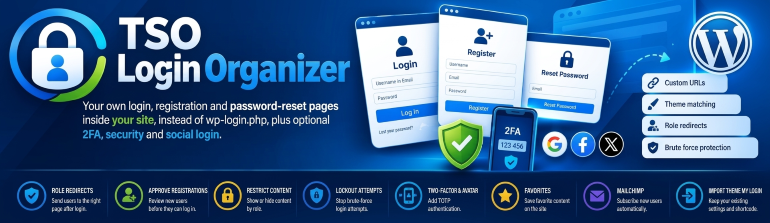
TSO Login Organizer gives your site its own login, registration and password-reset pages, at addresses you choose (by default /login, /register and /lostpassword), so visitors never see the standard WordPress login screen (wp-login.php). The pages match your theme and work with a shortcode, a widget or menu items.
On top of that you can switch on optional modules: redirect users by role after login, approve new registrations, restrict content by role, lock out brute-force attempts, add two-factor authentication (TOTP), let users edit their profile and avatar on the site, sign in with Google, Facebook or X, add favorites, and subscribe new users to Mailchimp. Every module is off until you turn it on.
Coming from Theme My Login? You can import its free settings and keep the [theme-my-login] shortcode working.
Core
Login, register, lost password, reset password, dashboard and privacy confirmation pages
Custom slugs, shortcode [tso-login-organizer] and Theme My Login alias [theme-my-login]
Login with username, email, or either; email-only registration; user passwords; auto-login; AJAX
Widget and navigation menu items
Import settings from Theme My Login
Bundled translations: Catalan (ca), Spanish (es_ES); English is the source language
Optional modules (all off by default)
Redirection by role
Moderation (email confirm / admin approval)
Restrictions (private site / per-post roles)
Security (brute-force lockouts, password length, hide wp-login.php) — may collide with TSO Swiss Knife Login Protect or Kadence Security
reCAPTCHA — may collide with CleanTalk or Kadence
Frontend profiles (optional wp-admin block)
Custom HTML notifications
TOTP 2FA — may collide with other 2FA plugins
Social login (Google, Facebook, X)
Avatar uploads under uploads/tso-login-organizer/
Favorites
Mailchimp opt-in
External services
This plugin can connect to third-party services only when the related module is enabled and credentials are saved by an administrator:
Google reCAPTCHA (https://www.google.com/recaptcha/api.js and https://www.google.com/recaptcha/api/siteverify) — when the Captcha module is enabled with Google v2/v3 site/secret keys. Used to verify that form submissions are human. Terms · Privacy
Cloudflare Turnstile (https://challenges.cloudflare.com/turnstile/v0/api.js and https://challenges.cloudflare.com/turnstile/v0/siteverify) — when the Captcha module provider is Turnstile with site/secret keys. Used to verify that form submissions are human. Terms · Privacy
Google OAuth (https://accounts.google.com/ and https://oauth2.googleapis.com/ / https://www.googleapis.com/) — when Social login Google keys are configured. Used to authenticate users. Terms · Privacy
Facebook Login (https://www.facebook.com/ and https://graph.facebook.com/) — when Social login Facebook keys are configured. Terms · Privacy
X (Twitter) OAuth (https://twitter.com/ and https://api.twitter.com/) — when Social login X keys are configured. Terms · Privacy
Mailchimp API (https://*.api.mailchimp.com/) — when the Mailchimp module has an API key and list ID and the user opts in (or auto-subscribe is configured). Sends the registrant email/name to your audience. Terms · Privacy
No remote calls run while those modules stay disabled or keys are empty.














