內容簡介
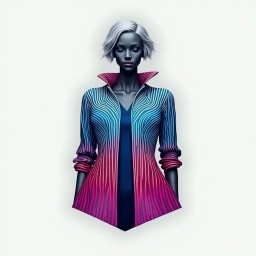
TryAura 是一款專為 WooCommerce 商店設計的外掛,提供虛擬試穿和 AI 驅動的產品視覺效果,幫助商店提升產品展示,改善顧客購買決策。
【主要功能】
• WooCommerce 原生虛擬試穿功能
• 使用生成式 AI 改善產品圖片
• 媒體庫整合,方便重用生成的圖片
• 產品層級的試穿控制選項
• 內建視覺預設和創意控制
• 支援短影片生成(Pro 版功能)
外掛標籤
開發者團隊
原文外掛簡介
TryAura helps you upgrade your WooCommerce store with virtual try on and AI-powered product visuals.
With TryAura, you can improve existing product images, generate product visuals, and enable virtual try on directly on product pages. Everything works inside WordPress and WooCommerce, without external tools or complex setup.
TryAura is built for WooCommerce store owners who want to improve product presentation, create clearer visual experiences, and help customers make informed purchase decisions.
Create Stunning Product Visuals with Cutting Edge AI Infrastructure
WooCommerce Native Virtual Try On
Allow customers to preview products visually before purchasing, directly on the shop and product page.
Improved Product Images With Generative AI
Create product images using your existing WooCommerce product images, without expensive photoshoots or third-party tools.
Product-Level try on Controls
Enable or disable virtual try on for individual products from the WooCommerce product editor.
Media Library Integration
All generated images are saved to the WordPress Media Library and can be reused, downloaded, or published anywhere on your site. TryOn results are not stored to retain customer privacy.
Camera or Image Upload for Customers
Customers can choose to use their device camera or upload a photo for virtual try on.
Consistent Visual Output Across Products
Generated visuals are designed to maintain a consistent appearance across products and variations.
No Credit-Based Usage Limits
Work on your product visuals without managing usage credits or tracking generation limits.
Advanced features such as product video generation and additional customization options are available in the Pro version.
Visual Presets & Creative Controls
TryAura includes built-in presets and controls designed specifically for eCommerce product presentation.
These preference settings help WooCommerce store owners create consistent and realistic visuals without manual design work or complex configuration.
Built-In Visual Presets
Presets provide ready-made visual styles optimized for common product use cases.
Available preset types include:
* Clean studio-style product visuals
* Natural product scenes
* Neutral, distraction-free plain backgrounds
* Photorealistic, studio & model shoot output styles
* Custom prompt box for design consistency or custom requirements
Presets can be applied during image or video generation and reused across products to maintain a consistent look throughout your store.
Background and Scene Control
Control how products appear within generated visuals.
You can:
* Improve or replace backgrounds while preserving the original product
* Generate clean backgrounds for uniform product listings
* Apply scene-based visuals suitable for marketing or lifestyle presentation
Consistent Composition and Proportions
Generated visuals are designed to maintain consistent composition and realistic proportions.
This helps ensure:
* Visual alignment across product grids
* Consistency between similar products or variations
* A uniform, professional presentation across your catalog
Product Video Generation (Pro)
TryAura Pro includes support for generating short product videos using existing product visuals.
Generated videos are saved to the WordPress Media Library and can be reused across your site.
Managed Directly Inside WooCommerce
All presets and visual controls are available directly inside the WooCommerce product editor.
Store owners can:
* Select video preferences during generation
* Control virtual try on per product
* Manage generated images and videos
* Reuse assets from the Media Library
How To Use TryAura
Install and activate the TryAura plugin.
Make sure WooCommerce is installed and active.
Open any WooCommerce product from the product editor.
Generate product visuals or enable virtual try on.
Save the product and publish.
Generated images are saved to the WordPress Media Library, and virtual try on becomes available on the product page.
Why TryAura
TryAura is designed to help WooCommerce store owners improve product visuals and virtual try on experiences in a reliable and manageable way.
Rather than focusing on experimental or artistic outputs, TryAura prioritizes visual clarity, consistency, and predictable results.
Advanced and Optimized AI Models
AI models are optimized specifically for eCommerce product visuals and virtual try on scenarios.
Fabric and Texture Consistency
Generated visuals aim to preserve fabric appearance and texture details across images.
Realistic Human Proportions
Virtual try on results are generated with realistic human proportions in mind.
WooCommerce-Native Workflow
All features integrate directly into the WooCommerce product editor and WordPress dashboard.
Merchant-Controlled try on
Store owners control where and how virtual try on appears on a per-product basis.
Transparent and Predictable Costs
Advanced features are offered through clearly defined plans without hidden usage fees.
Data Handling & Privacy
TryAura is designed with merchant and customer privacy in mind.
Generated images and assets are stored in your WordPress Media Library
Product data and generated visuals remain associated with your website
Camera-based try on is optional and requires explicit user permission
Customers can upload a photo instead of using a camera
Customer photos are not stored in website backend
Performance
TryAura is built to work efficiently within WooCommerce.
Features load only on product pages where enabled
The plugin does not affect pages where TryAura is not in use
Store owners control which products use virtual try on
Camera Usage & Fallback Behavior
Camera-based virtual try on is optional.
Customers can use their device camera or upload a photo
If camera access is unavailable, try on continues via image upload
Compatibility Notes
TryAura is designed to work with standard WooCommerce setups.
Compatible with default WooCommerce product templates
Works with most WooCommerce-compatible themes
Compatible with common page builders using WooCommerce templates
For heavily customized product templates, testing on a staging site is recommended.
Who This Plugin Is For
TryAura is built for WooCommerce store owners who want to improve how products are presented and experienced online.
This plugin is a good fit if you:
* Want to upgrade product visuals
* Want to add virtual try on to product pages
* Use existing product images
* Prefer managing everything inside WordPress
External Services
This plugin connects to the Google Gemini API to provide AI-powered image generation, video generation, and virtual try-on features.
Data sent to Google Gemini:
* Product images uploaded by the merchant
* Customer photos submitted for virtual try-on (frontend)
* Text prompts for image/video generation
* Selected AI model preferences
This connection happens when:
* A merchant generates or enhances a product image
* A merchant generates a product video
* A customer uses the Virtual Try-On feature on the storefront
Google Gemini is a service by Google LLC.
* Service homepage: https://ai.google.dev
* Terms of Service: https://ai.google.dev/terms
* Privacy Policy: https://policies.google.com/privacy
* API Endpoints: https://generativelanguage.googleapis.com, https://aiplatform.googleapis.com
This plugin optionally embeds YouTube videos on product pages when a merchant adds a YouTube video URL to a product gallery.
Data sent to YouTube:
* The YouTube video ID is used to construct an embed URL
* Standard browser data is sent to YouTube when the embed loads on the frontend
This connection happens when:
* A visitor views a product page that has a YouTube video attached by the merchant
YouTube is a service by Google LLC.
* Service homepage: https://www.youtube.com
* Terms of Service: https://www.youtube.com/t/terms
* Privacy Policy: https://policies.google.com/privacy
What types of products work best with TryAura Virtual Try On?
TryAura works best with products where visual appearance matters, such as fashion items, accessories, lifestyle products, and other visually driven ecommerce products. Results may vary depending on product photography quality and angles.
Do I need special product images for Virtual Try On to work well?
No. TryAura works with your existing WooCommerce product images. However, clear images with good lighting and minimal background noise produce more reliable product visualization results.
Can I choose which products show Virtual Try On?
Yes. Virtual try on can be enabled or disabled on a per-product basis from the WooCommerce product editor. This allows you to use try on only where it makes sense.
Can I use generated product images outside WooCommerce?
Yes. All generated images and videos are saved to the WordPress Media Library. You can use them anywhere on your site, including product galleries, landing pages, or marketing content.
Does TryAura replace professional product photography?
TryAura is designed to reduce reliance on repeated photoshoots, not necessarily replace all photography. Many store owners use it to improve or extend existing product visuals without reshooting products.
What happens if a customer does not allow camera access?
If camera access is denied or unavailable, customers can upload a photo instead. Virtual try on continues to work without requiring camera permission.
Is TryAura suitable for large WooCommerce stores with many products?
Yes. TryAura is designed to work with WooCommerce stores of all sizes. Store owners control where try on and visual generation are used, allowing gradual rollout across large catalogs.
Does TryAura store customer photos or personal data?
TryAura does not require customers to submit personal information. Camera usage is optional, and uploaded images are used only for generating visual previews.
Can I customize the visual style of generated product images?
Yes. TryAura includes built-in presets and visual controls that help generate consistent product images with different backgrounds, lighting styles, and compositions.
Is TryAura a WooCommerce-specific ecommerce tool?
Yes. TryAura is built specifically for WooCommerce and integrates directly with the WooCommerce product editor and WordPress dashboard.
Support
We provide ongoing support to help you use TryAura effectively.
24×7 support availability through official channels
Support via the WordPress.org support forum
Documentation and guides available on our website
Support covers usage questions, setup guidance, and known issues. Custom development or theme-specific customizations may require additional review.
Contribute
This may have bugs and lack of many features. If you want to contribute on this project, you are more than welcome. Please fork the repository from Github.