內容簡介
總結:Total Views 是一個輕量級的 WordPress 外掛,能夠計算總瀏覽數並使用 [total_views] 短代碼在任何地方展示。它具有許多特點,讓您可以自訂標籤風格、數字、以及連結到教學影片。
1. 這個外掛的主要功能是什麼?
- 計算網站的總瀏覽數。
2. 怎麼設置能夠手動調整總瀏覽數?
- 在設定中有可編輯的選項。
3. 該外掛適合哪些類型的使用者?
- 適合部落客、開發者以及網站擁有者,希望能夠輕鬆快速地獲得流量資訊。
外掛標籤
開發者團隊
原文外掛簡介
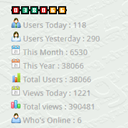
Total Views is a lightweight WordPress plugin that allows you to count total page views and display them anywhere using the [total_views] shortcode.
Features include:
Counts total page views for your website.
NEW: Tracks dedicated views for individual posts, pages, and products.
NEW: Automatically display single item views at the beginning or end of content, or use the [total_views_single] shortcode.
NEW: Automatically place global views before the footer or sidebar without touching code.
NEW: Toggle a sortable “Views” column in your WordPress admin list for Posts, Pages, and Products.
NEW: Live tab-specific previews in settings to visualize custom label and styling changes instantly.
Display total views with a customizable label.
Style options: bold, italic, underline, color.
Editable total page views number in the settings to manually adjust.
Front-end shortcode [total_views] displays the global counter exactly as in the admin preview.
Unified sleek bar-chart icon for all frontend displays, perfectly matching WordPress native admin styling.
CSS classes: total-views-label and total-views-count for advanced styling.
Optional “Check tutorial” button linking to a video guide.
Responsive, tabbed admin settings page.
Ideal for bloggers, developers, and website owners who want quick traffic insight with minimal setup.
Keywords
page views, visitor counter, traffic analytics, shortcode counter, total views plugin, front-end page views, visitor statistics, WP plugin traffic, lightweight analytics