內容簡介
<!DOCTYPE html>
<html>
<body>
<h2>WordPress 外掛介紹總結:</h2>
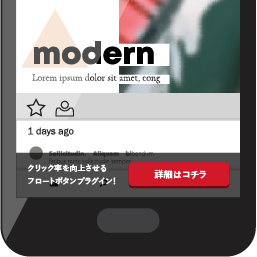
<p>Topbar Announcement 是一個輕量級的 WordPress 外掛,可讓您在網站的可自訂頂欄上顯示通知、促銷或重要訊息。</p>
<h3>問題與答案:</h3>
<ul>
<li>
<strong>如何啟用或停用通知欄?</strong>
<p>答:可以選擇在設置中啟用或停用通知欄。</p>
</li>
<li>
<strong>如何選擇要顯示通知欄的文章類型?</strong>
<p>答:管理員可以在設置頁面中選擇哪些文章類型可以顯示頂欄通知。</p>
</li>
<li>
<strong>如何調整通知的佈局?</strong>
<p>答:可以從不同的佈局選項中選擇,將通知顯示在網站的標頭或頁腳部分。</p>
</li>
<li>
<strong>如何在全站顯示通知?</strong>
<p>答:可以啟用全域通知,使通知全站顯示。</p>
</li>
<li>
<strong>如何針對特定文章做通知?</strong>
<p>答:特定通知可以針對個別文章、頁面或其他自訂文章類型進行設定,並在網站的標頭或頁腳部分顯示。如果僅從下拉列表中選擇文章類型而未選擇任何特定文章或頁面,則通知將顯示在該選定文章類型的所有文章或頁面上。</p>
</li>
</ul>
</body>
</html>
外掛標籤
開發者團隊
原文外掛簡介
Topbar Announcement is a lightweight WordPress plugin that allows you to display announcements, promotions, or important messages in a customizable top bar on your website.
Features:
Enable/Disable: Option to enable/disable the announcement bar.
Select Post types: This settings page allows administrators to select which post types should be eligible for displaying topbar announcements.
Layout: Choose from the different layout options available for displaying the announcement in either the header or footer section of the website.
Global Announcement: Enable the ability to display announcements globally across the website.
Specific Announcements: Specific announcements can be targeted to individual Posts, Pages, or other custom post types, and displayed in either the header or footer section of the website. If you select only the post type from the dropdown and do not choose any specific post or page, the announcement will be displayed on all posts or pages of that selected post type.
Customizable message and background color.
Display close button for user dismissal.
Mobile responsive design.