內容簡介
**總結:**
ToolPress 是一個強大的 WordPress 外掛,讓您可以輕鬆管理和增強您的網站,擁有各種工具和功能。透過簡單的管理面板,整合了 Google Tag Manager、HubSpot、jQuery、Bootstrap、Font Awesome、Tawk.to 聊天等功能。
**問題與回答:**
1. ToolPress 這個 WordPress 外掛的開發者是誰?
- 開發者為 Rakesh Lawaju(網站:https://www.racase.com.np)。
2. ToolPress 提供了哪些外部服務來啟用分析、聊天和行銷整合?
- Google Tag Manager、Google Tag (gtag.js)、HubSpot Tracking、Tawk.to Chat、jsDelivr 等外部服務。
3. Google Tag Manager 主要用於什麼功能?
- 用於分析和標籤管理。
4. 整合 Google Tag Manager 時會向 Google 伺服器發送什麼資料?
- 發送您的網站的 Google Tag Manager ID 以從 Google 伺服器加載腳本。
5. Tawk.to Chat 用於什麼目的?
- 用於實時聊天支援。
外掛標籤
開發者團隊
② 後台搜尋「ToolPress : All Your WordPress Tools in One Place」→ 直接安裝(推薦)
原文外掛簡介
ToolPress is a powerful and efficient WordPress plugin designed to streamline the management of essential third-party services and frontend libraries. It transforms your administrative experience by centralizing analytics, marketing, chat, and development tools into a single, intuitive dashboard, eliminating the need for multiple plugins or manual code edits.
Core Features and Integrations
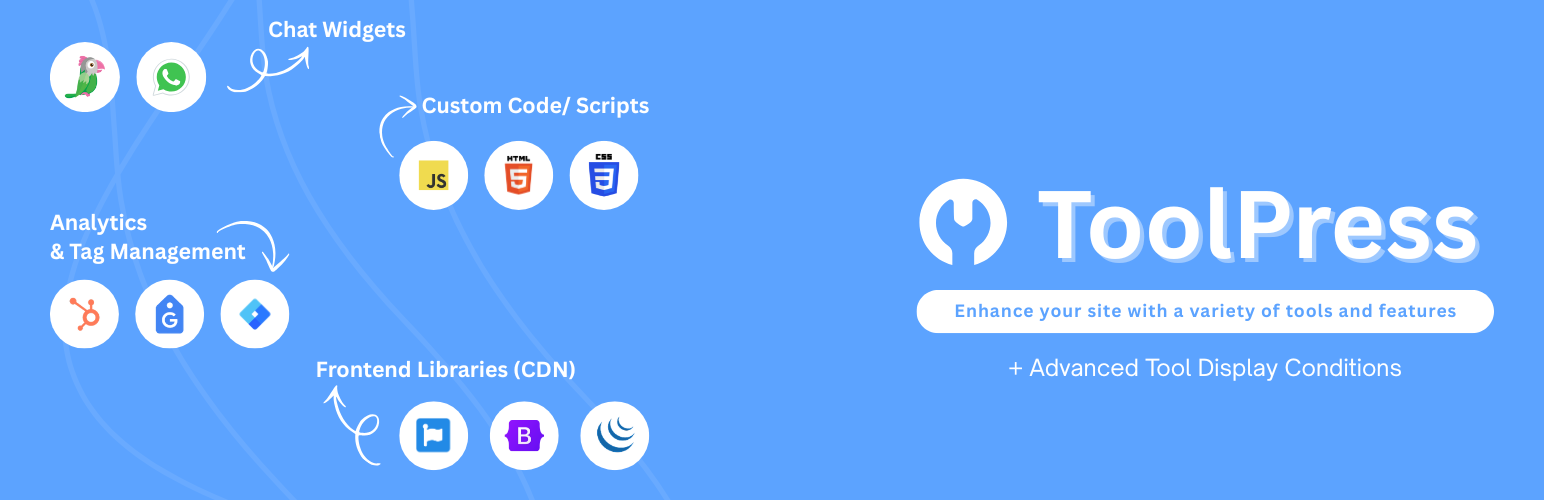
ToolPress provides a comprehensive suite of tools to enhance your website. Explore all available tools:
💬 Chat Widgets
Integrate multiple chat providers to connect with your visitors through their preferred messaging platforms.
WhatsApp Chat: Enable WhatsApp Chat to let visitors contact you instantly via their favorite messaging app.
Tawk.to Chat: Add Tawk.to Chat for real-time customer support and live conversations directly on your site.
🛠️ Custom Code/ Scripts
Manage and inject custom code into your WordPress Header, Footer, and Body sections with ease, with out any additional plugins.
Custom HTML: Add your own HTML code snippets for advanced site customization and control. Easily inject HTML across your site without editing theme files.
Custom CSS: Add custom CSS to style your site exactly how you want. Inject CSS globally or on specific pages without touching theme files.
Custom JS: Add custom JavaScript for advanced interactivity, tracking, or integrations. Inject JS site-wide or conditionally, all from the dashboard.
📊 Analytics & Tag Management
Centralize your website analytics and marketing tags without editing theme files or installing multiple tracking plugins.
Google Tag Manager: Integrate Google Tag Manager to manage all your website tracking and marketing tags from a single dashboard.
Google Tag (gtag.js): Add Google Tag (gtag.js) for advanced analytics and marketing tag deployment across your site.
HubSpot Tracking: Connect HubSpot Tracking for powerful marketing automation and visitor analytics.
📚 Frontend Libraries (CDN)
Load popular frontend libraries from fast CDN servers without manually adding scripts to your theme.
Font Awesome: Instantly add scalable vector icons and social logos to your site for a modern look.
Bootstrap: Use the world’s most popular CSS framework for responsive, mobile-first web design.
Bootstrap Icons: Access a rich set of free, high-quality icons designed for Bootstrap projects.
jQuery: Enhance interactivity and simplify JavaScript coding with the powerful jQuery library.
Pro-Level Control: Tool Conditions
Optimize your site’s performance and target specific users by controlling exactly where your scripts load. Stop injecting code on pages where it isn’t needed!
Page-Specific Loading: Enable tools only in the exact contexts they are required for maximum speed:
Target individual pages, posts, or custom post types.
Target key site areas like the Front Page, the main Blog Page, the Search Page, or the 404 Error Page.
User Status Targeting: Control tool visibility based on visitor authentication:
Logged-In Users: Display or hide tools specifically for your registered members.
Logged-Out Users: Target marketing or sign-up tools only at anonymous visitors.
Support & Documentation
For guides, FAQs, and troubleshooting, visit our documentation
Need help or have questions? Get support here
External Services
ToolPress connects to several third-party services to enable analytics, chat, and marketing integrations. Below is a list of external services, what data is sent, and links to their terms and privacy policies:
Google Tag Manager
Used for analytics and tag management.
Sends your site’s Google Tag Manager ID to load scripts from Google servers.
Data sent: Site ID, browser information, usage data.
Service: Google Tag Manager
Terms: Google Terms of Service
Privacy: Google Privacy Policy
Google Tag (gtag.js)
Used for Google Analytics and marketing tags.
Sends your site’s Google Tag ID to Google servers.
Data sent: Site ID, browser information, usage data.
Service: Google Tag
Terms: Google Terms of Service
Privacy: Google Privacy Policy
HubSpot Tracking
Used for marketing automation and analytics.
Sends your HubSpot Tracking ID to HubSpot servers.
Data sent: Tracking ID, browser information, usage data.
Service: HubSpot
Terms: HubSpot Terms of Service
Privacy: HubSpot Privacy Policy
Tawk.to Chat
Used for live chat support.
Sends your Tawk.to property and widget IDs to Tawk.to servers.
Data sent: Property ID, Widget ID, browser information, chat data.
Service: Tawk.to
Terms: Tawk.to Terms of Service
Privacy: Tawk.to Privacy Policy
jsDelivr
Used as a public CDN to serve libraries like jQuery, Font Awesome, Bootstrap, and other static assets.
No user data is sent to jsDelivr by this plugin; it only requests public asset files by URL.
Service: jsDelivr
Project: jsDelivr GitHub
Terms: jsDelivr Terms of Service
Privacy: jsDelivr Privacy Policy