內容簡介
Tomanify 是一款 WooCommerce 貨幣轉換外掛,支援將美元、歐元等外幣商品價格透過可設定的匯率引擎自動換算為伊朗 Toman 或 Rial,並以 Toman 為基準儲存價格,避免重複換算問題。
【主要功能】
• 逐一商品設定外幣價格與利潤百分比
• 自動換算為 Toman 基準並寫入 WooCommerce 價格欄位
• Toman/Rial 顯示單位自由切換,無需重新抓取匯率
• 支援多種匯率來源:即時 JSON、官方 RSS/XML、手動輸入、離線估算
• 批次編輯所有外幣商品價格
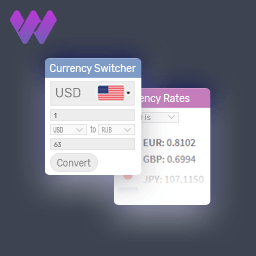
• 提供前台小工具短碼 [tomanify_rates] 顯示匯率資訊
外掛標籤
開發者團隊
② 後台搜尋「Tomanify – Smart Toman & Rial Currency Manager」→ 直接安裝(推薦)
原文外掛簡介
Tomanify helps WooCommerce stores that list products in foreign currencies (USD / EUR / AED / TRY / CNY) and want to automatically convert them into Iranian Toman (or Rial) using a configurable exchange-rate engine.
The plugin is designed to be safe and predictable:
* No external source URLs are pre-filled inside the plugin.
* External requests happen only if an administrator explicitly enters URLs.
* Converted prices are stored using a TOMAN baseline to avoid double-conversion when switching between Toman and Rial.
Key Features
Per-product foreign pricing: foreign flag + currency + foreign amount + margin (%)
Automatic conversion to Toman baseline and storage in WooCommerce price meta
Switch display unit (Toman/Rial) without re-fetching rates (rewrites from baseline)
Rate sources (admin configurable):
Live free-market JSON endpoint (Toman values)
Official RSS/XML (per currency) + premium conversion (Free/Official)
Manual rates (Toman)
Offline estimation model (reference-based)
Bulk editor for all foreign products (Products tab)
Frontend widget shortcode: [tomanify_rates] (frontend assets load only when shortcode is used)
Optional cache purge integration (OFF by default)
Backup/Restore (export/import JSON) + uninstall cleanup option
Independent plugin language (fa_IR / en_US) regardless of site language
RTL/LTR aware admin and frontend UI
Supported Currencies
USD, EUR, AED, TRY, CNY
How it works (one line)
Foreign Price × Rate(Toman) × (1 + Margin/100) → round to nearest 1000 Toman → store baseline → write WooCommerce price in selected unit.
Quick Start (Recommended)
Option A: JSON (Free market)
1) In Tomanify → Sources tab, set JSON URL.
2) Your endpoint must return this schema (values are TOMAN integers):
{"values":{"USD":60000,"EUR":130000,"AED":30000,"TRY":2500,"CNY":22550}}
You can host this JSON on your own server, GitHub Pages, or raw GitHub content.
Option B: Official rates (RSS/XML)
1) In Tomanify → Sources tab, set the official RSS/XML URL for each currency (HTTPS).
2) The plugin converts official Rial to free-market Toman using:
Premium = Free / Official
Free (Toman) = Official (Rial) / (10 × Premium)
If you don’t know the RSS/XML feed URL, use the official rates page and copy the RSS link for each currency row:
https://www.cbi.ir/ExRates/rates_en.aspx
(You will see an RSS icon next to each currency. Open it and copy the XML URL into the matching field.)
Recommended Source Links (Optional Copy/Paste)
Important:
These links are OPTIONAL suggestions. Tomanify does not pre-fill them automatically.
You may use any valid HTTPS source you trust.
1) Example JSON endpoint format
You need ONE URL that returns the JSON schema shown above.
Example GitHub raw URL format:
https://raw.githubusercontent.com////data.json
Optional community-maintained JSON URL (use at your own discretion):
https://raw.githubusercontent.com/rate-json/default/main/data.json
2) Central Bank RSS/XML (Copy/Paste per currency)
USD — United States Dollar
https://cbi.ir/ExRatesRSS.aspx?cid=1
EUR — Euro
https://cbi.ir/ExRatesRSS.aspx?cid=94
AED — United Arab Emirates Dirham
https://cbi.ir/ExRatesRSS.aspx?cid=14
TRY — Turkish Lira
https://cbi.ir/ExRatesRSS.aspx?cid=38
CNY — Chinese Yuan
https://cbi.ir/ExRatesRSS.aspx?cid=85
Usage
Mark a product as foreign
Open the product edit screen → Foreign Product (Tomanify) box:
* Enable Is foreign product
* Enter Foreign price
* Choose Currency
* Enter Margin (%)
Save the product → Tomanify recalculates using stored rates.
Bulk edit foreign products
WP Admin → Tomanify → Products tab
Edit foreign price, currency, margin; then Save.
Shortcode Widget
Add this shortcode to any page/post:
[tomanify_rates]
The widget displays:
* Title + optional last update time
* Unit (Toman/Rial)
* Selected currencies table
Frontend CSS/JS assets load only when the shortcode exists on the page.
External Services
Tomanify can fetch currency-rate data from external URLs that you provide in the Sources tab (JSON and/or RSS/XML).
Requests happen only when you update rates (manually or by scheduled cron).
No customer, order, or personally identifiable information is transmitted by the plugin.
License
GPL-2.0-or-later.