內容簡介
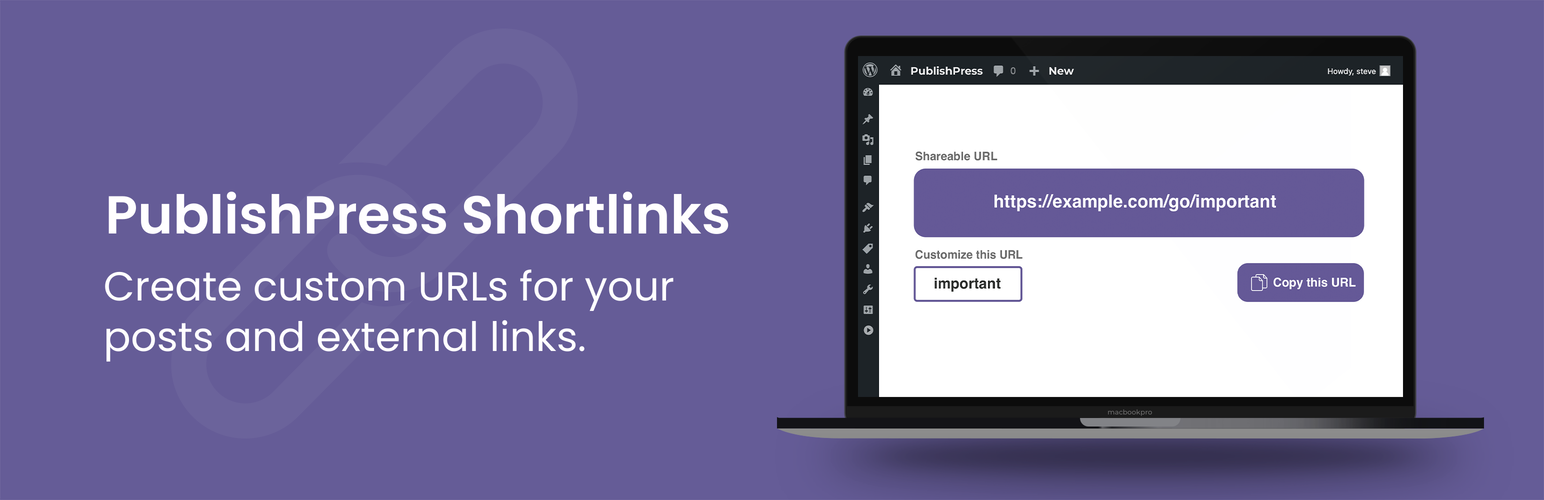
PublishPress Shortlinks 是一款強大的外掛,讓使用者能為文章及外部連結創建自訂短網址,並提供詳細的點擊分析。它支援分享草稿及待審核狀態的文章,並可設定訪問控制,提升連結的安全性與便利性。
【主要功能】
• 自動為文章生成短網址
• 使用自訂網站域名
• 自訂每個短網址的結尾
• 分享任何狀態的短網址
• 增加短網址的密碼保護
• 設定短網址的到期日期
外掛標籤
開發者團隊
② 後台搜尋「PublishPress Shortlinks – Custom URLs for Posts and External Links – Share Previews for Draft Posts」→ 直接安裝(推薦)
📦 歷史版本下載
原文外掛簡介
With PublishPress Shortlinks you can create custom links for your posts and external links. These custom links have super-powers!
You can make your links short and memorable.
You can track who clicks on your links with detailed analytics.
You can share posts in Draft and Pending Review status.
You can control who can visit your links with passwords, expiry dates, and access control.
How to use PublishPress Shortlinks
Custom URLs for your posts. Imagine you’re hosting a big event and have a page on your website with all the details. PublishPress Shortlinks allows to create a short, memorable link for the event, for example: https://publishpress.com/go/cool-party. You can track how many people click the link. You can set the link to expire after the event finishes. You can even download a QR code to share on brochures. Oh, because of the next feature, you can do all of this even if you’re selling event tickets on another website.
Custom URLs for external links. Imagine you run a website with toy reviews. You join affiliate programs and make money when people click on your links and buy tools. PublishPress Shortlinks allows to create a short, memorable link for each toy, for example: https://publishpress.com/go/cool-toy. You can track how many people click the link and get a full analytics report on those clicks.
Key Features in PublishPress Shortlinks
✅ Automatically create shortlinks for your posts
✅ Use your own website domain for shortlinks
✅ Customize the slug for each shortlink
✅ Share shortlinks for posts in any status
✅ Add password protection to your shortlinks
✅ Automatically expire your shortlinks on a specific date
✅ Choose from 301, 302, and 307 redirects
✅ Track who is clicking your shortlinks with analytics
✅ Generate a QR code for each shortlink to allow easy sharing
✅ Cloak your affiliate links
Automatically create shortlinks for your posts
PublishPress Shortlinks will automatically generate links for all your posts and pages. This makes it really easy to have shareable links for content. These shortlinks are available from the Posts screen and the Post Edit screen.
Use your own website domain for shortlinks
There’s no need to use an external service to build and track your links. With PublishPress Shortlinks, all your custom URLs use your own domain name. To avoid conflicts with any regular URLs on your site, there’s also a folder which is set to “go” by default. This means that your custom URLs will look like this: https://example.com/go/shortlinks
Customize the slug for each shortlink
Every post has its own URL. By default, the final part of the URL will be a unique combination of 5 characters, so your shortlink will look like this: https://example.com/go/8vi3n. However, you can customize the slug so it looks like this: https://example.com/go/shortlinks.
More on customizing shortlinks
Share shortlinks for posts in any status
When you’re writing a draft post, do you sometimes need to share it with someone who doesn’t have access to your site? PublishPress Shortlinks is the answer. PublishPress Shortlinks allows you to share posts before you make them public. If you’ve written a draft of a post, you can share a preview with other people. You can protect these links by combining this with other features, including password protection and automatic expiry of links. This feature is similar to the Public Post Preview plugin, but with more features and customizable features.
More on shortlinks for unpublished posts
Add password protection to your shortlinks
Edit a shortlink and go to the “Security” tab. You’ll be able to create a password for your sharable links. Nobody will be able to access the post via your shortlink unless they know the password.
More on passwords for shortlinks
Automatically expire your shortlinks on a specific date
Edit a shortlink and go to the “Security” tab. You’ll be able to choose an expiration date for your shortlink. Anyone trying to visit your link after the expiration date will see the message, “This link is expired.”
More on expiry dates for shortlinks
Choose from 301, 302, and 307 redirects
Edit a shortlink and go to the “Redirection” tab. You can choose what kind of redirect is used for each link. 301 (Permanent) redirects are used to tell search engines that a requested URL has been permanently moved to another URL. If you’re confident that your target URL will never change, then use this redirect type. 302 and 307 (Temporary) redirects tell search engines that the requested URL has been moved temporarily, but will be back eventually.
More on redirects for shortlinks
Track who is clicking your shortlinks with analytics
PublishPress Shortlinks has a Logs feature that records everyone who clicks your links. These logs are then turned into analytics charts so you can see how popular each shortlink is.
More on logs for shortlinks
Generate a QR code for each shortlink to allow easy sharing
PublishPress Shortlinks will automatically create a QR code for each link. This makes it easy to download and share the QR code so people can visit your URL. This is great for advertisements, brochures, PDFs, restaurant menus, or anywhere you want to use a QR code.
More on QR codes for shortlinks
Cloak affiliate links
PublishPress Shortlinks is ideal for websites that have affiliate links in posts. You can manage, clean up, brand, and track your links. It’s a great tool for cloaking affiliate links. PublishPress Shortlinks is a great tool for marketers plugin for people who want to clean up their affiliate links.
Create Shortlinks via Keyboard Shortcuts
Click Ctrl/Cmd + / anywhere in the WordPress admin area to instantly create shortlinks.