內容簡介
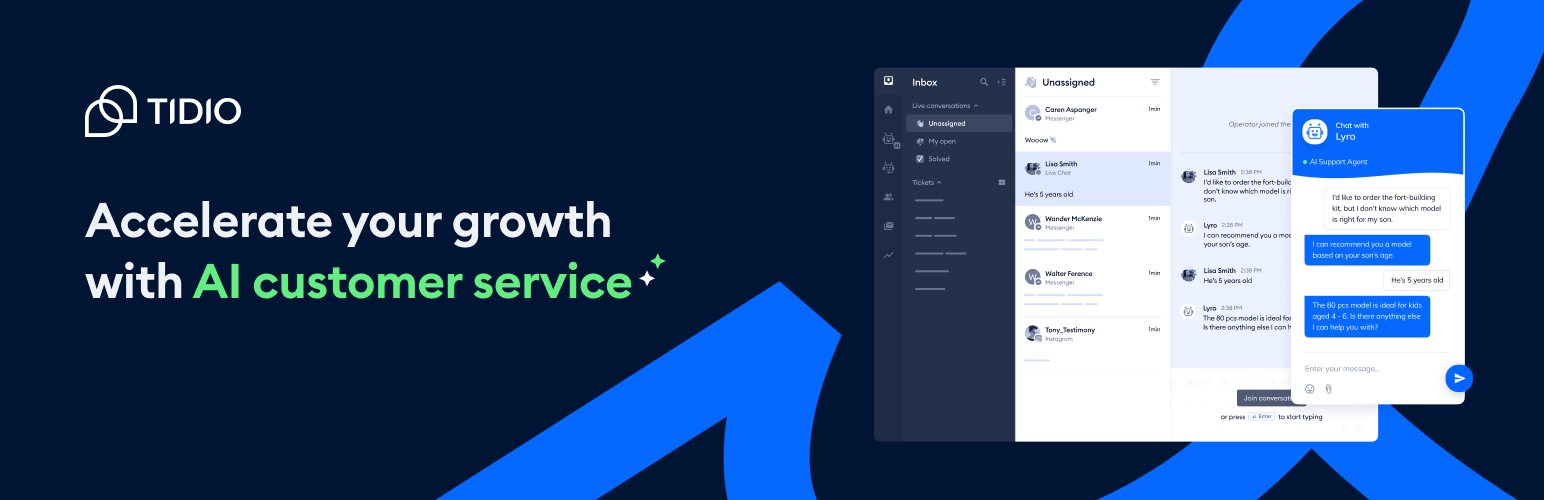
若你正在尋找一款易於使用的WordPress網站現場聊天外掛,Tidio恰好提供這項功能及更多功能。 它是一個多功能的客戶服務平台,能夠提供世界一流的客戶支援並積極地產生更多潛在客戶和銷售。Tidio提供現場聊天和聊天機器人,以及Messenger、Instagram和電子郵件整合,因此您可以在一個面板上管理所有這些通道。但不要只聽我們的話,親自體驗吧!我們的外掛完全免費,安裝只需不到5分鐘。
定價方案?一清二楚。大多數強大的功能都可在永久免費方案中使用。如果您想測試完整功能,可以註冊七天免費試用。
那麼,當您安裝Tidio時確切會得到什麼?
1. 免費現場聊天外掛,可將您的網站流量轉換為忠實客戶。
- 查看誰在訪問您的網站,查看他們當前正在查看的內容,並輕鬆與他們互動,以增加轉換的機會。
- 在瀏覽器、桌面或移動設備上使用Tidio Live Chat。
- 自定義現場聊天小工具,使其適合您的網站外觀。
- 小工具100%與移動裝置兼容,所以您的客戶可以在任何裝置上輕鬆寫信給您。
- 從一個面板管理所有現場聊天、電子郵件和Messenger消息。
- 通過Tidio的免費iOS和Android應用程序與您的訪問者保持聯繫。
2. 通過擔任全天候的虛擬助手來增加您的在線商店銷售的聊天機器人。
- 選擇超過十多種聊天機器人模板,以恢復被遺棄的購物車,為返回的客戶提供折扣,並自動收集和合格化潛在客戶。或
- 使用我們獨有的拖放式可視化編輯器從頭開始創建聊天機器人。無需編程!
3. 通過在需要時精確地吸引您的訪問者而更有效地產生潛在客戶的聊天機器人。
- 使用引導您的潛在客戶在最可能分享其聯繫信息時進行交互的聊天機器人。- 使用自動交談更有效地展示您的服務。
- 積極地收集電子郵件。
- 為您的訪問者定制最適合他們的概要與資訊,根據其個人資料和興趣。
- 隨時、全天候即時回答最常見的問題。
- 為您的訪問者添加標籤和其他屬性,並向您的CRM發送有價值的信息。
- 當您將聊天機器人與現場聊天結合時,您可以確信沒有客戶會被忽略。
內建聊天機器人可自動回答大多數有關訂單狀態、產品可用性和交付時間的常見客戶問題。這種虛擬助手不僅可以支援您的客戶24/7,還可以節省您的時間!
智能彈出窗口可提高轉換率而不會令您的客戶感到煩惱。現成的Tidio聊天機器人方案可以運作為補救與回復您的客戶問題的角色,藉以提高銷售。
外掛標籤
開發者團隊
② 後台搜尋「Tidio – Live Chat & AI Chatbots」→ 直接安裝(推薦)
📦 歷史版本下載
原文外掛簡介
🟦 Tidio – Live Chat for WordPress with AI Chatbots, Customer Support & Sales Tools
Tidio Live Chat is an all-in-one customer support plugin for WordPress that lets you talk to your website visitors in real time. Provide 24/7 live chat support, generate leads, answer FAQs, and increase sales with our powerful AI chatbots and live chat widget.
With Tidio’s Live Chat for WordPress, you can boost customer satisfaction, solve problems instantly, and grow your business with proactive messaging and automation — all from one intuitive dashboard. Plus, with Lyro – Tidio’s AI customer support agent – you can automate up to 70% of inquiries, providing fast, accurate answers 24/7 without human intervention.
💬 Why Use Tidio Live Chat on Your WordPress Website?
✅ Real-Time Live Chat Support: Chat instantly with visitors and customers to solve their issues and answer questions.
✅ Live Chat + AI Automation: Combine traditional live chat with AI-powered chatbots for faster, smarter responses.
✅ Automated Support with Lyro AI: Let Lyro, Tidio’s conversational AI, handle up to 70% of customer inquiries automatically, saving time and improving response speed.
✅ Boost Conversions with Proactive Chat: Start live chat conversations when visitors need help — recover abandoned carts and offer discounts in real-time.
✅ Mobile-Friendly Live Chat Widget: Fully responsive live chat widget that looks and works great on desktop, tablet, and mobile devices.
✅ Multichannel Live Chat Plugin: Manage conversations from Live Chat, Facebook Messenger, Instagram, and Email in one inbox.
🚀 Top Features of Tidio WordPress Live Chat Plugin
🟢 Live Chat Widget Customization – Match the live chat to your website branding and user experience.
🟢 AI Chatbot (Lyro) – Resolve up to 70% of customer questions instantly with our advanced conversational AI.
🟢 WooCommerce Live Chat Integration – View visitor carts, order history, and send product cards directly in chat.
🟢 Chatbot Templates & Visual Builder – Use drag-and-drop tools to build custom chatbots or choose from dozens of prebuilt templates.
🟢 Live Visitor Tracking – See who is online and start live chat conversations based on behavior or location.
🟢 Departments & Agent Routing – Route live chat messages to the right team instantly.
🟢 Smart Popups – Trigger proactive live chat messages based on user actions.
🌍 Multi-Language Live Chat for Global Support
Tidio’s live chat widget supports 6 languages: English, German, French, Spanish, Italian, and Portuguese. Deliver a personalized live chat experience to users in their native language automatically.
📱 Live Chat on Mobile & Desktop Apps
Download the Tidio mobile app for iOS and Android to respond to live chat messages wherever you are. Stay connected with your customers anytime, anywhere.
🛒 Live Chat for eCommerce
Whether you run a WooCommerce store or a service website, Tidio’s Live Chat for WordPress helps you:
Engage visitors in real time
Recommend products and upsell with product cards
Recover abandoned carts through chatbot campaigns
Convert passive users into paying customers with live support
🔐 Reliable, Fast, Secure
Tidio is optimized for performance and security. Your Live Chat for WordPress runs smoothly, loads fast, and protects your customer data.
💬 Real-Time Conversations with Website Visitors
Engage visitors the moment they land on your site using a fast, responsive live chat widget. Answer questions, resolve issues, and guide users through their journey in real time — increasing satisfaction and conversion rates instantly.
📱 Mobile-Friendly & Fully Customizable Widget
Tidio’s live chat widget adapts seamlessly to all devices — desktop, tablet, or mobile. Customize colors, greetings, and placement to match your brand and provide a smooth experience across your entire website.
🎯 Proactive Messaging & Visitor Triggers
Don’t wait for visitors to reach out. Set up automated triggers to proactively start live chat conversations based on user behavior — like time on page or exit intent — turning passive browsing into active engagement.
📨 Unified Inbox for Multichannel Support
Tidio acts as a central helpdesk, bringing together messages from live chat, email, Messenger, and Instagram into one simple interface. Manage all customer conversations efficiently without switching tabs or tools.
🧠 Lyro AI – Your 24/7 Support Agent
Let Lyro AI, Tidio’s conversational chatbot, automatically resolve up to 70% of repetitive support queries. It learns from your FAQs, delivers instant answers, and keeps your human team focused on complex cases.
🔧 Built Specifically for WordPress – Seamless Live Chat Integration
Tidio is a native WordPress live chat plugin, built to work flawlessly with your website from the moment you install it. You can set up Tidio in just a few clicks—no coding, no complex configuration. The entire integration process is smooth and intuitive, allowing you to:
Add the live chat widget to your site automatically
Manage all chat and chatbot settings directly from your WordPress admin panel
Use shortcodes and native WordPress tools to display or hide the chat on specific pages
Sync visitor data and conversations with WordPress user accounts for more personalized support
Whether you’re a beginner or an advanced user, Tidio’s tight integration with WordPress ensures your live chat runs smoothly and feels like a natural part of your site — not an external add-on.
🌟 What Makes Tidio Live Chat the Best?
Used by over 300,000 websites
4.8+ ★ average rating
Trusted by businesses in 150+ countries
Seamless installation – set up live chat in under 30 seconds
🆓 Start with Tidio’s Powerful Free Plan
Tidio offers a fully functional free plan that includes everything you need to get started with live chat and AI-powered customer support. With no credit card required, you can:
Add a customizable live chat widget to your WordPress site
Chat with unlimited visitors in real time
Use pre-built chatbot templates for lead generation and support
Access Lyro AI to automate common questions (limited interactions)
Manage conversations from live chat, Messenger, Instagram, and email — all in one place
Download mobile apps and stay connected on the go
Whether you’re running a small business or launching a new online store, Tidio’s free plan gives you the tools to offer high-quality customer support and grow your business — without paying a cent.
✅ Get Started with Tidio Live Chat Today
Installing Tidio Live Chat for WordPress takes just a few clicks. Get started with our free plan and upgrade anytime to access powerful premium features like unlimited AI chatbot responses, automation, and multi-agent support.
Download Tidio Live Chat Plugin and start chatting with your website visitors today!
💰 Pricing
Most of our powerful features are available in the free plan. If you want to test all of them, sign up for a 7-day free trial.
See all available pricing options on our website.
⚙️ Technical Requirements
To run Tidio Plugin for WordPress we recommend your host support:
– OpenSSL (to increase security by encrypting your access tokens)
– cURL
🔥 Hot Features
CC/BCC for tickets
Filters for new Lyro Knowledge tab
Historical conversations as data source
Sort direction in Smart Views tickets
First person perspective styling