外掛標籤
開發者團隊
原文外掛簡介
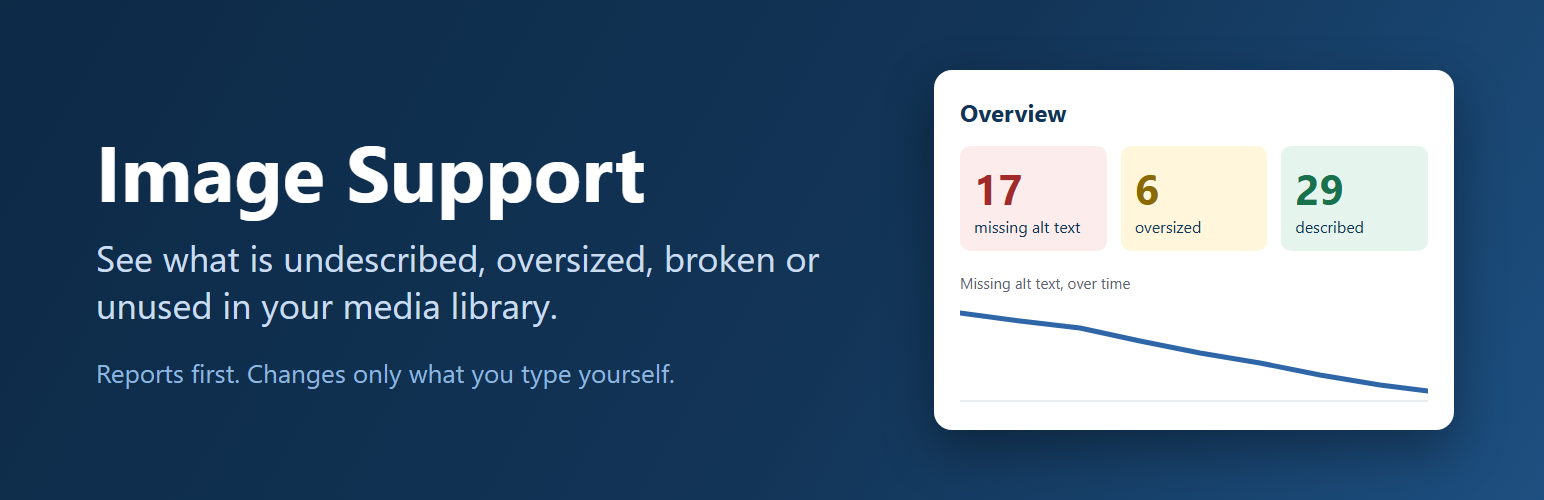
Most WordPress image libraries were not built in one sitting. They accumulate, often across several people and several years, and at some point somebody has to answer questions about one: how much of it is missing alt text, how much of it is far larger than the site can use, how much of it is broken, and how much of it does anything still refer to.
WordPress does not answer any of those. This does.
It is a reporting tool. It reads your library, tells you what it found, and says plainly what it could not determine. The only content it ever changes is alt text, and only when you type it. Nothing is renamed, resized, converted, moved or deleted, which means you can install it on a site you have just inherited and look around without risking anything.
Alt text, editable in place. A column showing each image’s alt text as an editable field. Type, press Enter or click away, and it saves. Working through two hundred images stops being two hundred page loads.
A filter for the images that need work. Narrow the list to images missing alt text, images that have it, oversized originals, large files, or files that have gone missing. “We should sort out our alt text” becomes a list you can finish.
Images whose file has vanished. An attachment can outlive its file: an image gets replaced and the old entry is left behind, a cleanup removes files but not the entries, a site moves and the uploads folder does not come with it. WordPress carries on listing those as though they were there. They are the broken thumbnails in your library, and until now nothing pointed them out.
Dimensions and file size, sortable. Sort by file size and the six megabyte photo somebody dropped into a post in 2019 comes straight to the top.
An oversized flag. WordPress scales big uploads down on arrival, but images that predate that behaviour, or that were imported straight onto disk, escaped it entirely. Those are the enormous originals quietly filling your uploads folder and every backup you take. They get flagged.
Search that includes alt text. WordPress already searches image titles, captions, descriptions and filenames. It does not search alt text, which is often the only place the subject of a photograph is written down. In the list view, searching “harbour” now finds the harbour photo even when the file is called IMG_4821.jpg.
A dated picture of the whole library. Media > Image Support opens on what is actually here: how much space it takes, how much of that is sizes WordPress generated rather than files you uploaded, how many image files are sitting in your uploads folder that no attachment accounts for, likely duplicates, and how many images arrived with no uploader recorded. A reading is kept for each day the page is opened, so the numbers can be compared over time, and the whole history downloads as a CSV for whatever date range you ask for.
A page that explains itself. Media > Image Support has three tabs: an overview of what needs attention with a link straight into each set, a list of where every image is used, and the settings. Everything on it is drawn from your own library rather than described in the abstract.
What this plugin does not do
It does not touch the front end. Everything happens inside wp-admin.
It does not change, move, rename, compress or convert a single image file. It reads your library and lets you edit alt text. It also stores a file size number against each image, a daily reading of its own numbers so progress can be compared over time, and short-lived copies of its results. Uninstalling removes all of it.
It makes no external network requests of any kind. Nothing is sent anywhere.
It only concerns itself with images. Documents, audio and video are left alone.
A note on alt text
Alt text describes an image for people using a screen reader, and for anyone whose image fails to load. A good description says what the image shows and why it is there, in a sentence.
A word on decorative images. Some images carry no meaning and should be silent to a screen reader, and the correct markup for those is an empty alt attribute. WordPress does not record why an alt is empty, though: a blank field looks exactly the same whether somebody decided the image was decorative or simply never got to it. So this plugin does not guess. Anything without alt text is listed as missing, including images you have deliberately left blank. If that means a handful of genuinely decorative images stay on your list, that seems better than telling you a job is done when the data cannot actually say so.
For developers
Filters: timu_image_support_mime_types, timu_image_support_widest_width, timu_image_support_oversize_threshold, timu_image_support_heavy_bytes, timu_image_support_attention_floor, timu_image_support_alt_suggestions, timu_image_support_index_backfill_limit, timu_image_support_oversize_scan_limit, timu_image_support_library_scan_limit, timu_image_support_untracked_scan_limit, timu_image_support_untracked_skip_folders, timu_image_support_reference_scan_limit, timu_image_support_reference_row_limit and timu_image_support_reference_file_limit.
Actions: timu_image_support_before_write and timu_image_support_after_write, fired around every alt-text change with the previous and new values.
Images only, on purpose
This release is deliberately about images. Documents and video raise different questions and deserve their own tools rather than a single screen trying to serve everything at once.