內容簡介
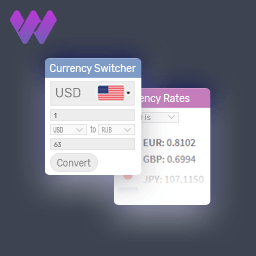
Themex Currency Manager 是一款專為 WooCommerce 設計的外掛,讓顧客能夠在商店中查看和切換貨幣,提供靈活的貨幣管理功能,提升國際購物體驗。
【主要功能】
• 支援最多 2 種活躍貨幣
• 每種貨幣的自訂選項
• AJAX 貨幣切換功能
• 自動檢測顧客貨幣
• 浮動貨幣條設置
• 支援 WooCommerce 高效能訂單儲存
外掛標籤
開發者團隊
② 後台搜尋「Themex Currency Manager for WooCommerce」→ 直接安裝(推薦)
原文外掛簡介
Themex Currency Manager lets customers view and switch currencies on your WooCommerce store.
Free features
Up to 2 active currencies (manual rates or one-click live rate update)
Per-currency options: flag, symbol position, custom symbol, decimals, thousand/decimal separators, and hide from switcher
Optional exchange fee (fixed or percent) on top of the rate
Fixed product prices per currency (simple and variable products, including variation bulk edit)
Cache compatibility: None, Override by AJAX, or Override by JSON (WP Super Cache, W3 Total Cache, WP Rocket, and similar)
AJAX currency switching with optional loading price mask
Auto-detect: Auto select currency or Approximate Price
Geo API: WooCommerce geolocation or External (ip-api.com)
Currency by country with country-to-currency mapping
Basic checkout currency enable/disable (when off, checkout uses the store currency only)
Floating currencies bar: left/right position, sidebar layouts, flag/code/symbol styles, colors, title, cart/checkout visibility, conditional tags, and desktop collapse
Single product currency selector: Flag, Flag + Code/Symbol/Price, Symbol, or Code + Name — place above title, above/below price, or below excerpt
Custom flag mapping for shared currencies (e.g. EUR,ES) and custom CSS
Gutenberg Currency Selector block (4 free layouts)
Elementor Currency Selector widget
Classic WordPress Currency Switcher widget (list or bar)
WooCommerce catalog, cart, and variable product price conversion
Compatible with WooCommerce High-Performance Order Storage (HPOS)
Admin tools: rate decimal precision, system status, and extensions overview
External services
This plugin connects to third-party services to fetch live exchange rates and detect visitor location. Data is sent only when an administrator updates rates (manually or via scheduled tasks) or when geolocation is enabled.
Exchange rate APIs
When rates are updated, the plugin requests the latest rates for a base currency code from these providers (in order of fallback):
ExchangeRate-API — https://open.er-api.com/ (terms: https://www.exchangerate-api.com/terms, privacy: https://www.exchangerate-api.com/privacy)
Frankfurter — https://frankfurter.dev/ (terms and privacy: https://frankfurter.dev/)
fawazahmed0 currency API via jsDelivr — https://github.com/fawazahmed0/exchange-api (CDN: https://www.jsdelivr.com/terms/privacy-policy)
Only the base currency code is included in the request URL. No personal user data is sent to these services.
Geolocation API
When Geo API → External is enabled, the plugin may send the visitor’s IP address to:
ip-api.com — https://ip-api.com/ (terms: https://ip-api.com/docs/legal, privacy: https://ip-api.com/docs/legal)
The response country code is cached locally for up to 24 hours.
WooCommerce Geolocation
When Geo API → WooCommerce or MaxMind is selected, country detection uses WooCommerce’s built-in geolocation (see WooCommerce privacy policy).
Development
Source code: https://github.com/themexplosion