內容簡介
《使用者條款與條件》彈出視窗有兩種用途:
使用者登入彈出視窗
或 WooCommerce 結帳彈出視窗
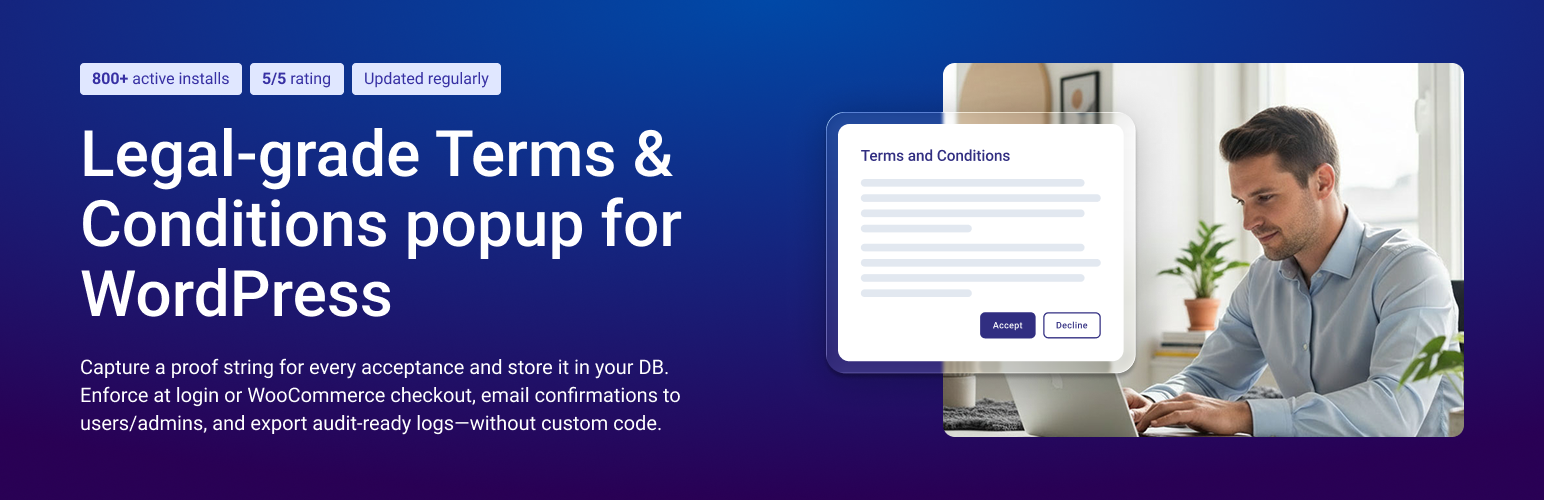
此外掛將建立一個彈出視窗,其中包含可以滾動的視窗,顯示您自己的自訂《使用者條款與條件》。只有同意條件的訪客才能繼續他們的使用者流程。
使用者的行為會在資料庫中記錄為登入者的證明。
使用者登入彈出視窗
在使用者登入時顯示彈出視窗
您的使用者只有同意您的條款後才能繼續作為登入使用者
同意後,彈出視窗不再打擾他們。
如果使用者拒絕條款,他們會被登出,並由您設置的網址重新導向
如果他們重新登入,但尚未同意條款,他們將再次看到彈出視窗。
資料儲存在您的 WordPress 資料庫中,作為證明。
設置簡單,易於使用。
WooCommerce 彈出視窗
選擇將彈出視窗用作 WooCommerce 模式窗口
在不中斷使用者結帳流程的情況下,在彈出視窗中顯示您的《使用者條款與條件》
使用者必須同意條款和條件才能結帳
各種選項可用於登出或重定向拒絕您的條款的使用者
可為登入使用者、匿名訪客或兩者都顯示
資料儲存在您的資料庫中,作為登入使用者的證明
彈出視窗的內容可以在外掛設置頁面上進行修改。彈出視窗具有標題、標題下方的引導文字、您自訂的《使用者條款與條件》文本、拒絕和接受按鈕,所有這些都可以自訂和標記。
很多功能,簡單易用的介面。
使用者登入彈出視窗功能
使用者登入時將顯示彈出視窗。彈出視窗不會消失,直到使用者點選接受或拒絕按鈕。
使用者對彈出視窗的回應,接受或拒絕會儲存在資料庫中。
已同意條款的使用者不會再次看到彈出視窗。如果需要,可以打開「在每次登入時顯示彈出視窗」選項。
拒絕條款的使用者會在每次登入時看到彈出視窗,阻礙進一步瀏覽。
彈出視窗具有可自訂的欄位和標籤。
彈出視窗具有 2 個按鈕,接受和拒絕。
接受按鈕只有使用者滾動條款後才會啟用。此功能也可以停用。
接受按鈕會關閉彈出視窗並註冊使用者已同意條款。
拒絕按鈕會登出使用者。
可以設定不同的重新導向網址,如果您想在按下接受或拒絕後重新導向使用者。
輕鬆自訂彈出視窗的大小、標籤以及按鈕的大小和顏色。
可選擇在每次登入時啟用彈出視窗,無論使用者以前是否同意條款。
測試模式可在任何頁面上測試彈出視窗的外觀和文字;測試完成後,請務必從測試模式中移除。
使用者登入高級功能
彈出視窗允許重置所有使用者,強制他們重新同意新條款。如果您打算在未來更新您的條款並讓每個人重新同意您的新更新條款,這很有用。
記錄使用者同意的條款和條件的日期和時間。接受日期和時間顯示在單個使用者編輯頁面和所有使用者列表中。
可以更改彈出視窗內部條款的字體大小。
彈出視窗可以帶來任何自訂的頁面,以供特殊用途使用。
外掛標籤
開發者團隊
② 後台搜尋「Legal Terms and Conditions Popup for User Login and WooCommerce Checkout」→ 直接安裝(推薦)
📦 歷史版本下載
原文外掛簡介
The Legal-Grade Solution for Consent and Compliance. US-based premium developer support available for seamless integration and ongoing assistance.
This plugin will create a popup with a scrollable window that will show your own custom Terms and Conditions. Only visitors who accept the conditions will be allowed to continue their user flow. Extensive list of features listed below.
Easily display your Terms and Conditions in a way that ensures user compliance:
Anywhere on Your Site:
Show on any page for all users or specific pages only.
At User Login or After Login:
Display on the login page (supports custom login pages).
MOST USED: Show immediately after a user logs in, with options to:
Force logout if terms are declined.
Include WordPress admin pages (premium feature).
For WooCommerce:
Display at checkout, cart, product pages, or any other WooCommerce-specific pages.
Custom Conditions:
Leverage your own custom-coded conditions using a WordPress hook (premium feature).
✨ Distinct Features Not Found in Other Plugins
User actions are securely recorded in your database in a dedicated table, ensuring optimal performance even with over 10,000 users.
Custom email receipts of acceptance are sent to both admins and users as legally verifiable proof of consent. These receipts include all necessary details to act as a third-party record of the action taken (premium only).
Redirect users after Accept or Decline button click
Visitors are tracked using an anonymously generated GUID until they log in and consent is registered under their user ID and Woocommerce Order.
Browser user agent, IP address, and location tracking are available.
User Flow Management: Redirect users after acceptance or decline, with the option to enforce logout on decline.
Reporting tools, including charts and CSV export, are available (premium only).
Enjoy community support.
Post your Question/Support/Feature-Requests in our Matyus Media Slack Channel.
Never share your license key in the Slack channel.
Enjoy premium tech support with every license key purchase. Support and dev team based in USA.
🔐 Security
We take security seriously! This plugin participates in the Patchstack Vulnerability Disclosure Program, so security researchers can report issues responsibly.
More details on Patchstack. See our Security policy.
Terms on User Login Popup Workflow
Display popup for visitors OR upon user login OR using Woccomerce,
Ability to redirect users
Ability to force log out users who decline
Data is stored as proof in your DB
See if user accepted or not on their edit page
Woocommerce Popup Workflow
Must accept in order to check out
Log out or redirect users who decline your terms
Show for logged in users, anonymous visitors or both
Proof is stored in your database for logged in users
WooCommerce Orders store proof reference
🚀 Premium features
User Action proof is stored in a seperate table, keeping WP Options table clean.
Option to show popup on WP Admin dashboard /wp-admin as well
Reset users after you update terms and have them accept again
Generate user reports in CSV
Advanced logging with timestamp for every action
Do not force logout on decline
Do not show popup even after decline
Use custom page as popup content
Limit popup by user roles
Force popup on every login
Send email both to admin and user as proof of acceptance
Analytics and reports
IP and location tracking capability
Designated test user
Store Anonymous users acceptance reference on Order
Ability to load TOS from a URL hosted on a different website or github
Learn more about Premium features on our website
Plugin Settings
We take user consent proof more seriously than any other plugin in this niche—period.
Terms Popup Features
The popup will show when user logs in. The popup will not dismiss until user clicks Accept or Decline button.
The user’s response to the popup, accept or decline gets saved in the database.
The popup will not shown again for users who have accepted the Terms. There is an option to turn on “Show popup on every single login” if needed.
The popup will show on user login every time for users who have Declined the terms blocking further navigation.
The popup has customizable fields and labels.
The popup has 2 buttons Accept and Decline.
Accept button is only enabled for the user once he has scrolled through terms. This feature can also be disabled.
Accept button will dismiss the popup and register that the user has accepted the terms.
Decline button will log out the user and register that the user has declined the terms.
You can set different redirect URL’s if you wish to redirect the user upon clicking Accept or Decline.
Easily customize the size of the popup, the labels in the popup as well as the size and color of buttons.
Option to enable popup on every single login regardless if they accepted terms at previous logins.
TEST MODE can be used to test the looks and text of the popup on any page, be sure to remove from TEST MODE after you tested the popup.
Terms Popup Premium Features
The popup allows for resetting all users, to force them to re-accept new terms. Useful if you plan to update your terms in the future and have everyone re-accept your new updated terms.
Reset a Single user on the user edit page, force a user to re-accept terms and conditions.
Status of who has accepted your Terms gets displayed on the User listing page.
Log the time when user has accepted the terms and conditions. Date and time of acceptance is displayed both on individual user edit page and in list of all users.
Ability to change the font size for the terms inside the poup.
The popup can bring in any custom page that you have on your website as terms content in the popup.
Using a custom page as the terms popup content allows for having nicely formatted terms, with links inside. It also allows for use of shortcodes inside, multimedia etc.
Ability to limit the popup to only be shown for certain types of user roles. Subscribers, Editors, Admins etc. or custom roles.
Advanced loging of user activity regarding the popup.
Generate and download a CSV report of all the users showing each user if and when accepted your terms.
Designated Test User, special test user to which the popup will always show, great for testing even on live environment.
Reccomend new features and gain access to premium features by upgrading to premium
WooCommerce Integration
Display popup when visiting a product page
Display popup for anonymous visitors
Possibility to redirect visitor to your home page on decline of terms
WooCommerce Premium Features
Saves Acceptance Reference ID on Order
Display popup on any of the following: product page, category page, cart page or checkout page
Display popup for logged in users, anonymous visitors or both
For logged in users response is saved in the database and popup is no longer displayed until terms have been updated
For anonymous visitors accept response can be remembered in the browser for their conveninece
On Terms declined redirect users and visitors to any page or url of your choosing
Possibility to force logout user on decline and redirect them
Custom condition using your own code
Using a premium license key a custom filter is made available for you
tpul_override_show_popup
You can override the logic when the popup should show or not show for a user or visitor.
You can simply implement the custom filter in your functions.php file
Code sample below uses original value of $should_show_popup in conjunction with extra condition. This is so we only show the popup if a user has not yet accepted the terms and an extra condition is fulfilled.
function YOUR_CUSTOM_FUNCTION_show_popup($should_show_popup) {
// should_show_popup - is the original value based on active options
// EXTRA_CONDITION is an example variable that you can set
$EXTRA_CONDITION = false; // add your custom logic
if ($should_show_popup && $EXTRA_CONDITION) {
return true;
} else {
return false;
}
}
add_filter('tpul_override_show_popup', 'YOUR_CUSTOM_FUNCTION_show_popup');
//
Would you like a custom feature?
Contact us and let’s have a discussion
Hit us up on our contact page
Getting Started
Once Plugin has been installed and activated
Navigate to Settings -> Terms Popup On User Login Options -> Terms Modal Tab
Feel Free to modify the default Settings
Place your Terms and conditions in the Textbox
Be sure To Navigate to General Settings Tab (Settings -> Terms Popup On User Login Options -> General Settings Tab)
Set “Terms Popup On User Login” to “Show Popup” and save changes
Popup should fire as soon as you hit any page of your website