內容簡介
>
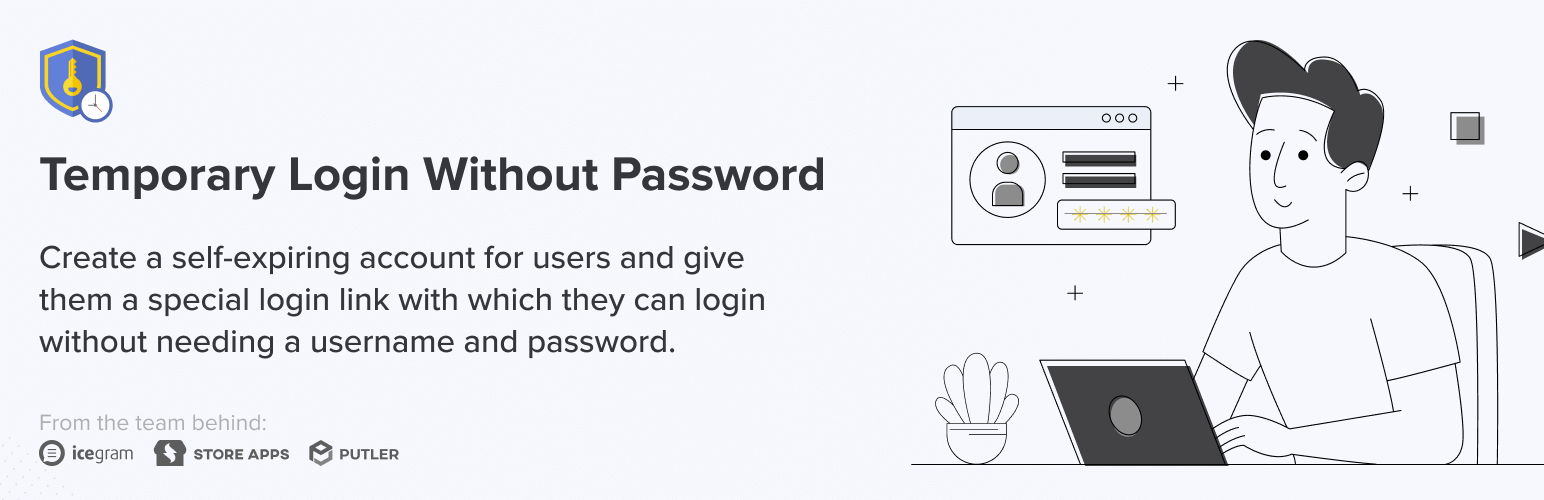
使用「Temporary Login Without Password」這個外掛可以為使用者建立一個有時限的帳號,使用者只需透過特殊的連結即可登入 WordPress 管理介面,不需要輸入使用者名稱或密碼。
可以設定登入連結的有效期限,以及暫時使用者的權限等細節。
當需要讓開發人員或編輯登入管理介面進行必要的維護與編輯工作時,這個外掛相當實用。
欲進一步瞭解這個外掛的優點及應用範圍,可參閱這篇文章。
暫時登入的優點
➡️ 可建立不限量的暫時登入連結
➡️ 暫時使用者的權限由你自己指定
➡️ 不需要輸入使用者名稱或密碼,只需透過連結登入
➡️ 可設定暫時帳號的有效期限,過期後即使握有連結也無法登入
➡️ 有效期限可選擇一天、一週、一個月或自訂日期等選項
➡️ 登入後導向至指定頁面
➡️ 可為暫時使用者指定語言
➡️ 可瀏覽暫時使用者的最後登入時間和登入次數
開發人員使用說明
若欲透過暫時登入連結進入使用者的 WordPress 環境進行調試或維修,可按以下範本向使用者提出申請。
您好 {%customer_name%},
為了協助調查問題,請先安裝並啟用免費的 WordPress 擴充套件「Temporary Login Without Password」,並透過產生的暫時登入連結將您的 WordPress 登入權限授予給我。等完成問題調查後,我會撤回您所提供的權限。
注意:
請您把暫時登入連結的有效期間設定為一個月。請以回覆此電子郵件的方式,傳送您所產生的登入連結。
其他使用者的使用經驗分享
👉 可與 WordPress.com 商業方案兼容!
我很喜歡這個擴充套件!之前我以為「Temporary Login Without Password」只能用在 WordPress.org 的網站上。但當我在處理其他擴充套件問題時,技術支援建議我使用這個。我試試看,它很順利地運作,不再需要顧慮可能會危害我的網站。當技術支援完成了他們的工作,我在設定裡撤銷了他們的權限。這真是一個重要的轉捩點!
– Suzanne Loeb
👉 清晰方便,不會陷入兔子窩
我用過的這幾個擴充套件,應該不算太多,但我想說這個是最直接的。即使我用快進方式設定,也沒有遇到任何問題。它可傳送登入連結到我想要授權的公司,並讓我能夠繼續執行我的任務。我非常推薦給任何需要第一次建立暫時使用者帳號的人。根據我的個人經驗,從來沒有地方會使我困惑。
外掛標籤
開發者團隊
② 後台搜尋「Temporary Login Without Password」→ 直接安裝(推薦)
📦 歷史版本下載
原文外掛簡介
Create secure, self-expiring ⏱️, automatic login links 🔗 for WordPress. Give them to developers when they ask for admin access to your site. Or an editor for a quick review of work done. Login works just by opening the link, no password needed.
Using the “Temporary Login Without Password” plugin you can create a self-expiring account for someone and give them a special link with which they can login to your WordPress without needing a username and password.
You can choose when the login expires, as well as the role of the temporary account.
Really useful when you need to give admin access to a developer for support or for performing routine tasks.
Read this article to know more about what’s the Current Problem – Creating a Separate Admin Login for Outsiders (Devs/ Guest bloggers) and how to avoid this pain, Top Benefits of using this plugin & Why and Who need Temporary Login links.
Benefits of Temporary Logins
➡️ Create unlimited temporary logins
➡️ Create temporary logins with any role
➡️ No username & password required. Login with just a simple link
➡️ Set account expiry. So, a temporary user can’t login after the expiry time
➡️ Various expiration options like one day, one week, one month, and many more. Also, set a custom date
➡️ Redirect user to a specific page after login
➡️ Set a language for a temporary user
➡️ See the last logged in time of a temporary user
➡️ Also see, how many times a temporary user accessed your setup
➡️ Track user activity with detailed logs to know what each temporary user did
For Developers
If you need an admin access to your client’s WordPress setup to resolve any issues, use following template to ask your client to give you a temporary access to their WordPress setup.
Hi {%customer_name%},
To allow me to investigate on your site, install & activate the free WordPress plugin – Temporary Login Without Password, and give me admin access to your site via the temporary link generated. Once I’ll get the admin access, I’ll check your site & will try to resolve the issue.
Note:
Keep the expiry of a temporary login link for one month. Send the created login link as a reply to this email.
Temporary Login Without Password Pro Features
➡️ Limit Link Usage: Set a maximum number of times a temporary login link can be used, ensuring controlled, secure access.
➡️ Instant Admin Alerts: Receive notifications each time a temporary login is accessed, keeping you informed of all activity.
➡️ Activity Log: View detailed activity of each temporary user to monitor what actions they performed while logged in.
Ready to take your security and convenience to the next level?
Upgrade to TLWP Pro today to unlock our advanced features. Experience the full power of secure, temporary, passwordless access for your WordPress / WooCommerce site.
What users have to say about Temporary Login Without Password?
👉 It works with WordPress.com business plan!
I love this plugin! I got the impression that Temporary Login Without Password plugin would only work with WordPress.org sites. When I had a problem with another plugin, I reached out to their tech support. They recommended Temporary Login. I crossed my fingers, installed it, and it worked like a charm. No more worrying about possibly compromising my sites. When tech support was done, I went into the settings and revoked access. This is a game changer!
– Suzanne Loeb
👉 Convenient. No rabbit holes
I can’t say I’ve used a whole bunch of these plugins, but I can say I’ve used 2 or 3. This one was the most straight forward and rushing through it I still didn’t run into any issues. The login was shot to the company I needed to let in and I was able to get back to marking things off of my checklist. Highly recommend to anyone that is needing to make a temporary user account for the first time. There’s literally nowhere to get confused from my personal experience
– Peter Higgins
👉 Clear and efficient.
Clear and efficient. Nothing to add !
Continue like that !
Make the world of the web even more fun for all pro and amateur users!
– muten7
👉 Excellent Plugin
Having problems with another plugin the developer recommended TPWP. It does exactly as it states. The developer was able to identify the bug, done without comprising security. The fact it records the access you have granted is a another advantage.
– mickpamg
👉 A huge help and easy!
This plugin was just what I needed to make it easy for support people to come in and get their assessments done then I don’t have to worry about revoking permission…this takes care of that for me! Love it!!!
– bfauscette
Go to Temporary Login Without Password plugin review section and read our recent reviews.
Spread The Love ❤️
If you like Temporary Login Without Password, please leave a five stars ⭐⭐⭐⭐⭐ and also spread the word about it via Facebook and Twitter. That helps fellow website owners assess Temporary Login Without Password easily and benefit from it!
What’s Next
If you like this plugin then consider checking out our other solutions:
Icegram Express – A complete newsletter plugin which lets you collect leads, send automated new blog post notification emails, create & send broadcasts, and also manage them all in one single place.
Icegram Mailer – Reliable built‑in email delivery for WordPress & WooCommerce with real‑time logs, analytics, and a free 200‑email plan.
Icegram Engage – Popups, Welcome Bar, Opt-ins & Lead Generation plugin
Icegram Collect – Best form plugin on WordPress
Smart Manager – Manage & Bulk edit Products, Orders & more..
Offermative – Dynamic discount pricing, related product recommendations, upsells and funnels for WooCommerce.
Post / Page Duplicate – Ultimate one‑click content duplicator for WordPress, letting you clone posts, pages & custom post types effortlessly
Icegram Cookie Manager – Customizable cookie consent banner with privacy policy links and styling options for WordPress
Switch User Login – Instantly switch between WordPress user accounts from the admin bar for seamless testing, debugging, and multisite/WooCommerce management
Also, check our other Premium WooCommerce plugins.
Do you use WooCommerce? Our analytics tool Putler will help you enriches your store data. Using Putler, you’ll understand your business better and make profitable decisions quickly.