
內容簡介
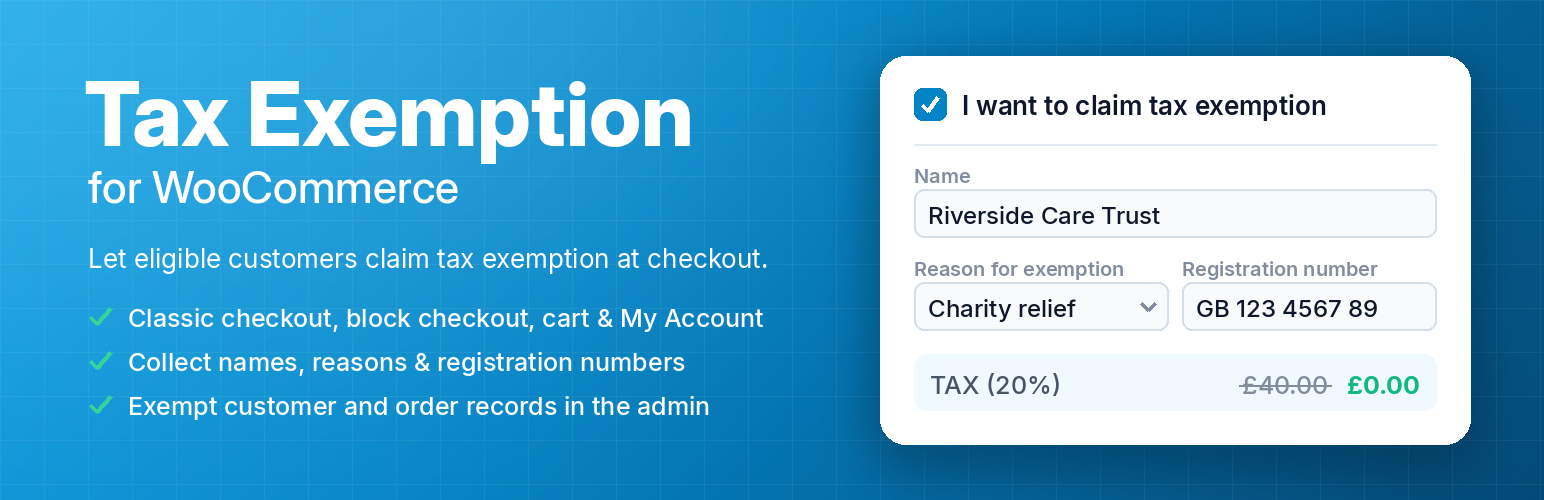
Tax Exemption for WooCommerce 外掛讓顧客在結帳時聲明免稅資格,並自動移除訂單中的稅金,適用於符合免稅條件的顧客,如殘障人士或慈善機構。
【主要功能】
• 允許顧客聲明免稅資格
• 自動移除訂單稅金
• 支援多種免稅資料收集
• 可在結帳及購物車頁面顯示免稅欄位
• 提供免稅顧客及訂單的管理介面
• PRO 版本提供進階驗證功能
外掛標籤
開發者團隊
② 後台搜尋「Tax Exemption for WooCommerce」→ 直接安裝(推薦)
📦 歷史版本下載
原文外掛簡介
Let your customers declare that they are exempt from tax on WooCommerce checkout, provide the details to back it up, and have tax removed from their order automatically.
This is useful if you have some customers that are eligible to be exempt from tax on your products, for example for the purpose of disability VAT exemption or charity VAT relief, or business customers supplying a VAT number.
Getting Started
Simply install the “Tax Exemption plugin for WooCommerce” plugin, and visit the “Tax Exemption” settings page under “WooCommerce” in the WordPress admin.
Configure the plugin settings as required:
Enable or disable the tax exemption feature.
Select the tax class to use for the Tax / VAT exemption.
Select the location on checkout to display the tax exemption fields.
Show the tax exemption checkbox and fields on the cart page too, and choose where.
Enable or disable removal of tax on shipping for exempt customers.
Enable or disable the tax exemption fields on the “My Account” page.
Choose which details to collect – the name and reason fields can each be shown, hidden, or made required.
Collect a registration number (VAT number, charity number, ABN and more) and choose which types you accept.
Get an email whenever a tax exempt order is placed.
Customise the text/labels used throughout the plugin.
Your customers will then be able to select the “I want to claim tax exemption” checkbox on the checkout page, and enter their tax exemption details.
Tax will be removed from their order if this is checked and they have entered their details successfully.
Where The Form Appears
The tax exemption form works on the classic checkout, the WooCommerce block checkout, the cart page, and the “My Account” page, for both guests and logged in customers.
You can also place it anywhere else on your site with the [tefw_exemption_form] shortcode.
Managing Exempt Customers & Orders
Exempt Customers – a searchable list of every customer claiming tax exemption, along with their details. Customers can be added and edited here directly.
Exempt Orders – every order placed with tax exemption, filterable by date.
If an order is marked as tax / VAT exempt, this will be shown on the admin order details page, where you can see the tax exempt details. An optional column on the orders list marks which orders were exempt.
Each customer’s exemption details can also be viewed and edited from their WordPress user profile.
Tax exemption details are included in WordPress personal data exports and erasure requests.
PRO Version
The PRO version offers several additional features including:
Registration number verification (VAT, charity, ABN, GSTIN and more).
Live lookups against the official registers – VIES, HMRC, the Australian Business Register and the Charity Commission.
Automatic approval for customers whose number verifies.
Consultation references recorded as proof that a number was checked.
Re-check a customer’s stored number at any time.
Option to show ex-tax prices to exempt customers across the whole store.
Optional “inc/ex tax” price toggle for every visitor.
Custom tax exemption form fields.
Tax exemption certificate upload field.
Tax exemption expiration date field.
Automatic expiry reminder & expired notification emails.
Customisable exemption request, approval and decline emails.
Default validity period (auto-calculate expiration dates).
Tax exemption city/state field.
Tax exemption fields on registration form.
Exemption status management for admins.
Only allow exemption for approved users.
Hide the tax exemption fields on checkout.
Only remove tax from specific products.
Only allow exemption for logged in users.
Only allow exemption for selected user roles.
Only allow exemption for selected countries.
Only allow exemption for selected states/cities.
Customize the tax class for each user.
Export CSV files of exempt customers.
Export CSV files of exempt orders.
Integration with “AvaTax”.
UPGRADE TO PRO














