前言介紹
- 這款 WordPress 外掛「TalkToPC Voice Widget」是 2026-01-07 上架。
- 目前尚無安裝啟用數,是個很新的外掛。如有要安裝使用,建議多測試確保功能沒問題!
- 上一次更新是 2026-01-28,距離現在已有 29 天。
- 外掛最低要求 WordPress 5.0 以上版本才可以安裝。
- 外掛要求網站主機運作至少需要 PHP 版本 7.4 以上。
- 有 1 人給過評分。
- 論壇上目前有 1 個提問,問題解答率 0%
外掛協作開發者
yinon11 |
外掛標籤
voice | chatbot | AI agent | talktopc | voice assistant |
內容簡介
### 總結:
透過 TalkToPC 語音小幫手 WordPress 外掛,您的網站訪客可以與 AI 助理進行自然的語音對話,無需編碼。外掛自動掃描您的頁面、文章和產品,創建了一個個性化的 AI 助理。
### 問題與答案:
1. 如何快速設置 TalkToPC 語音小幫手外掛?
- 安裝外掛
- 點擊「連接到 TalkToPC」
- 完成!您的 AI 助理將自動以您網站內容創建出來。
2. TalkToPC 語音小幫手外掛有哪些特點?
- 一鍵設置 - OAuth 連接與自動 AI 助理建立
- AI 動力配置 - 系統提示根據您網站內容自動生成
- 語音和文字模式 - 訪客可以說話或打字
- 完全可定製 - 顏色、大小、位置、圖標等等
- WooCommerce 支援 - AI 了解您的產品、價格和供應情況
- 多語言支援 - 包括希伯來語、英語、西班牙語等
- 行動準備 - 在所有設備上具有麥克風訪問
- 低延遲 - 自然、即時的對話
3. TalkToPC 語音小幫手外插可應用於哪些情境?
- 客戶支援自動化
- 產品推薦
- 常見問題解答
- 預約排程
- 餐廳預訂
- 銷售資格
- 等等
4. 關於安全性方面,外掛如何保護數據?
- 安全的 OAuth 2.0 連接
- 不存儲密碼
- 一次性秘密並具有自動過期功能
- 所有數據都透過 HTTPS 進行傳輸
5. 外掛的數據收集部分包括哪些項目?
- 訪客只有在主動使用語音小幫手時,語音音頻才會傳輸至 TalkToPC 伺服器
- 沒有明確用戶互動(點擊語音按鈕)時,不會收集任何數據
- 對話數據會用於生成 AI 回應
- 初始設置過程中,網站內容(頁面、文章、產品)會傳送以產生 AI 提示
6. 該外掛使用了哪些外部服務?
- 小工具 JavaScript: cdn.talktopc.com
- 語音處理: speech.talktopc.com
- 後端 API: backend.talktopc.com
7. 透過使用該外掛,網站擁有者可以獲得什麼好處?
原文外掛簡介
Try before you install!
Live Demo: https://talktopc.com/demos/agent_1900570ad
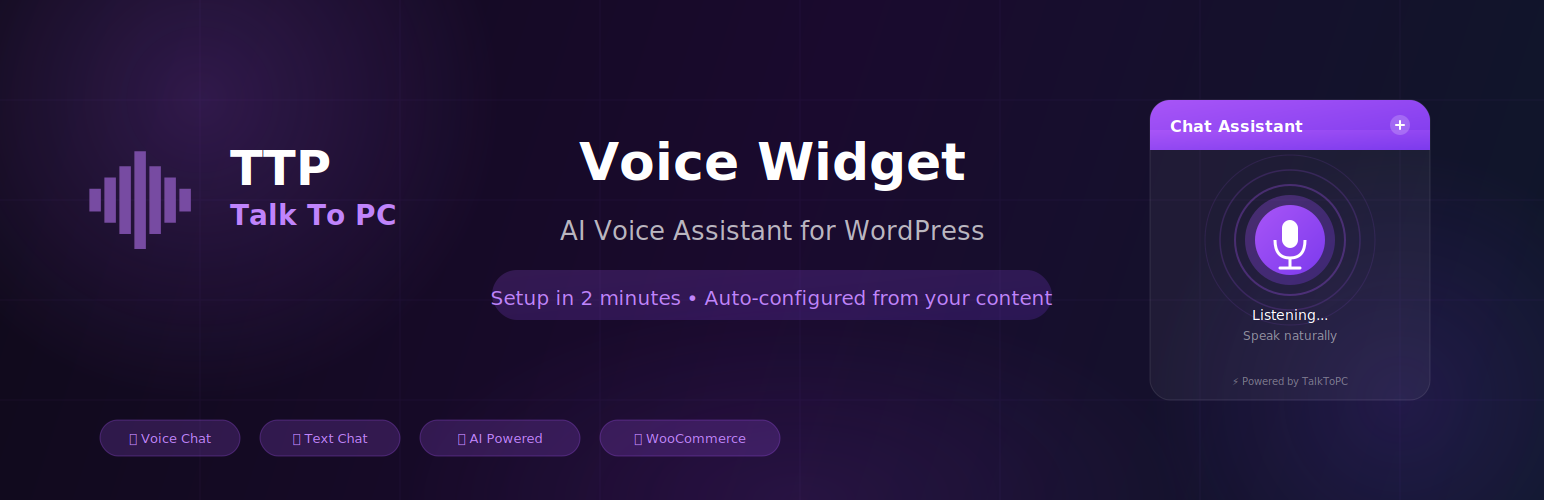
TalkToPC Voice Widget adds an AI-powered voice assistant to your WordPress website. Visitors can have natural voice conversations with your AI agent in over 40 languages — no coding or typing required.
🚀 Quick Setup (Under 2 Minutes):
Install the plugin
Click “Connect to TalkToPC”
Done! Your AI assistant is auto-created with content from your website
The plugin automatically scans your pages, posts, and products to create a personalized AI assistant that knows your business inside and out.
✨ Features:
One-Click Setup – OAuth connection with automatic AI agent creation.
40+ Languages Supported – Full support for English, Hebrew, Spanish, French, Arabic, and dozens more.
AI-Powered Configuration – System prompt auto-generated from your site content.
Voice & Text Modes – Visitors can speak naturally or type.
Fully Customizable – Match your brand with custom colors, icons, and positions.
WooCommerce Support – AI knows your products, prices, and availability.
Mobile Ready – Optimized for all devices with microphone access.
Low Latency – High-speed response for natural, flowing conversations.
🎯 Use Cases:
Customer support automation
Instant FAQ handling
Product recommendations and sales
Appointment scheduling
Lead qualification
🔒 Security:
Secure OAuth 2.0 connection
No passwords stored
One-time secrets with automatic expiration
All data transmitted over encrypted HTTPS
External Services
This plugin relies on the TalkToPC service (https://talktopc.com) to provide AI voice conversations.
What data is sent:
* Site content (pages, posts, products) during initial setup for AI configuration.
* Voice audio when visitors use the voice widget.
* API credentials for authentication.
External domains used:
* https://cdn.talktopc.com – Widget JavaScript files.
* https://speech.talktopc.com – Voice processing.
* https://backend.talktopc.com – API requests.
Service policies:
* Terms of Service: https://talktopc.com/terms-of-service
* Privacy Policy: https://talktopc.com/privacy-agreement
各版本下載點
- 方法一:點下方版本號的連結下載 ZIP 檔案後,登入網站後台左側選單「外掛」的「安裝外掛」,然後選擇上方的「上傳外掛」,把下載回去的 ZIP 外掛打包檔案上傳上去安裝與啟用。
- 方法二:透過「安裝外掛」的畫面右方搜尋功能,搜尋外掛名稱「TalkToPC Voice Widget」來進行安裝。
(建議使用方法二,確保安裝的版本符合當前運作的 WordPress 環境。
trunk | 1.9.79 | 1.9.97 | 1.9.108 | 1.9.111 |
延伸相關外掛(你可能也想知道)
AI Engine – The Chatbot, AI Framework & MCP for WordPress 》AI Engine 是一款 WordPress 外掛,可以建立像 ChatGPT 這樣的聊天機器人(或其他類型),並能夠自動產生內容、圖片,讓你可以將一切內容組織成模板,快速建...。
Tidio – Live Chat & AI Chatbots 》若你正在尋找一款易於使用的WordPress網站現場聊天外掛,Tidio恰好提供這項功能及更多功能。 它是一個多功能的客戶服務平台,能夠提供世界一流的客戶支援並積...。
Smartsupp – live chat, AI shopping assistant and chatbots 》同樣的流量,更多的銷售, Smartsupp 是您的個人購物助手。它結合了即時聊天和聊天機器人,為您節省時間,並幫助您將訪客轉化為忠實顧客。Smartsupp 是歐洲最...。
Crisp – Live Chat and Chatbot 》nge of features, , Crisp Live Chat 是一個免費且美觀的網站聊天工具。如果您想增加電子郵件列表、產生潛在客戶、以及在同一軟體中增進客戶關係,這是您的終...。AI Muse – AI Chatbot, AI Content Generator & Writer, AI Image Generator, AI Assistant, ChatGPT, GPT-4o, Gemini, LLAMA, Claude 》總結:AI Muse 是一款革新方式在WordPress網站上創建內容的前沿插件。, , 1. AI Muse 提供包括OpenAI、Google AI和OpenRouter在內的100多種AI模型。, 2. 可自...。
LiveChat – Live Chat Plugin for WP Websites 》WordPress 聊天外掛, 想在網站瀏覽時與客戶溝通嗎?使用 LiveChat 的 WordPress 外掛,您可以與客戶連線並隨時回答問題。, 除了聊天外,您還可以根據不同條件...。
AI Puffer – Your AI engine for WordPress (formerly AI Power) 》GPT AI Power 是一個完整的 WordPress 人工智慧套件,可以生成具有自訂選項的內容、圖像和表單。它包括 AI 訓練、聊天小工具、WooCommerce 整合、Embeddings ...。
Echo Knowledge Base – Documentation, FAQs, AI Chat & AI Search 》g integration lets you integrate your WordPress Knowledge Base with the popular Help Dialog software, allowing you to provide instant support to yo...。
Chatbot for WordPress by Collect.chat ⚡️ 》透過這個聊天機器人小工具,您可以免費與您的網站訪客互動。Collect.chat 的這個聊天機器人 WordPress 外掛是將聊天小工具添加到您的網站最簡單的方法。透過...。
GeekyBot — Generate AI Content Without Prompt, Chatbot and Lead Generation 》<!DOCTYPE html>, <html>, <body>, , <h2>WordPress 外掛總結:</h2>, <p>這是一款終極 AI 聊天機器人,可在您的 WordP...。
WPBot – AI ChatBot for Live Support, Lead Generation, AI Services 》ChatBot for WordPress - WPBot, WPBot 是一個為 WordPress 網站打造的 AI 聊天機器人外掛程式,使用簡單、本地化、不需要程式編寫,可由 DialogFlow 或 Open...。
AI Chatbot – Jotform 》```html, <!DOCTYPE html>, <html>, <head>, <meta charset="utf-8">, </head>, <body>, , <h3>摘要:&...。
Typebot 》使用 Typebot 的對話式應用程序,可以收集比以往多 4 倍的回應。, 👉 建立漂亮的對話式應用程序,並輕鬆將它們嵌入您的 WordPress 網站中。, 👉 Typebot 幫助...。
AI Bud – AI Content Generator, AI Chatbot, ChatGPT, Gemini, GPT-4o 》【在WordPress上安裝AI Buddy插件,實現快速生成多語言文本和圖片。】AI Buddy主要分為Content Builder,Image Generator和Playground等幾個模塊。Content Bu...。
WP-Chatbot for Messenger 》ing official Facebook messenger marketing solutions provider partner. WP-Chatbot is a WordPress plugin that enables you to add an OmniChat™ chat wi...。