外掛標籤
開發者團隊
② 後台搜尋「Tadrik Stock Digest – Low Stock Email Report for WooCommerce」→ 直接安裝(推薦)
原文外掛簡介
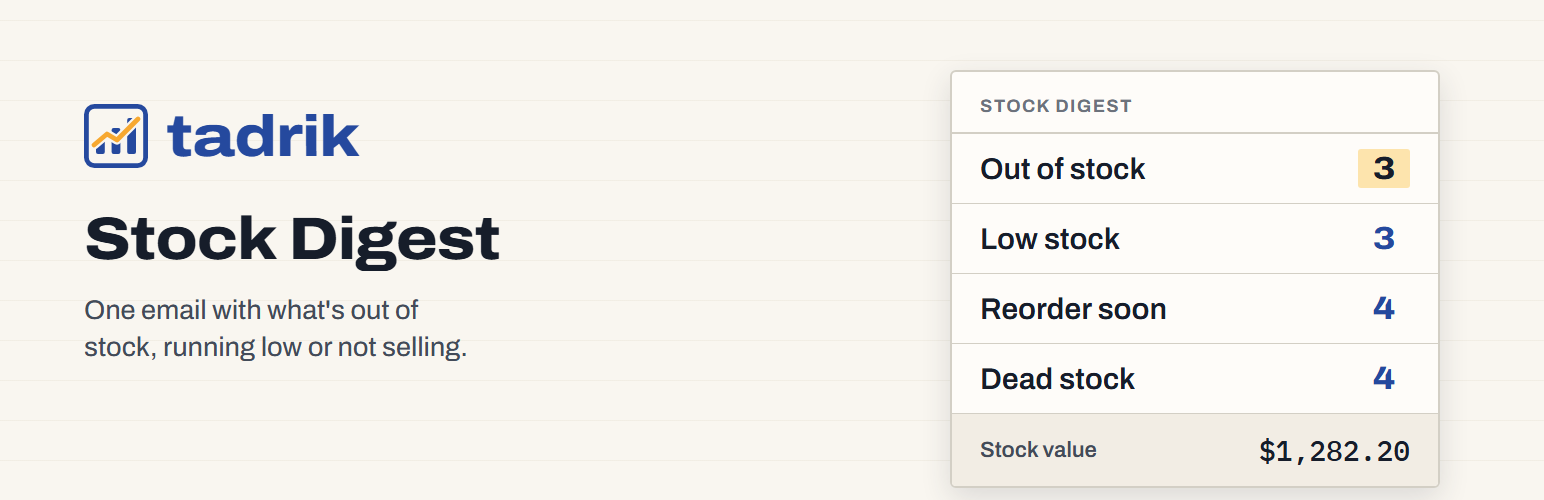
WooCommerce sends one email per product when it hits its low-stock level, with no overview, no value and no dead stock. Tadrik Stock Digest replaces that with a single daily or weekly email that shows:
Out of stock — products with zero or negative stock.
Low stock — products at or below their low-stock threshold.
Reorder soon — products whose current sales pace will run out within your cover window.
Dead stock — products that haven’t sold in months but still sit on shelves.
Stock value — total value of tracked inventory at cost or price, plus a count of products missing cost data.
The digest is sent to one or more recipients (up to 10) at a store-local hour you choose, daily or weekly. A Send a test digest now button lets you preview the exact email before the next scheduled run. The preview on the settings page shows the same four lists, counts, and stock value in real time.
All product types with stock management enabled are included (simple and variation). Variable parents are skipped because they don’t hold stock themselves. Sales pace is calculated from completed and processing orders within a configurable window. Cost comes from WooCommerce’s own cost of goods or the popular cost-of-goods plugins (get_cogs_value(), _wc_cog_cost, _alg_wc_cog_cost); products with no cost are counted separately, so you can see what’s missing.
Works with HPOS (High-Performance Order Storage) and the block cart and checkout. Made by Tadrik, the small-tools company behind Tadrik Inbox. Questions: [email protected].
External services
The digest is sent through your own site’s email (wp_mail) to the addresses you enter. The plugin sends no other data anywhere while you use it. The one exception is optional: when you deactivate it, the Plugins screen asks why. Only if you click “Send & deactivate” does it send your chosen reason, your optional note (up to 500 characters) and the plugin, WordPress, WooCommerce and PHP versions to Tadrik’s feedback service at ops.tadrik.com. It never sends your site address, your email address or any other personal data, and “Skip & deactivate” sends nothing. Privacy: https://tadrik.com/privacy.html.
Privacy
The Plugins screen shows a short question when you deactivate this plugin: why are you deactivating? It is optional. Only if you click “Send & deactivate” does the plugin send your chosen reason, your optional note (up to 500 characters) and the plugin, WordPress, WooCommerce and PHP versions to Tadrik’s feedback service at ops.tadrik.com. It never sends your site address, your email address or any other personal data, and “Skip & deactivate” sends nothing. Privacy: https://tadrik.com/privacy.html.