內容簡介
透過這個滑入式登入註冊儀表板面板或多工具面板,在您的網站上添加一些風格。基於主題,動畫,自動用戶偵測,使用 mootools 1.4.5 Java Script。此外掛程式是 SuperSlider 系列的一部分。在 supersliders 取得更多超級滑塊。
功能
滑入式面板中的儀表板連結
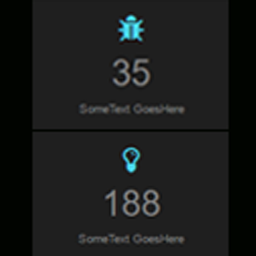
使用小工具載入滑入式面板。
從選項頁面進行完全的全域控制
控制轉場時間,類型。
演示
此外掛程式可以在此使用:
Demo 1
使用方法
如果您不確定該外掛程式的運作方式,您或許想要閱讀以下內容。
首先確保您已經將所有外掛程式檔案上傳到 wp-content/plugins/superslider-login 資料夾。
進入您的 WordPress 管理員面板,前往外掛程式控制頁面。啟用 SuperSlider-login 外掛程式。
進入 SuperSlider-login 設定頁面,設置您的首選選項。
您應該能夠在您的網站上查看您的新登入滑入式面板。
您可以通過在外掛程式設定頁面進行調整來調整滑入式登入面板的外觀和運作方式。
選項和配置
可於 > 設定 > SuperSlider-login 中使用
要使用的面板類型:登入或小工具
要使用的主題 CSS 檔案
轉場類型
轉場速度
覆蓋緊密度
轉場時間
是否載入 Mootools.js
CSS 檔案儲存位置
主題
建立您自己的基於所提供之自訂圖形主題。
可用主題
預設
藍色
黑色
自訂
注意事項
目前此外掛程式依賴於 Javascript 創建滑入式面板。
如果使用者的瀏覽器不支援 Javascript,該外掛程式將不會顯示。
外掛標籤
開發者團隊
原文外掛簡介
Add some style to your site with this slide-in login-register-dashboard panel or multi-widget panel. Theme based, animated, automatic user detection, uses mootools 1.4.5 java script. This plugin is part of the SuperSlider series. Get more supersliders at supersliders
Features
dashboard links in the slidein panel
Load the slidein panel with widgets.
complete global control from options page
Control transition time, type.
Demos
This plugin can be seen in use here:
Demo 1
USAGE
If you are not sure how this plugin works you may want to read the following.
First ensure that you have uploaded all of the plugin files into wp-content/plugins/superslider-login folder.
Go to your WordPress admin panel and stop in to the plugins control page. Activate the SuperSlider-login plugin.
Go to the SuperSlider-login settings page and set your preferred options.
You should be able to view your new login slidein panel in your site.
You can adjust how the slidein login panel looks and works by making adjustments in the plugin settings page.
OPTIONS AND CONFIGURATIONS
Available under > settings > SuperSlider-login
Panel type to use: login or widget
theme css files to use
transition type
transition speed
Overlay opacity
transition time
to load or not Mootools.js
css files storage loaction
Themes
Create your own graphic theme based on one of these provided.
Available themes
default
blue
black
custom
CAVEAT
Currently this plugin relies on Javascript to create the slide in.
If a user’s browser doesn’t support javascript the plugin will not display.