內容簡介
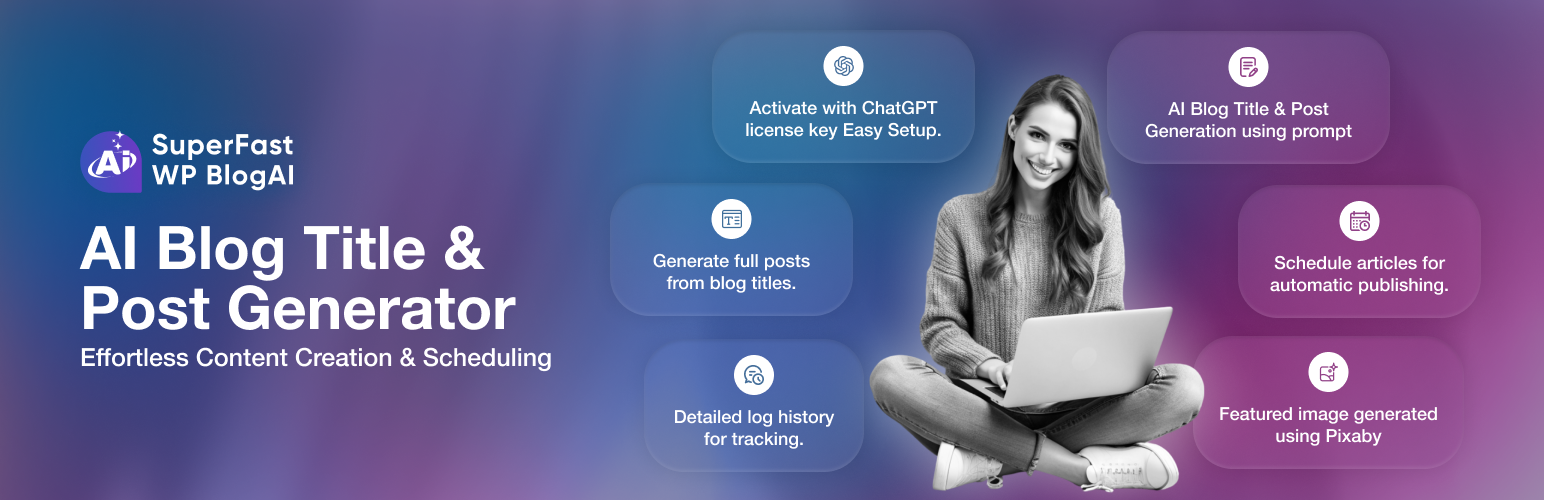
Super Fast Blog AI 是一款全功能的 AI 內容平台,內建於 WordPress 中。它能快速生成部落格文章、重用內容至六大社交平台,並智能選擇最佳 AI 模型,提升內容創作效率。
【主要功能】
• 支援多達 7 種 AI 供應商
• 快速生成 5-10 個標題建議
• 自動生成完整的 SEO 部落格文章
• 內容重用至六大社交平台
• 語言、語調及寫作風格選擇
• 自動發布或儲存為草稿
外掛標籤
開發者團隊
② 後台搜尋「Super Fast Blog AI – AI Content Generator, Repurposer & SEO Writer」→ 直接安裝(推薦)
原文外掛簡介
Super Fast Blog AI is a full-featured AI content platform built into WordPress. Write blog posts, repurpose content across 6 social platforms, track API costs, enforce brand voice, and intelligently route each task to the best AI model — all from your admin dashboard.
Whether you use OpenAI, Anthropic Claude, Google Gemini, DeepSeek, Mistral, OpenRouter, or a local Ollama instance, the plugin works with your preferred provider and switches between them automatically based on content type.
🤖 7 AI Providers Supported
Connect one or all — the plugin works with whichever provider you configure:
OpenAI — GPT-4o, GPT-4.1, GPT-4o-mini, o3, o4-mini, and more
Anthropic — Claude Sonnet, Claude Haiku, Claude Opus
Google — Gemini 2.5 Pro/Flash, Gemini 2.0 Flash, Gemini 1.5 Pro/Flash
OpenRouter — Access 100+ models through a single API key
DeepSeek — deepseek-chat, deepseek-reasoner, deepseek-coder
Mistral — Mistral Large, Small, Nemo, Codestral
Ollama — Run any local model (Llama, Mistral, Gemma, Phi, Qwen, DeepSeek-R1) at zero cost
The first provider you configure is automatically set as your default.
✍️ AI Title & Article Generator
Generate 5–10 title ideas from any topic in seconds
Copy any title with one click
Saved generations grouped by topic with date stamps
Generate full SEO blog posts saved as WordPress drafts
Choose language, tone, and writing style
Table of contents, pros/cons sections included
Auto-publish or save as draft with category assignment
♻️ Content Repurposing (6 Platforms)
Transform any blog post or pasted content into platform-native pieces:
Twitter / X — Threaded tweets with hook, body, and CTA
LinkedIn — Professional post with hashtags and engagement question
Email — Subject line, preview text, body, and CTA button
Facebook — Casual friendly post with soft CTA
Instagram — Caption with visual hook + hashtag block
YouTube — Video title, description, and timestamped script outline
Hashtag Language control — choose English hashtags, source-language hashtags, or both. Server-side language detection (Unicode script ranges + Latin stopword scoring) ensures the AI always writes in the correct language — never guesses from the topic or geography.
🎨 Brand Voice
Define your unique writing style once and apply it to every generation automatically. Ensures consistent tone, vocabulary, and personality across all AI-generated content.
📅 Content Calendar
Generate a full AI-powered topic plan for upcoming posts. Plan weeks of content in minutes based on your niche and target audience.
🔗 Internal Links
Smart internal linking suggestions powered by your site’s keyword index. Automatically recommend relevant posts to link to within new articles.
📈 Performance Tracking
Track Search Console impressions, clicks, and ranking trends for your published posts directly inside WordPress.
💰 Cost Tracker
Real-time API cost monitoring per provider, model, and feature tag
Monthly summary with total spend, generation count, and average cost
Budget alerts at 50%, 80%, and 100% of your monthly limit
Cost breakdown by provider and feature (title, article, repurpose, etc.)
Filterable generation log with per-row token and cost details
AI-powered cost optimization suggestions (model downgrade recommendations)
One-click log pruning for old records
🔀 Model Routing
Route each content type to the best model for the job:
Assign specific providers and models per content type (blog, product, social, meta, email)
Set custom max tokens and temperature per rule
Load recommended defaults with one click
Rules can be updated or deleted at any time
⚙️ Settings
Providers tab — 2-column provider cards with real logos, save API keys, set default provider and model
Publishing tab — Default post status, category (WordPress category dropdown), author, featured image source
Images tab — Configure Pixabay API key for featured image generation
General tab — Monthly budget, log retention, plugin-wide options
🍊 More from the same team
Need your WordPress emails to actually land in the inbox? Try OrangeSMTP, our deliverability plugin that connects to 12+ SMTP providers, logs every email, and sends instant failure alerts — built by the same team behind Super Fast Blog AI.
API Endpoints Used
The plugin connects to the following external APIs based on which providers you configure:
OpenAI API — https://api.openai.com/v1/chat/completions
Anthropic API — https://api.anthropic.com/v1/messages
Google Gemini API — https://generativelanguage.googleapis.com/v1beta/
OpenRouter API — https://openrouter.ai/api/v1/chat/completions
DeepSeek API — https://api.deepseek.com/v1/chat/completions
Mistral API — https://api.mistral.ai/v1/chat/completions
Ollama (local) — http://localhost:11434/api/generate (no external calls)
Pixabay API — https://pixabay.com/api/ (featured image search)
Only APIs for providers you have configured and are actively using will receive requests.
Privacy and Data Collection
API keys are stored encrypted in the WordPress options table and never transmitted except to their respective provider
Prompts (your content) are sent to whichever AI provider you configure — review each provider’s privacy policy
No usage data is sent to the plugin developers
Generation logs are stored locally in your WordPress database and can be pruned or deleted at any time